

The standalone Google Street View app was shut down in March 2023. The best free alternatives in 2026 are:
- Apple Maps Look Around — best for iPhone & Mac users
- Bing Maps Streetside — best for desktop browsing
- Mapillary — best open-source, crowdsourced street-level imagery
- Google Maps (web) — existing Street View data is still viewable on desktop
- Panoee & Panoee.live — best free platform for creating and hosting your own 360° virtual tours and publishing them to Google Maps
Whether you want to explore street-level imagery like you used to with the Street View app, or you need a platform to publish your own 360° photography to the world, this guide covers every option available in 2026.
Why the Google Street View App Was Discontinued
If you’ve been searching for the Google Street View app and can’t find it, you’re not alone. The standalone Google Street View app was officially discontinued by Google in March 2023.
Google’s reasoning was simple: Street View functionality had already been fully integrated into the main Google Maps app on both iOS and Android. Rather than maintaining a separate app with a shrinking user base, Google consolidated everything under one roof.
What this means for you in 2026:
- The Street View app is no longer available on the App Store or Google Play
- You can still view existing Street View imagery through Google Maps on desktop by clicking the yellow Pegman icon or the clock icon for historical imagery
- To upload new 360° photos to Google Maps, you can use the Google Maps app on Android/iOS, or use a third-party platform like Panoee that offers direct Google Street View publishing
- Street View data itself has not been deleted — it continues to expand through the Google Maps app and Google’s own camera fleet
Frequently searched questions this answers:
- “Is the Google Street View app still available?” — No, it was removed in March 2023.
- “Why is Street View not working on Google Maps?” — The app is gone, but Street View still works inside Google Maps on desktop.
- “Can I still upload to Google Street View?” — Yes, via Google Maps or third-party tools like Panoee.
Best Street View Apps for Browsing Maps (Viewers)
If you’re looking for a way to explore street-level imagery — whether for navigation, travel research, or location scouting — these are the strongest alternatives to the discontinued Google Street View app.
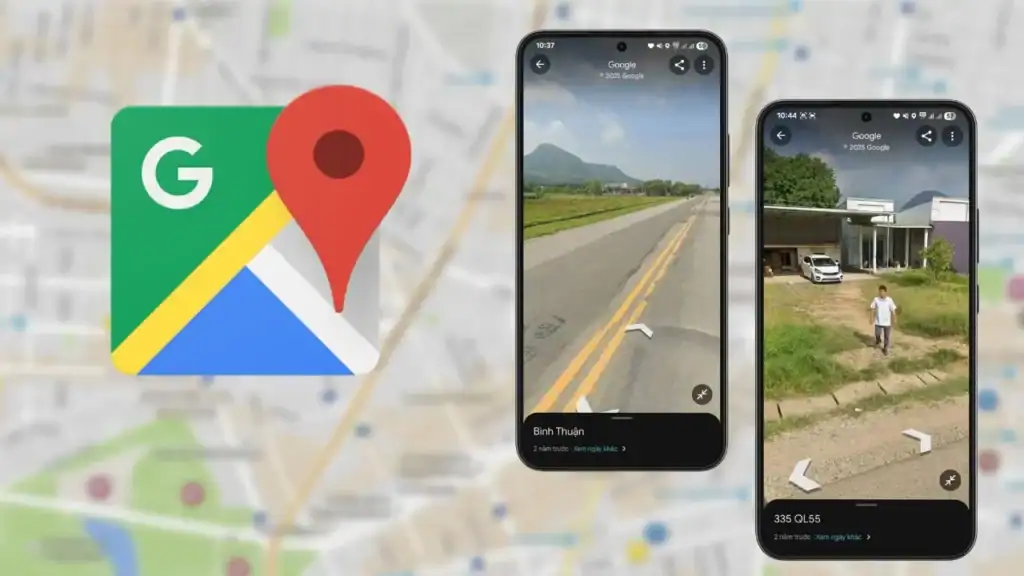
1. Apple Maps Look Around — Best for iPhone & Mac Users
Apple Maps Look Around is Apple’s answer to Google Street View, and as of 2026 it is one of the most visually impressive street-level viewing experiences available anywhere.
What makes it different from Google Street View:
Apple uses proprietary camera rigs and LiDAR-based depth sensing to capture imagery that is noticeably sharper and more immersive than many older Google captures. Movement between panoramas is fluid and cinematic rather than the discrete “jump” model of classic Street View.
How to activate Apple Look Around:
Many users don’t realise Look Around exists because it doesn’t display the same way as Google’s yellow Pegman. Here’s how to find it:
- Open Apple Maps on iPhone or Mac
- Search for a supported city (e.g., New York, London, Tokyo)
- Tap on a road segment — if Look Around is available, a binoculars icon appears in the top-right corner of the map card
- Tap the binoculars icon to enter the immersive view
Availability limitations to know:
- Look Around is only available on Apple devices — iPhone, iPad, and Mac. There is no web browser version and no Android support.
- Coverage is expanding but remains concentrated in major cities across the US, Europe, Japan, Canada, and Australia. Rural coverage is limited compared to Google.
- As of 2026, Apple Maps Look Around is not available on Windows or Android.
Best for: iPhone and Mac users who want the highest-quality street-level imagery in supported major cities.
2. Bing Maps Streetside — Best for Desktop & Mobile Browsers
Bing Maps Streetside is Microsoft’s street-level imagery feature built directly into Bing Maps, and it remains fully active in 2026. Many users don’t realise it exists because it’s overshadowed by Google’s dominance — but for desktop users especially, it’s a capable and underrated alternative.
Is Bing Maps Streetside still available?
Yes. Bing Streetside is still operational in 2026 on both desktop and mobile browsers. Unlike the discontinued Google Street View app, Bing has continued to maintain and update Streetside imagery, with particularly strong coverage across Western Europe (UK, France, Germany, Netherlands) where it competes well with Google.
How to use Bing Streetside on desktop:
- Go to bing.com/maps
- Navigate to a supported location
- Click the Streetside button in the top-right toolbar (it looks like a small person icon)
- Drag the icon to any blue-highlighted road to enter Streetside view
How to use Bing Streetside on mobile:
- Open your browser on Android or iOS and go to bing.com/maps
- Tap a location and look for the Streetside option in the location card
- Note: Streetside on mobile browser is functional but less smooth than the desktop experience
Bing Streetside vs Google Street View — key differences:
| Feature | Bing Streetside | Google Street View |
|---|---|---|
| Platform | Web browser (any device) | Google Maps app + web |
| Coverage | Strong in Europe & North America | Global, most comprehensive |
| Historical imagery | Limited | Yes (click the clock icon) |
| Mobile app | Browser only | Native app (via Google Maps) |
| Status (2026) | Active | Active (within Google Maps) |
Best for: Users on any device who prefer a browser-based street view experience, especially in European cities.
3. Mapillary — Best Open-Source, Crowdsourced Street View
Mapillary (owned by Meta since 2020) is the world’s leading open-source, community-driven street-level imagery platform. Unlike Google or Apple, Mapillary’s imagery is contributed by anyone — cyclists, drivers, drone operators, and pedestrians worldwide — making it uniquely valuable for areas that Google’s camera cars have never visited.
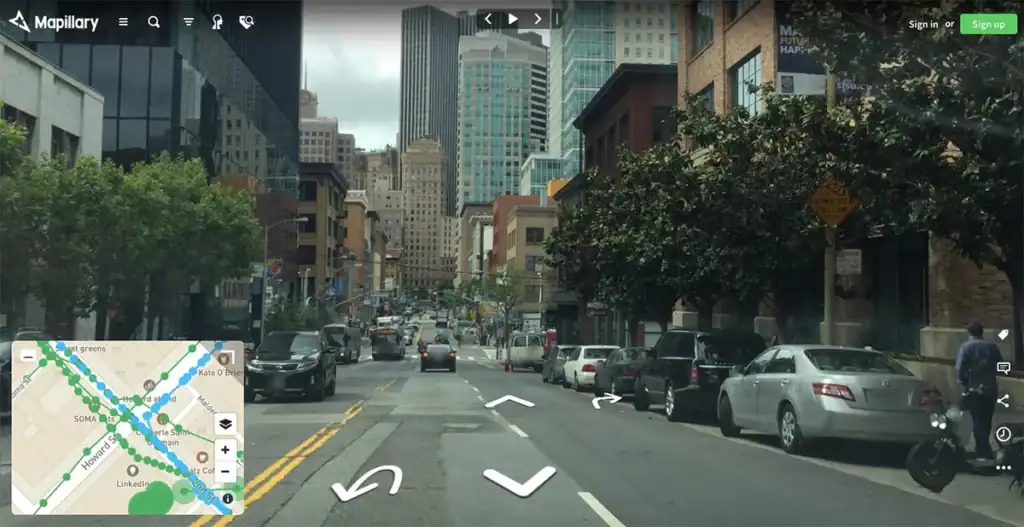
Why Mapillary stands out:
- Open data: All imagery is available under open licenses, making it ideal for research, urban planning, and OpenStreetMap contributions
- Community coverage: Rural roads, mountain trails, and developing-world locations often have Mapillary imagery when Google has none
- API access: Developers can build applications using Mapillary’s imagery API
- Free to use and contribute: Upload your own street-level photos using the Mapillary mobile app (iOS & Android)
Who uses Mapillary:
- Urban planners and city governments using crowdsourced data for infrastructure mapping
- Cyclists and hikers documenting trail conditions
- OpenStreetMap contributors adding location context
- Researchers and journalists needing open-license street imagery
Limitation to note: Image quality and coverage consistency are lower than Google Street View in major cities, since imagery depends on community contributions rather than professional camera rigs.
Best for: Open-source advocates, contributors, researchers, and anyone needing street-level imagery in areas Google hasn’t covered.
Best Alternatives for Creating & Hosting Your Own 360° Street View
The platforms above are great for viewing existing street-level imagery. But if you’re a real estate photographer, tourism professional, business owner, or 360° content creator who needs to create, host, and share your own immersive imagery — you need a different category of tool entirely.
This is where Panoee fits.
4. Panoee — Best Free Platform for 360° Creators
Panoee is a cloud-based virtual tour software that lets you upload 360° panoramas, build fully interactive virtual tours, and publish them directly to Google Maps — all from your browser, with no special hardware required.
Unlike the viewer-only platforms above, Panoee is a creation and hosting platform: you bring your own 360° photos, and Panoee handles rendering, interactivity, hosting, and distribution.
What Panoee does differently:
Multi-Resolution rendering up to 32K. Panoee slices panoramas into tiles and loads only what’s visible at the user’s current zoom level — the same approach used by enterprise platforms like Matterport, but available on Panoee’s free plan. The result: ultra-high-resolution 360° imagery that loads fast on any connection.
Truly free, forever — with no forced watermarks. Panoee’s free plan includes unlimited projects, 3 GB storage, 7 hotspot types, and full multi-resolution rendering. Unlike competitors that brand your tours or limit published projects, Panoee’s free tier is genuinely usable for professional work.
Publish directly to Google Maps / Google Street View. Panoee includes a native Google Street View integration that lets you push panoramas and scene connections directly to Google Maps from inside the editor. This replaces the workflow that previously required the discontinued Google Street View app.
Full interactivity toolkit. Unlike pure street view platforms, Panoee tours support:
- Navigation hotspots between scenes
- Article, video, and image pop-up hotspots
- eCommerce hotspots with pricing and buy buttons
- Lead capture forms
- Password protection
- Floorplan navigation
- Background music and popup intro
Hardware agnostic. Panoee works with any 360° camera — Ricoh Theta, Insta360, GoPro MAX, or even standard 2D images for flat scenes. No proprietary camera required (unlike Matterport).
Panoee vs the discontinued Google Street View app:
| Feature | Google Street View App (discontinued) | Panoee |
|---|---|---|
| Upload 360° to Google Maps | ✓ (was available) | ✓ Still available |
| Create interactive hotspots | ✗ | ✓ |
| Custom branding / white label | ✗ | ✓ |
| Embed on your website | ✗ | ✓ (iFrame) |
| Custom domain | ✗ | ✓ |
| Offline/self-hosted export | ✗ | ✓ |
| Price | Free | Free (with paid plans from ~$22/mo) |
Best for: Real estate photographers, tourism operators, hospitality businesses, schools, and any professional who needs to create, host, and share 360° virtual tours — and optionally publish them to Google Maps.
→ Start free on Panoee — no credit card required.
5. Panoee.live — Best Free Community for 360° Street View Discovery
Panoee.live is the community gallery platform connected to Panoee, where creators publish their 360° tours publicly for anyone to explore — functioning as a crowd-contributed alternative to browsing Google Street View.
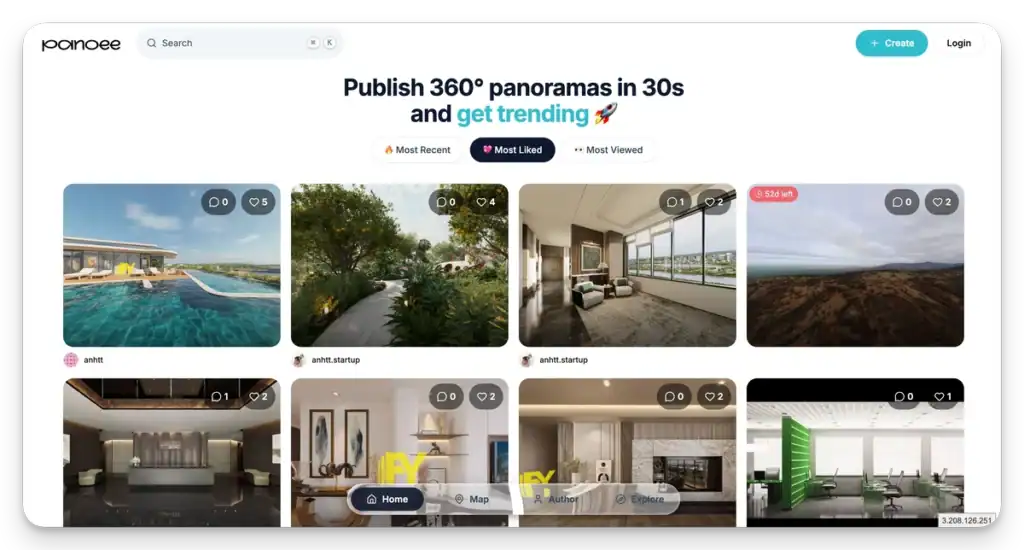
Think of it as the Mapillary equivalent for professional-quality virtual tours: instead of raw street-level photos, Panoee.live hosts fully interactive, multi-scene virtual experiences that anyone can browse by location and category.
Best for: Discovering and sharing high-quality 360° virtual tours of real places — hotels, real estate, campuses, tourist destinations — that go far beyond what Street View can show.
Comparison Table: Google Street View Alternatives in 2026
| Platform | Type | Free? | Mobile? | Best For |
|---|---|---|---|---|
| Google Maps | Viewer | ✓ | ✓ (iOS & Android) | Viewing existing Street View imagery |
| Apple Maps Look Around | Viewer | ✓ | iOS only | iPhone/Mac users in supported cities |
| Bing Maps Streetside | Viewer | ✓ | Browser (any) | Desktop users, strong Europe coverage |
| Mapillary | Viewer + Upload | ✓ | ✓ (iOS & Android) | Open-source contributors & researchers |
| Panoee | Creator + Hosting | ✓ (free plan) | ✓ (view on any device) | Building & hosting 360° virtual tours |
| Panoee.live | Community Gallery | ✓ | ✓ | Discovering professional 360° tours |
How to Upload 360° Photos to Google Maps Without the Street View App
With the Google Street View app gone, here are the two ways to upload 360° imagery to Google Maps in 2026:
Option 1 — Via Google Maps app (Android/iOS):
- Open Google Maps on your phone
- Tap your profile icon → Your contributions → Add photos
- Select your 360° photos (must be equirectangular JPG)
- Follow the prompts to position and publish
Option 2 — Via Panoee (recommended for professional results):
- Create a free account at panoee.com
- Upload your 360° panoramas and build your virtual tour
- In the Publish tab, activate Google Street View publishing
- Connect your Google account and publish scenes directly to Maps
The Panoee method gives you the ability to add hotspots, custom branding, and full interactivity before optionally pushing to Google Maps — giving you both a hosted virtual tour and a Maps presence from a single upload.
Frequently Asked Questions
Is the Google Street View app still available in 2026? No. Google discontinued the standalone Street View app in March 2023. The functionality was merged into the main Google Maps app on iOS and Android. Existing Street View imagery remains accessible through Google Maps on desktop and mobile.
What is the best free Google Street View alternative? It depends on your use case. For viewing street-level maps: Apple Maps Look Around (iPhone users) or Bing Streetside (any browser). For creating and hosting your own 360° imagery and publishing it to Google Maps: Panoee is the best free option, with unlimited projects and no forced watermarks on the free plan.
Does Bing Maps still have Street View in 2026? Yes. Bing Maps Streetside is still active in 2026 on both desktop and mobile browsers. It offers solid coverage across North America and Western Europe and is accessible without any app download — just go to bing.com/maps in any browser.
What is the best street view app for Android? Google Maps (with Street View mode) remains the default option on Android. Mapillary is the best option for contributing your own street-level photos. For creating professional 360° virtual tours on Android, Panoee’s web editor works on any mobile browser.
Does Apple Maps have Street View? Apple Maps has its own equivalent called Look Around, which offers high-quality immersive street-level imagery in supported cities. It is only available on Apple devices (iPhone, iPad, Mac) and is not accessible on Android or Windows.
How do I access historical Street View imagery? On Google Maps desktop, click the yellow Pegman icon and drop it onto a road. If historical imagery exists, a clock icon appears in the bottom-left corner — click it to browse older captures going back years.
How do I upload 360 photos without the Google Street View app? Use the Google Maps app (iOS or Android) under Your contributions → Add photos, or use Panoee to upload panoramas, add interactivity, and publish directly to Google Maps from within the Panoee editor.
What is Mapillary and is it a good alternative? Mapillary is an open-source, community-driven street-level imagery platform owned by Meta. It’s excellent for contributing to open map data and viewing imagery in areas Google doesn’t cover well. It supports both iOS and Android apps for uploading 360° and regular photos.
Can I still publish to Google Street View in 2026? Yes. You can publish 360° panoramas to Google Maps/Street View through the Google Maps app or through third-party tools like Panoee, which offers a built-in Google Street View publishing feature that connects directly to your Google account.
What is the difference between Panoee and Google Street View? Google Street View (within Google Maps) is a viewer for street-level imagery captured by Google’s camera cars. Panoee is a creation and hosting platform for virtual tours — you upload your own 360° photos, add interactivity (hotspots, forms, videos), and share via custom URL, embed code, or custom domain. Panoee also lets you publish your panoramas to Google Maps, making it the closest functional replacement for the discontinued Google Street View app’s upload capabilities.
Related Articles
- How to Upload 360 Photos to Google Maps — step-by-step guide for publishing to Street View in 2026
- Free Unlimited 360 Photo Hosting — how to host panoramas without monthly fees
- Best Virtual Tour Software in 2026 — full comparison of Matterport, Kuula, CloudPano, and Panoee
- See more: List of street view services
