

Quick answer: 360 EXIF Fixer is a free browser tool that injects Google Photo Sphere (GPano) tags into a 360° JPEG so Facebook, Instagram, Google Photos, and panorama viewers open it as a sphere — not a flat wide photo. Files stay on your device; JPEG pixels are not re-encoded.
Last updated: September 7, 2026
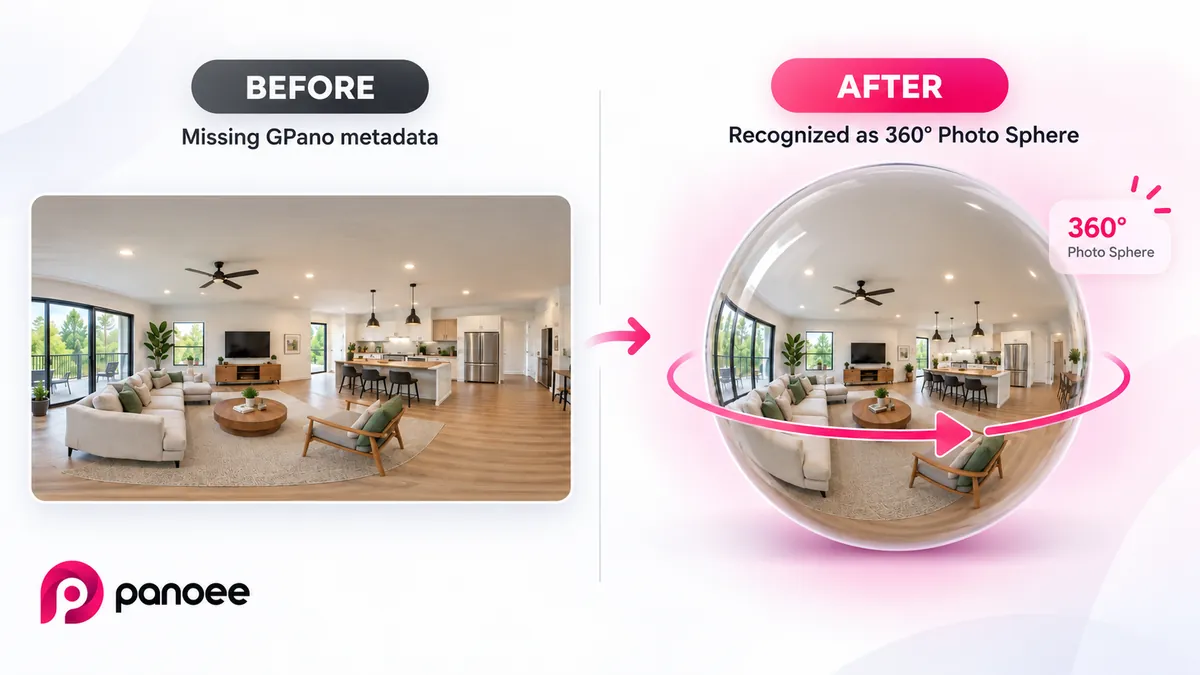
What is 360 EXIF Fixer?
360 EXIF Fixer is a free, browser-based tool that writes Google Photo Sphere (GPano) XMP metadata into a 360° JPEG. Platforms use those tags to decide whether a 2:1 image should open as a spherical photo or as a flat panorama.
Everything runs locally. The file is never uploaded. The tool does not decode or recompress JPEG pixels — it only inserts or updates an XMP packet inside the JPEG. PNG and WebP are converted to JPEG first (quality ~92%), because Facebook only reads 360 tags from JPEG.
Why do 360 photos display flat on Facebook?
A correct equirectangular image is usually twice as wide as it is tall, but aspect ratio alone is not enough. After Photoshop, Lightroom, Insta360 Studio exports, canvas export, or web compression, the Photo Sphere XMP block is often stripped. The photo still looks like a panorama on disk, yet Facebook renders it as a wide still.
Common causes:
- Missing
GPano:ProjectionType=equirectangular - Missing full-pano and cropped-area pixel sizes
- Optimization or export rebuilt the JPEG without XMP
- You only needed a privacy-safe 360 file but GPS remained in EXIF
Google documents the Photo Sphere / spherical metadata model used by these tags; see Google’s spherical media metadata for the field definitions this tool follows.
Why won't Facebook show my 360 photo?
Facebook opens a photo as 360 only when the JPEG carries 360 (Photo Sphere) metadata. If that metadata is missing or was stripped, for example after editing or exporting the file, Facebook treats it as an ordinary wide photo, even though the image itself is a valid 360. The fix is to add the metadata back:
- Drop your 360 photo into the uploader above. The tag inspector shows Missing 360 tags if the metadata is gone.
- Keep Inject Photo Sphere (GPano) tags ticked and click Fix metadata.
- Click Download fixed JPEG, then upload that file to Facebook.
What GPano tags does the tool write?
It injects the standard GPano Photo Sphere tags: UsePanoramaViewer, ProjectionType, FullPanoWidthPixels, FullPanoHeightPixels, and CroppedArea* values derived from the JPEG SOF dimensions. If the image is not exactly 2:1, the cropped area is centered inside a 2:1 full sphere. Optional PoseHeadingDegrees sets the initial view yaw.
How to use 360 EXIF Fixer (5 steps)
- Drop a JPEG, PNG, or WebP equirectangular 360° image into the uploader.
- Confirm whether Photo Sphere tags are missing in the tag inspector.
- Keep Inject Photo Sphere (GPano) tags enabled; optionally enable Strip GPS.
- Click Fix metadata, then Download fixed JPEG.
- Re-upload that JPEG to Facebook, or open it in a 360 panorama viewer to confirm it spins.
If you compressed the file first with 360 Panorama Optimization, run this fixer afterward — browser compression strips metadata.
Building full interactive tours after the file is tagged? Start free on Panoee or the free virtual tour app.
PNG and WebP vs JPEG
Facebook, Instagram, and Google Photos only treat a file as a 360 photo when it is JPEG with GPano XMP. PNG and WebP can look like a 2:1 panorama, but those platforms will not spin them.
This tool accepts PNG and WebP anyway: it converts them to JPEG in the browser, then injects Photo Sphere tags. JPEG uploads skip conversion and stay lossless (XMP only).
When photographers need this tool
360 photographers and virtual tour creators often finish edits in Photoshop or Lightroom, then discover the share on Facebook will not enter spherical mode. The same failure appears after Insta360 Studio exports and after any pipeline that rebuilds the JPEG container. This free browser fixer restores the missing Photo Sphere block so your equirectangular file matches what viewers expect—without a desktop EXIF editor or re-exporting pixels.
Key takeaways
- Flat Facebook 360s are usually missing GPano tags, not “bad pixels”
- This free browser tool injects Photo Sphere metadata — nothing uploaded
- JPEG stays lossless; PNG/WebP convert to JPEG first
- Run the fixer after panorama optimization / compression
- Re-check in Facebook or an online 360 viewer before publishing
FAQ
What is 360 EXIF Fixer?
A free Panoee browser tool that adds Google Photo Sphere (GPano) tags to 360° JPEGs so social apps and viewers treat them as spherical photos.
Why does Facebook show my 360 as a flat photo?
The 2:1 image likely lost GPano XMP after export or compression. Aspect ratio alone is not enough — inject tags and re-upload.
Does the tool upload my photos?
No. Processing runs locally in your browser. Files never leave your device.
Will fixing tags re-encode or lower JPEG quality?
No for JPEG uploads — only the XMP packet is written. PNG/WebP are converted to JPEG (~92% quality) first because platforms require JPEG for 360 tags.
Should I run this before or after panorama optimization?
After. Browser compression often strips metadata, so run this fixer on the downloaded JPEG from optimization.
Can I strip GPS while keeping 360 tags?
Yes. Enable Strip GPS when fixing so location data is removed while Photo Sphere tags remain.
Why won't Facebook show my 360 photo?
Facebook needs 360 metadata in the JPEG to open it as a 360 photo. If that metadata is missing or was stripped, for example after editing or exporting, it shows a flat photo. Drop the photo into the tool, click Fix metadata, download the fixed JPEG and upload that file to Facebook.
