
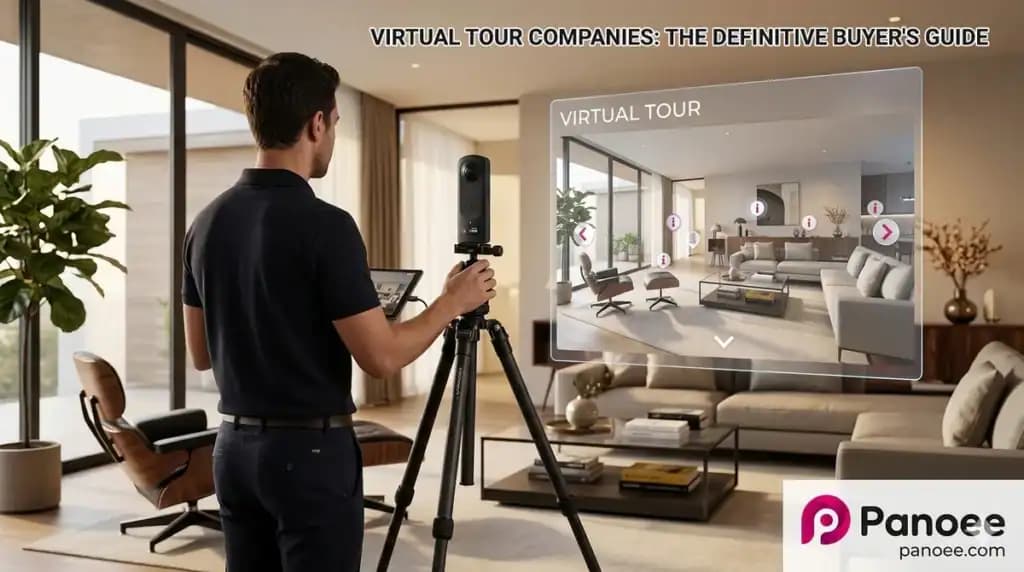
Virtual tour companies are service providers or software platforms that create 360-degree interactive experiences — immersive digital environments that allow viewers to explore spaces remotely. These experiences are used across real estate, education, hospitality, tourism, museums, and industrial sectors.
In 2026, the market splits into two distinct categories:
- Full-service agencies — Professional teams that handle photography, production, and delivery end-to-end.
- DIY virtual tour software — Cloud-based platforms that let businesses and photographers build and publish tours without hiring an agency.
Choosing the right path depends on your budget, technical skill, and how much creative control you want.
Quick Answer: Hire an Agency or Use DIY Software?
| Decision Factor | Hire an Agency | Use DIY Software (e.g., Panoee) |
|---|---|---|
| Budget | $500–$5,000+ per project | Free to ~$22/month |
| Technical Skill Required | None | Low (drag-and-drop) |
| Turnaround Time | Days to weeks | Under 30 minutes |
| Customization | Limited to agency’s style | Full control over themes, hotspots, branding |
| Scalability | Costly to repeat | Unlimited projects at flat cost |
| Ownership of Files | Usually agency-retained | You own and export everything |
| Best For | One-time flagship projects | Ongoing, high-volume, or branded use |
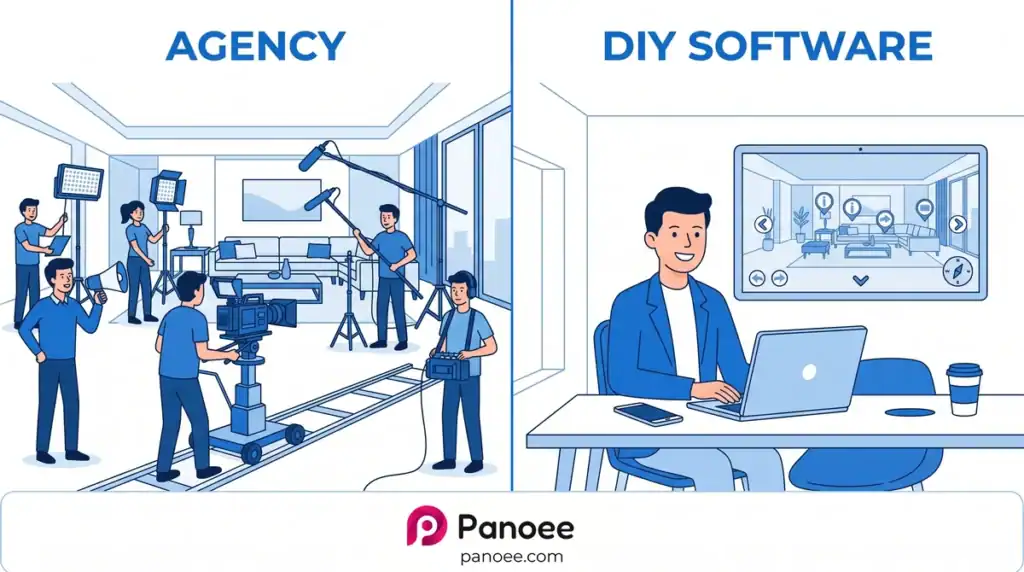
Bottom line: If you need a single, high-budget production for a major launch, an agency makes sense. For real estate agents, hotels, schools, or photographers managing multiple properties, DIY software like Panoee delivers far greater ROI.
Part 1: Top Virtual Tour Companies (Full-Service Agencies)
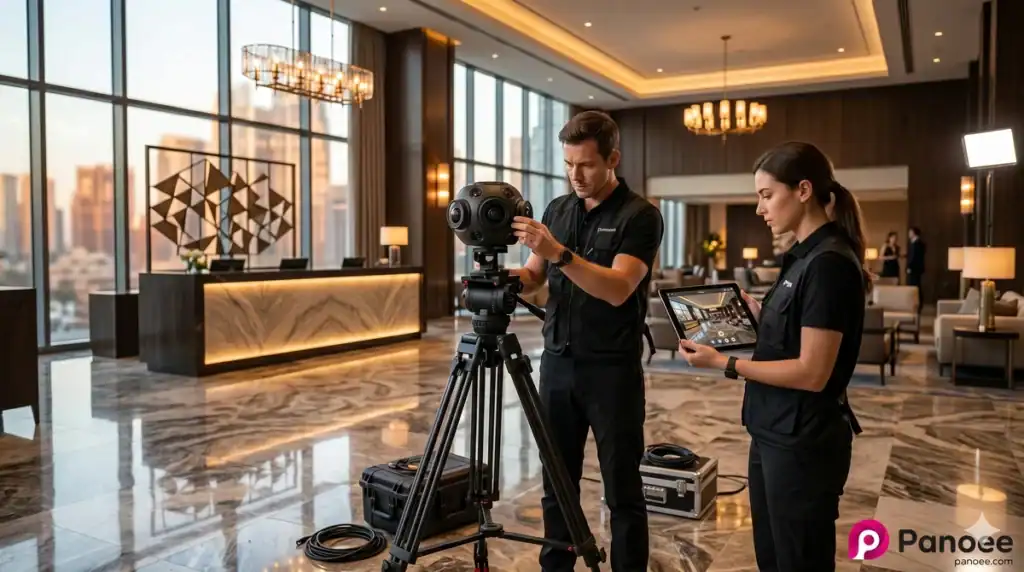
These companies provide end-to-end virtual tour production — photography, editing, 3D modeling, and hosting.
1. YouVisit
YouVisit specializes in high-end, interactive 360-degree experiences for education, travel, and retail brands. Their platform powers virtual campus tours for hundreds of universities, including Ivy League institutions. YouVisit’s strength lies in its branded, narrative-driven tours with guided storytelling overlays.
Best for: Higher education institutions, luxury travel brands
Weakness: Enterprise pricing; not suited for individual photographers or small businesses
2. Virtually Anywhere
Virtually Anywhere is a Kansas-based company focusing on 360° VR media, aerial navigation, and customized 3D environments. They serve industries including real estate, hospitality, and government. Their team handles everything from drone photography to interactive mapping.
Best for: Organizations needing aerial + ground-level 360 integration
Weakness: Regional availability may limit international projects
3. Panomatics
Panomatics is a global company producing interactive 360° HD virtual tours for hotels, tourism boards, and real estate developers. With a presence across Europe, Asia, and North America, Panomatics is known for its polished, cinematic tour quality.
Best for: International hospitality brands and tourism bureaus
Weakness: Higher cost per project; long production timelines
4. CampusTours
CampusTours focuses exclusively on interactive virtual tours and maps for colleges and universities. Their platform integrates seamlessly with college admission portals and CRM systems, making them a go-to vendor for higher education enrollment marketing.
Best for: College and university admissions departments
Weakness: Highly vertical-specific; limited applicability outside education
5. Mass Interact
Mass Interact is a global provider specializing in Google 360° virtual tours for local businesses. They are certified Google Street View partners, which means their tours can be published directly to Google Maps, improving local SEO visibility.
Best for: Local businesses wanting Google Maps integration
Weakness: Limited customization beyond Google’s Street View format
6. Invision Studio
Invision Studio is known for professional photography and Matterport 3D modeling for luxury real estate. Their tours combine high-resolution imagery with detailed 3D floor plans, often used by high-end real estate brokerages.
Best for: Luxury residential and commercial real estate
Weakness: Matterport-dependent, with recurring hosting fees
Part 2: Virtual Tour Software — The DIY Approach
DIY virtual tour software has matured dramatically. Modern platforms like Panoee offer features previously only available through enterprise agencies — at a fraction of the cost.
How DIY Virtual Tour Software Works
- Upload your 360° photos (shot with any 360° camera or drone)
- Edit — add hotspots, navigation links, text, media, floor plans
- Publish — go live on the cloud, embed on your website, or export for offline use
The entire process can take under 30 minutes from first upload to live URL.
Top DIY Virtual Tour Software Platforms in 2026
| Platform | Free Plan | Max Resolution | Key Strength | Watermark-Free Free Tier |
|---|---|---|---|---|
| Panoee | ✅ Unlimited projects | 32K | Multi-resolution engine, eCommerce, offline export | ✅ Yes |
| Kuula | ✅ Limited | 8K | Social sharing, ease of use | ❌ No |
| Matterport | ❌ Paid only | 4K (standard) | 3D digital twin / floor plans | ❌ No |
| CloudPano | ✅ Very limited | 8K | Real estate-focused | ❌ No |
| Klapty | ✅ Limited | 8K | Social community for photographers | ❌ No |
Panoee stands out as the only platform offering unlimited projects, no watermarks, and 32K resolution support — entirely free.
Part 3: Deep Dive — Panoee as the Best DIY Alternative
For businesses and creators who need power, flexibility, and cost efficiency, Panoee is the leading choice in 2026.
Why Panoee Outperforms Agency Hiring for Most Use Cases
Panoee is a professional, cloud-based platform built on Amazon Web Services (AWS) for high performance and scalability. Here’s what makes it exceptional:
Multi-Resolution Engine (32K Support)
Panoee’s proprietary Multi-Resolution technology slices panoramic images into smaller tiles, loading only what’s visible at any given zoom level. This means even 32K resolution panoramas load instantly without quality loss — a capability most agencies and competing software platforms can’t match.
Truly Free Forever Plan
Unlike agency pricing (starting at $500+) or Matterport’s paid-only model, Panoee’s Free Plan includes:
- Unlimited projects
- 3 GB storage
- 7 hotspot types
- Multi-resolution rendering
- Zero watermarks on panoramas
This is a disruptive value proposition that allows photographers, real estate agents, and small hotels to start building professional tours at zero cost.
Complete Hotspot Toolkit
Panoee’s interactive toolkit includes:
| Hotspot Type | Function |
|---|---|
| Navigation Hotspot | Links scenes for guided walkthroughs |
| Compact Hotspot | Contains up to 5 sub-types to reduce visual clutter |
| Polygon Hotspot | Draw custom interactive shapes over specific areas |
| eCommerce Hotspot | Display pricing and “Buy” buttons directly in tour |
| Tour Guide (Green Screen) | Embed a video presenter using chroma key |
| Media-in-Scene | Place images/videos directly on the 360° sphere |
| Information Hotspot | Pop-ups with text, images, links, or video |
Publishing Flexibility Agencies Can’t Offer
Panoee offers four publishing options, giving creators more control than any agency:
- Cloud Hosting — Instant live URL after one click
- Custom Domain — Branded URL linked via DNS records
- Google Street View — Direct publishing to Google Maps
- Offline ZIP Export — Download all HTML/JS/assets for private server hosting
This means you truly own your virtual tour — a critical advantage over agency-produced assets that are often locked to the agency’s hosting platform.
Built-in CMS, Analytics & SEO Tools
Panoee includes:
- SEO optimization: Custom slugs, meta titles, descriptions, and SEO thumbnails
- Analytics dashboard: Track views and clicks
- Google Analytics & Tag Manager integration
- Lead capture forms and CTA buttons for conversion
- Collaboration mode for team workflows
Part 4: Agency vs. DIY Software — Detailed Cost Analysis
Scenario: Real Estate Agency with 20 Listings/Month
| Cost Factor | Hiring Agency | Using Panoee |
|---|---|---|
| Per-tour cost | $200–$500 | $0 (Free) or ~$0.73/tour (Pro) |
| Monthly cost (20 tours) | $4,000–$10,000 | Free – $22/month |
| Turnaround per tour | 2–5 days | Same day |
| Branding control | Shared/agency logo | Full white-label |
| File ownership | Agency’s servers | Full ownership + ZIP export |
| Annual cost | $48,000–$120,000 | $0–$264 |
Scenario: University Running Virtual Open Days
| Cost Factor | Hiring Agency (YouVisit) | Using Panoee |
|---|---|---|
| Setup cost | $10,000–$50,000 | $0 |
| Per-update cost | $500–$2,000 | $0 (self-edit) |
| Multi-language support | Agency-managed | Built-in |
| Scalability (adding buildings) | Add cost per building | Add scenes in minutes |
For ongoing, scalable virtual tour production, DIY software reduces costs by 90–99% compared to full-service agencies.
Part 5: Industry-Specific Recommendations
Real Estate Agents & Photographers

Recommended approach: DIY with Panoee
Use Panoee’s virtual tour software for real estate to create and publish listing tours same-day. Integrate with Google Street View for organic local search visibility. Add lead capture forms directly within the tour to collect buyer contact information.
Key features: Interactive Floorplans, Lead Forms, eCommerce Hotspots for room pricing.
Hotels & Hospitality
Recommended approach: DIY with Panoee
Hotels benefit from Panoee’s eCommerce hotspots (displaying room rates with “Book Now” buttons), Popup Intro (welcome video on entry), and background ambient audio. Custom domain publishing ensures the tour appears under the hotel’s own brand.
For luxury flagship properties requiring cinematic production quality, consider a hybrid: commission Panomatics or a local agency for photography, then import into Panoee for hosting and management.
Universities & Colleges

Recommended approach: Evaluate YouVisit vs. Panoee
For universities with large enrollment marketing budgets, YouVisit or CampusTours offer deep CRM and admission portal integrations. For smaller colleges or those wanting fast deployment without enterprise pricing, Panoee’s Portal/Gallery feature allows multiple buildings to be organized under a single branded institution tour.
Reference: Panoee’s guide to virtual campus tours covers the specific workflow.
Museums & Cultural Institutions
Recommended approach: DIY with Panoee
Museums benefit from Polygon Hotspots (defining interactive exhibit areas), Article Hotspots (displaying contextual historical information), and Media-in-Scene (embedding curator videos). Panoee’s Offline ZIP Export allows high-security institutions to run tours from local servers without internet dependency.
Learn more: Free virtual museum tours — a complete guide for cultural institutions.
Part 6: How to Create a Virtual Tour with Panoee (3-Step Workflow)
If you’re ready to start building without hiring an agency, here’s the workflow:
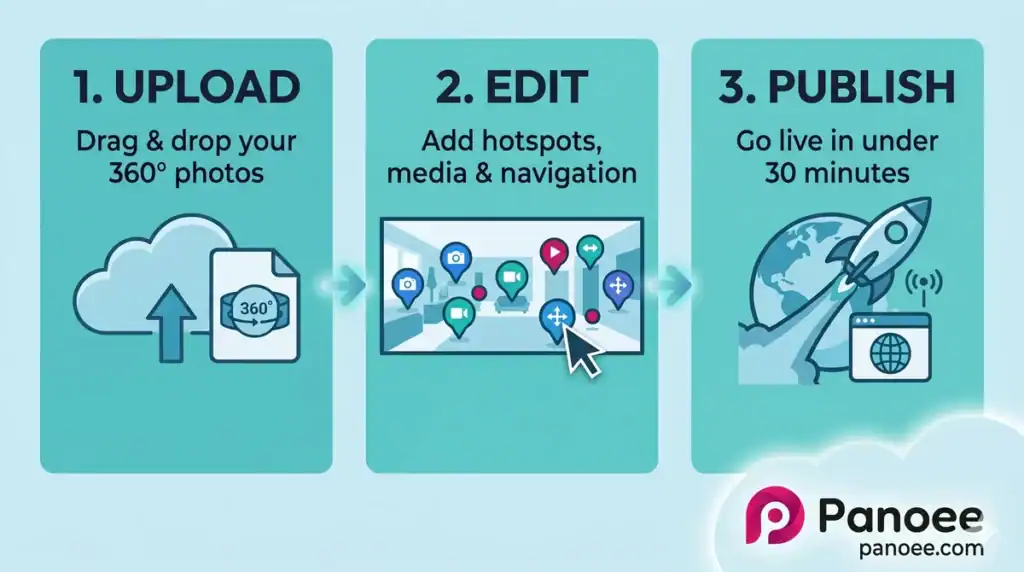
Step 1 — Upload Sign in at panoee.com. Create a new project and drag-and-drop your 360° images. Panoee automatically processes them into multi-resolution format.
Step 2 — Edit
- Set the initial camera view using “Save Default View”
- Add hotspots from the panel — navigation links, information pop-ups, eCommerce buttons
- Customize the theme, control bar, and add a Nadir Logo to cover the camera tripod
- Configure background music, auto-rotation, or a Popup Intro
Step 3 — Publish Go to the Publish tab, set the tour to “Public,” customize your URL slug, and share via direct link, embed code, QR code, or push to Google Street View.
Total time from upload to live tour: under 30 minutes.
Frequently Asked Questions
Q: What do virtual tour companies charge?
Full-service virtual tour agencies typically charge between $300 and $5,000+ per project, depending on the number of scenes, production quality, and deliverables. Ongoing hosting with agencies can add $50–$200/month. DIY platforms like Panoee allow unlimited project creation for free, with optional paid plans from ~$22/month for premium features.
Q: Can I create a virtual tour without hiring a company?
Yes. Modern DIY software like Panoee allows anyone with a 360° camera to create and publish professional-quality virtual tours without technical expertise. Panoee’s free plan includes unlimited projects with no watermarks.
Q: Which virtual tour software is best for real estate?
Panoee ranks among the top platforms for real estate virtual tours due to its support for unlimited listings on the free plan, interactive floorplan integration, lead capture forms, and direct Google Street View publishing. See the detailed comparison: best virtual tour software.
Q: Do I need special equipment to create virtual tours?
Any 360° camera works with Panoee — it is hardware agnostic. Popular options include Ricoh Theta, Insta360, and GoPro MAX. Panoee also supports standard 2D images for “Flat Scenes,” so you don’t even need a 360° camera to get started.
Q: What is the difference between Matterport and Panoee?
Matterport specializes in 3D digital twins and requires proprietary hardware for best results, with paid plans starting at $79/month. Panoee is hardware agnostic, supports 32K resolution, offers a genuinely free forever plan with unlimited projects and no watermarks, and provides more flexible publishing options including offline ZIP export. See the full comparison: Matterport alternatives.
Q: Can virtual tours be embedded on my website?
Yes. All Panoee tours generate an iFrame embed code that can be pasted into any website or CMS, including WordPress, Squarespace, and Webflow.
Q: What is the best free virtual tour software?
Panoee offers the most comprehensive free plan in the market — unlimited projects, no watermarks, multi-resolution rendering, and 7 hotspot types at $0. Explore all capabilities: free virtual tour software.
Q: How long does it take to create a virtual tour?
With Panoee, the workflow from upload to published tour takes under 30 minutes. Agency-produced tours typically take 3–14 days depending on production complexity.
Conclusion: When to Hire vs. When to Build
Hire a virtual tour company if:
- You need a single, cinematic flagship production with professional photography and narration
- You lack the time or team to manage ongoing tour creation
- Your use case requires deep CRM/admission portal integration (e.g., YouVisit for universities)
Use Panoee DIY software if:
- You manage multiple properties, listings, or venues
- You need branding control and file ownership
- You want to publish to Google Street View, custom domains, or self-hosted servers
- You want to start for free with no watermarks and scale up only when needed
Start building your first virtual tour free on Panoee →
No credit card required. Unlimited projects. No watermarks. Live in under 30 minutes.
Related reading:
