

In 2026, real estate agents who close more deals aren’t just better negotiators—they leverage smarter technology. From CRM platforms that automate follow-ups to immersive virtual tour software that captures buyers before a single showing, the right tech stack separates top producers from the rest. This guide breaks down 20+ essential real estate agent tools organized by workflow stage so you can find exactly what you need.
- Agents using CRM software close up to 29% more deals by automating lead follow-up and pipeline tracking.
- Virtual tour listings receive 87% more views than standard photo listings on major portals.
- Panoee’s Free Forever Plan offers unlimited virtual tours with no watermark—zero upfront investment required.
- E-signatures via DocuSign or HelloSign are legally binding under the ESIGN Act, enabling remote closings.
- A hardware kit (360 camera + smartphone + drone) unlocks the full spectrum of property marketing media.
The Modern Agent’s Workflow: A Tech Stack Overview
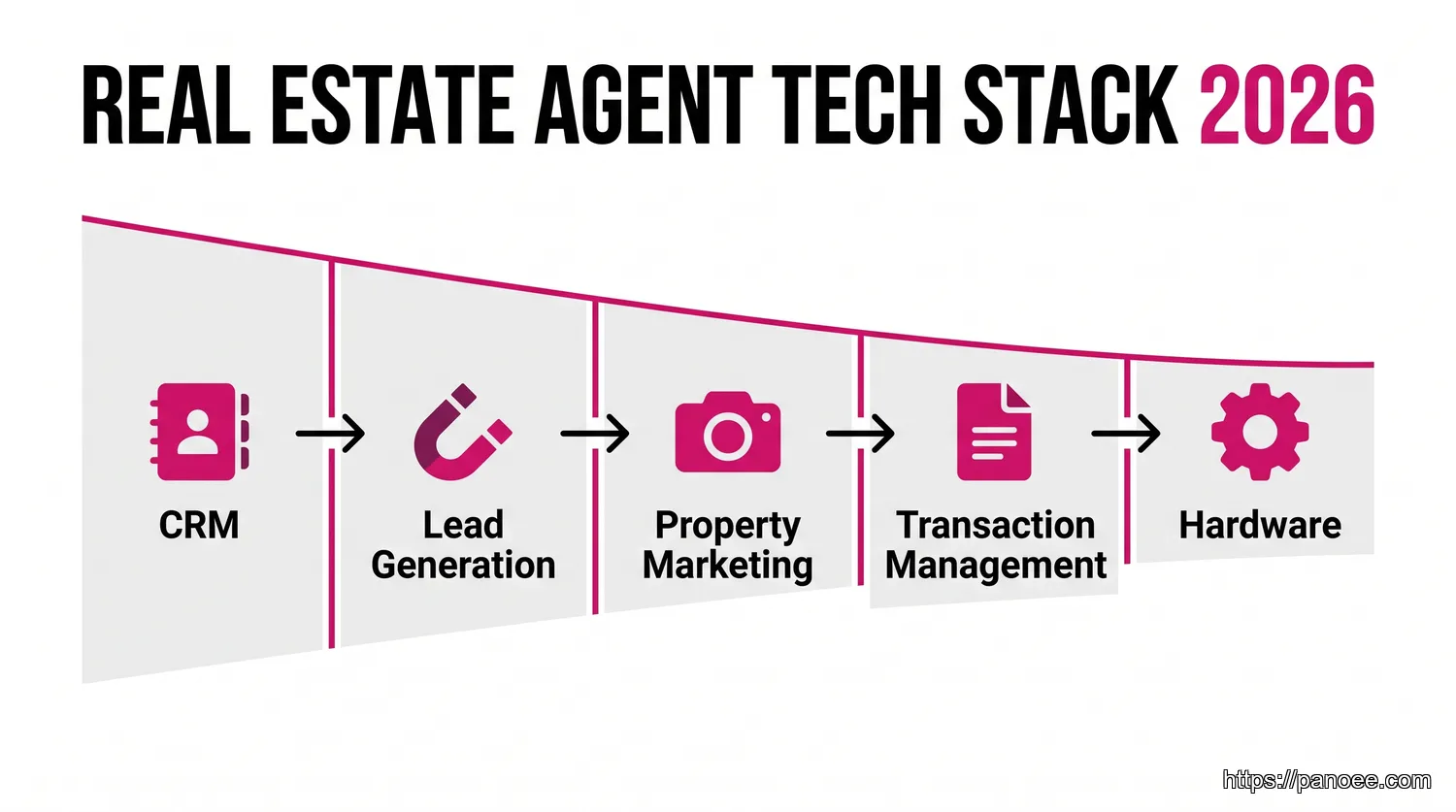
Before diving into specific tools, it helps to see the big picture. Every successful real estate agent operates across five core workflow stages, and each stage has a distinct category of technology designed to optimize it:
- Customer Relationship Management (CRM) — Track every lead, automate follow-ups, manage your pipeline.
- Lead Generation & Nurturing — Attract prospects through social media, email campaigns, and listing syndication.
- Property Marketing & Showing Technology — Present properties in the most compelling way possible, online and in-person.
- Transaction & Document Management — Streamline contracts, e-signatures, and closing paperwork.
- Essential Hardware — The physical gear that makes professional-quality content creation possible.
Understanding this flow prevents “tool overload” — the trap of subscribing to dozens of apps that duplicate function. Build your stack intentionally, one stage at a time.
Category 1: Customer Relationship Management (CRM) Software
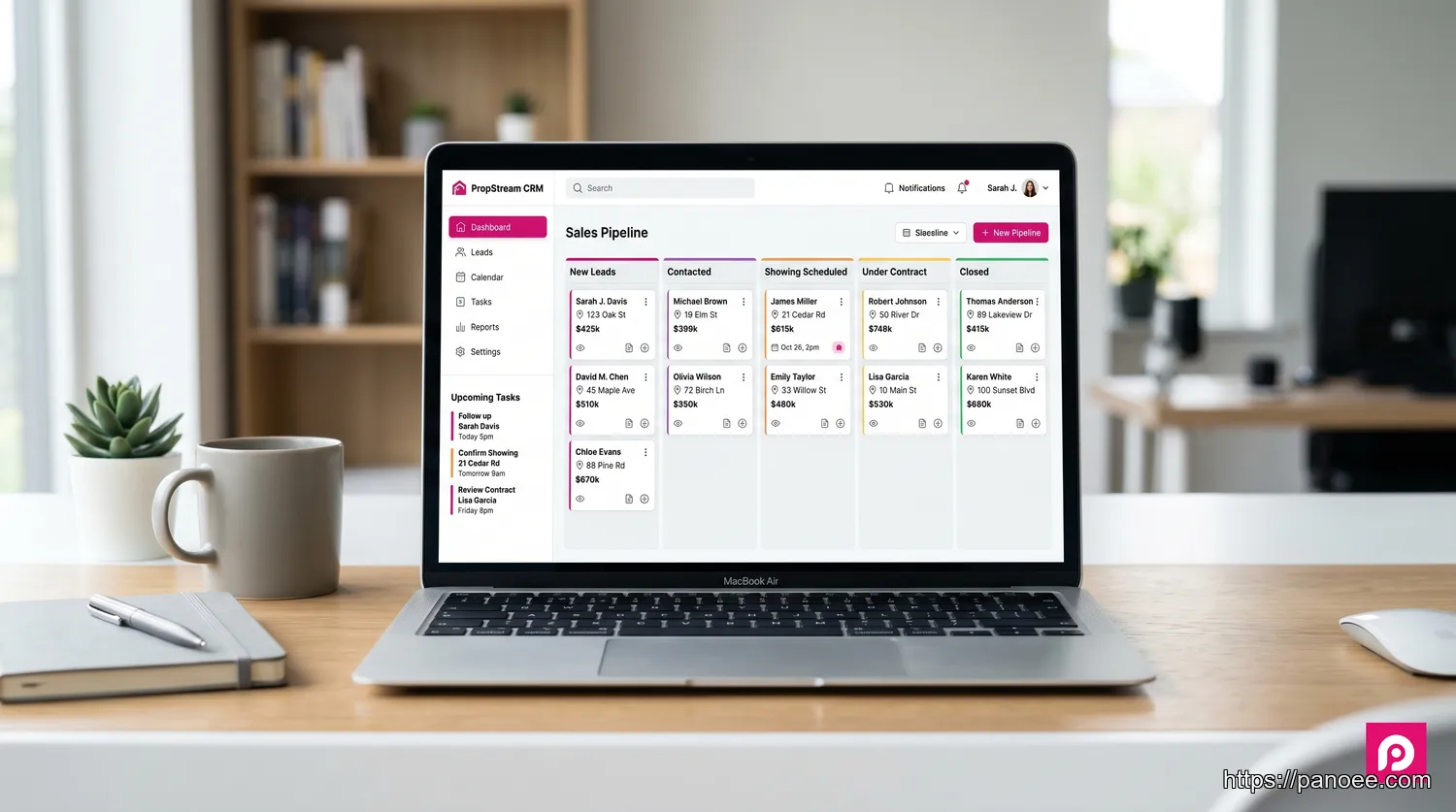
Think of your CRM as the central nervous system of your business. Without it, leads slip through the cracks, follow-up is inconsistent, and you have no clear picture of your pipeline at any given moment. A well-configured CRM automatically logs every call, email, and interaction—then reminds you exactly when and how to follow up.
Top CRM Picks for Real Estate Agents
Follow Up Boss is widely considered the gold standard for dedicated real estate CRMs. It centralizes all inbound leads from Zillow, Realtor.com, and your website into one inbox, then auto-assigns tasks based on lead source and behavior. Its two-way texting feature alone makes it a standout for agents who live by their phone.
LionDesk offers an exceptionally strong value proposition for independent agents or small teams. Its built-in AI-powered lead assistant can send initial texts to new leads automatically — even at 2 a.m. — qualifying prospects before you ever wake up. Video messaging and drip campaigns are included in the base plan.
Zillow Premier Agent CRM is a natural fit if Zillow is your primary lead source, since it comes bundled with Premier Agent advertising. The interface is intuitive and the mobile app is excellent for agents constantly on the move.
When evaluating options, look for integrations with your email, calendar, and transaction management software. The best CRM is the one you’ll actually use consistently. For a broader comparison of options, check out top-rated real estate CRMs ranked by verified user reviews on G2.
Category 2: Lead Generation & Nurturing Tools
Generating leads is only half the battle — the other half is staying relevant and top-of-mind until a prospect is ready to act. This category spans three distinct channels, each requiring its own set of tools.
Social Media Management Platforms
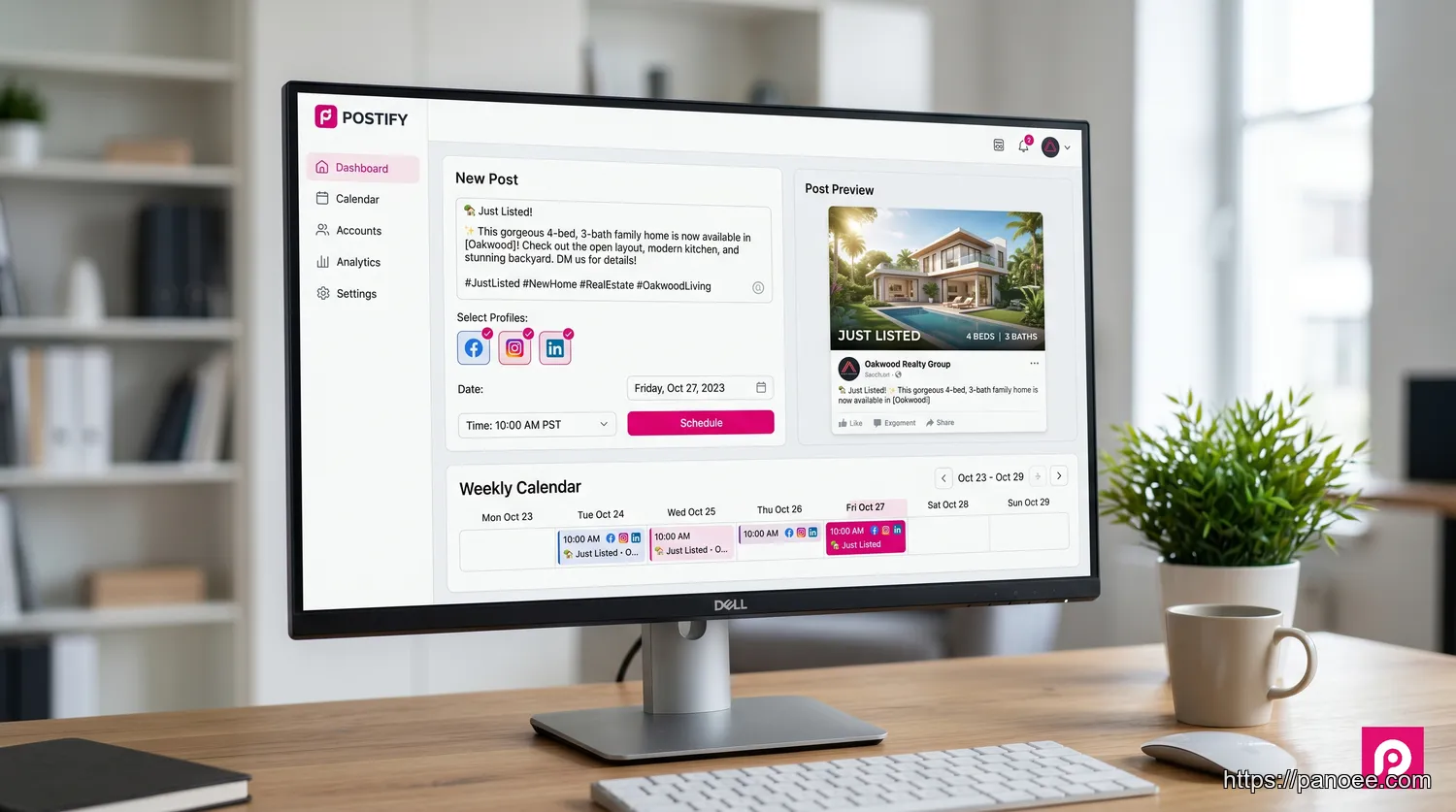
An agent’s social media presence is their public-facing brand. Consistent, professional posting builds authority and keeps your sphere of influence engaged between transactions. The challenge: managing Facebook, Instagram, LinkedIn, and TikTok separately is a full-time job.
Buffer remains the go-to for solo agents who want simplicity. You can draft, schedule, and analyze posts across all major platforms from a single dashboard. Its AI assistant can even suggest captions tailored to real estate content.
Hootsuite is better suited for team environments where multiple agents contribute content. It offers deeper analytics, social listening features, and more granular permission controls — useful if you have an assistant managing your accounts.
Pro tip: Aim for 3–5 posts per week. A mix of listings, market updates, neighborhood spotlights, and personal brand content tends to outperform purely promotional feeds.
Email Marketing Services
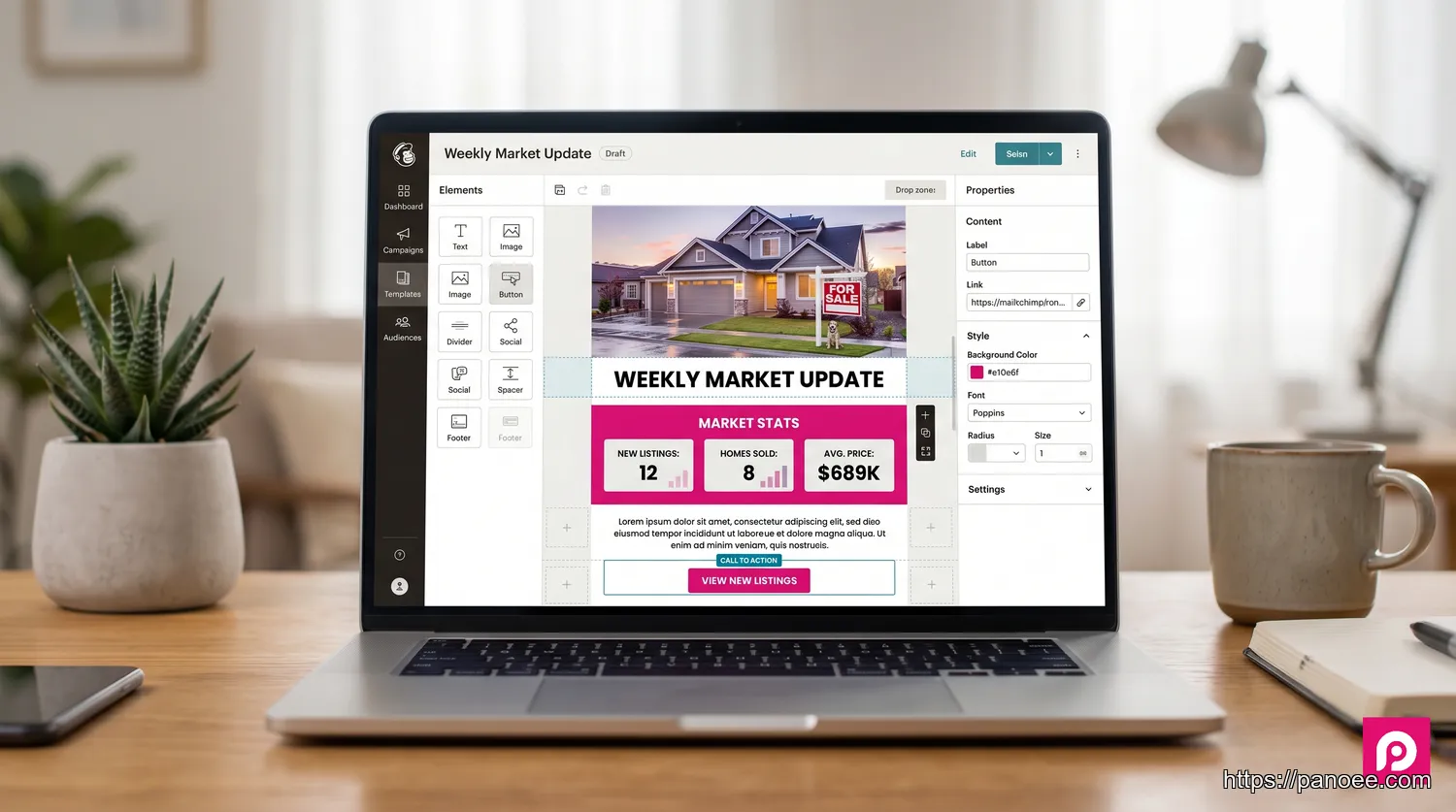
Email remains one of the highest-ROI channels in real estate marketing. A well-segmented list of past clients, active prospects, and sphere-of-influence contacts is a compounding asset that appreciates every year.
Mailchimp is the most accessible starting point for agents new to email marketing. Its automation builder can send a welcome sequence to new subscribers, notify your list the moment a new listing goes live, and trigger a “Happy Home-iversary” email one year after closing — all hands-free.
ConvertKit (now rebranded as Kit) is preferred by agents who want more advanced segmentation. You can tag subscribers by buyer vs. seller interest, neighborhood preference, or price range, then send hyper-relevant content to each segment.
Listing Syndication Services
Your listings need maximum exposure, and manually posting to each platform is unsustainable. MLS syndication pushes your listings to Zillow, Trulia, Realtor.com, Homes.com, and dozens of other portals automatically the moment you publish. Services like ListHub (now part of Realtors Property Resource) and direct MLS feeds handle this seamlessly. Confirm with your brokerage which syndication partnerships are already active — you may not need a separate subscription.
Category 3: Property Marketing & Showing Technology
The way buyers discover and evaluate properties has fundamentally changed. According to the National Association of Realtors, over 97% of home buyers now use the internet during their search — and a growing majority want to experience a property virtually before scheduling a physical showing. Static photos no longer close the gap between “scrolling” and “scheduling.”
High-Impact Virtual Tour Software
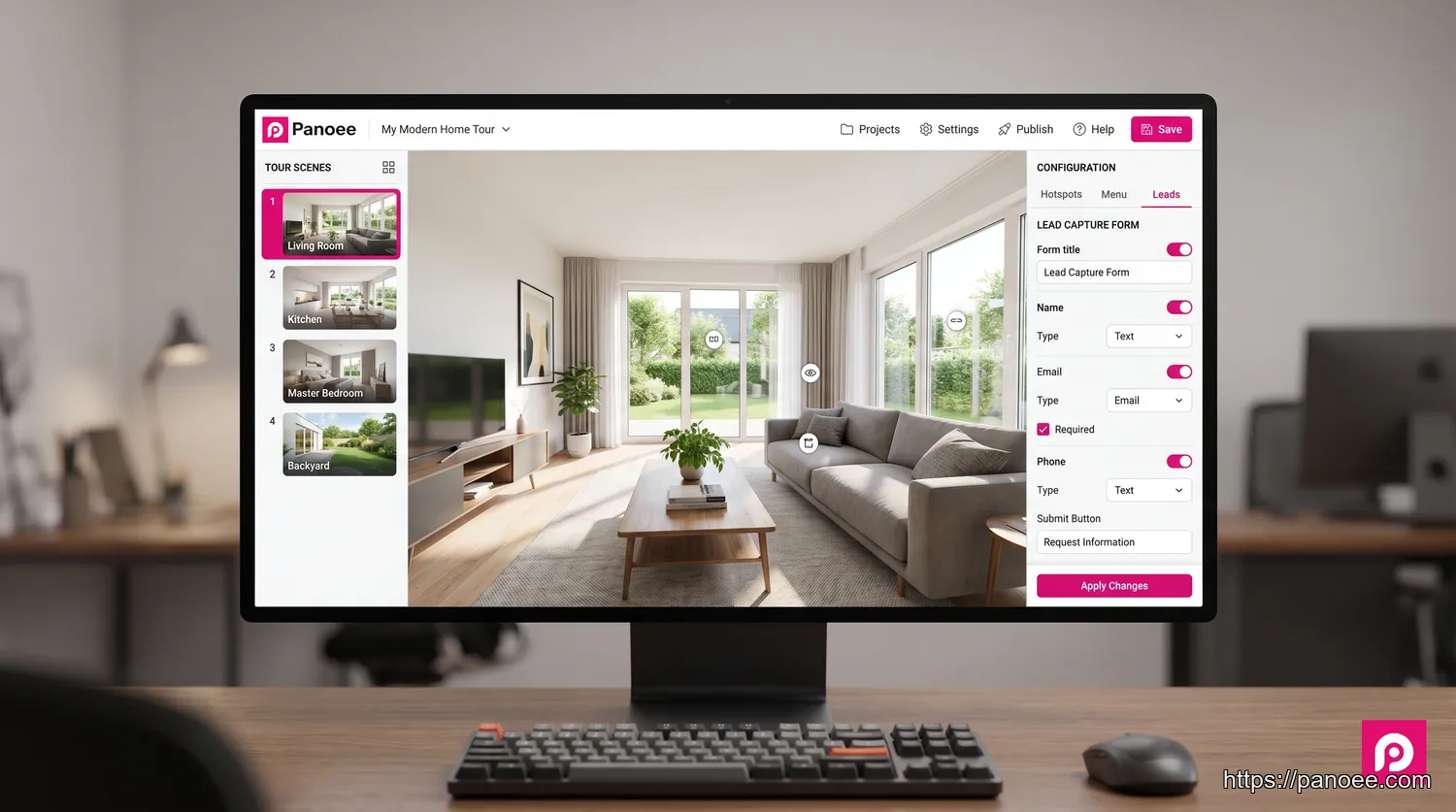
Standard photography shows a buyer what a room looks like. A 360° virtual tour shows them how it feels to stand inside it — and that distinction is the difference between a click and a call.
When evaluating virtual tour real estate platforms, most agents quickly realize that generic tools lack the features that actually matter for property marketing. Here’s where Panoee stands apart from the competition:
The problem: Buyers browse your virtual tour but leave without contacting you.
Panoee’s solution: Built-in Lead Capture Forms embedded directly inside the tour experience collect visitor information before they exit — turning passive viewers into active prospects.
The problem: Buyers struggle to understand how rooms connect and flow spatially.
Panoee’s solution: Fully interactive 3D floor plans allow buyers to click any room on the floor plan and jump directly to that scene, giving them intuitive spatial understanding no static floor plan can match.
The problem: MLS rules and platforms like Zillow require unbranded listing links.
Panoee’s solution: Custom Domains and White-labeling let you publish tours under your own URL — fully compliant with MLS unbranded link requirements.
The problem: Starting with virtual tours feels like a significant financial risk.
Panoee’s solution: A Free Forever Plan with unlimited tour projects and zero watermarks means you can build and publish professional tours immediately, with no credit card required and no cap on the number of listings you serve.
The problem: Low-resolution 360° photos look unprofessional and erode buyer trust.
Panoee’s solution: Multi-Resolution technology supporting up to 32K image quality ensures every detail — from crown molding to kitchen fixtures — renders in crystal-clear sharpness.
When comparing options for best virtual tour software, Panoee consistently scores high for its combination of free accessibility, professional-grade features, and zero hardware lock-in. Whether you’re shooting with a Ricoh Theta, Insta360, or any other consumer 360 camera, Panoee processes your content flawlessly.
Curious about budget implications? Our dedicated guide on virtual tour cost breaks down exactly what you can expect to spend at each tier — from DIY free plans to full-service production packages.
Professional Photo & Video Editing Tools
Even with the best camera, raw real estate photos need post-processing to look magazine-worthy. Adobe Lightroom remains the industry standard for batch editing — you can apply a consistent preset to an entire shoot in minutes, correcting exposure, white balance, and lens distortion automatically.
For marketing collateral — social posts, flyers, open house announcements, and listing presentations — Canva has become the agent’s best friend. Its real estate template library includes hundreds of professionally designed layouts. The Brand Kit feature lets you save your logo, colors, and fonts so every piece of content you produce is instantly on-brand. For short-form video content (Instagram Reels, TikTok), Canva’s video editor handles basic cuts and text overlays without requiring any video production experience.
Category 4: Transaction & Document Management
Once a buyer and seller reach agreement, the administrative burden begins. Managing offers, counteroffers, disclosures, inspection reports, and closing documents across email chains is a recipe for errors and delays. Transaction management tools eliminate that chaos.
E-Signature Platforms
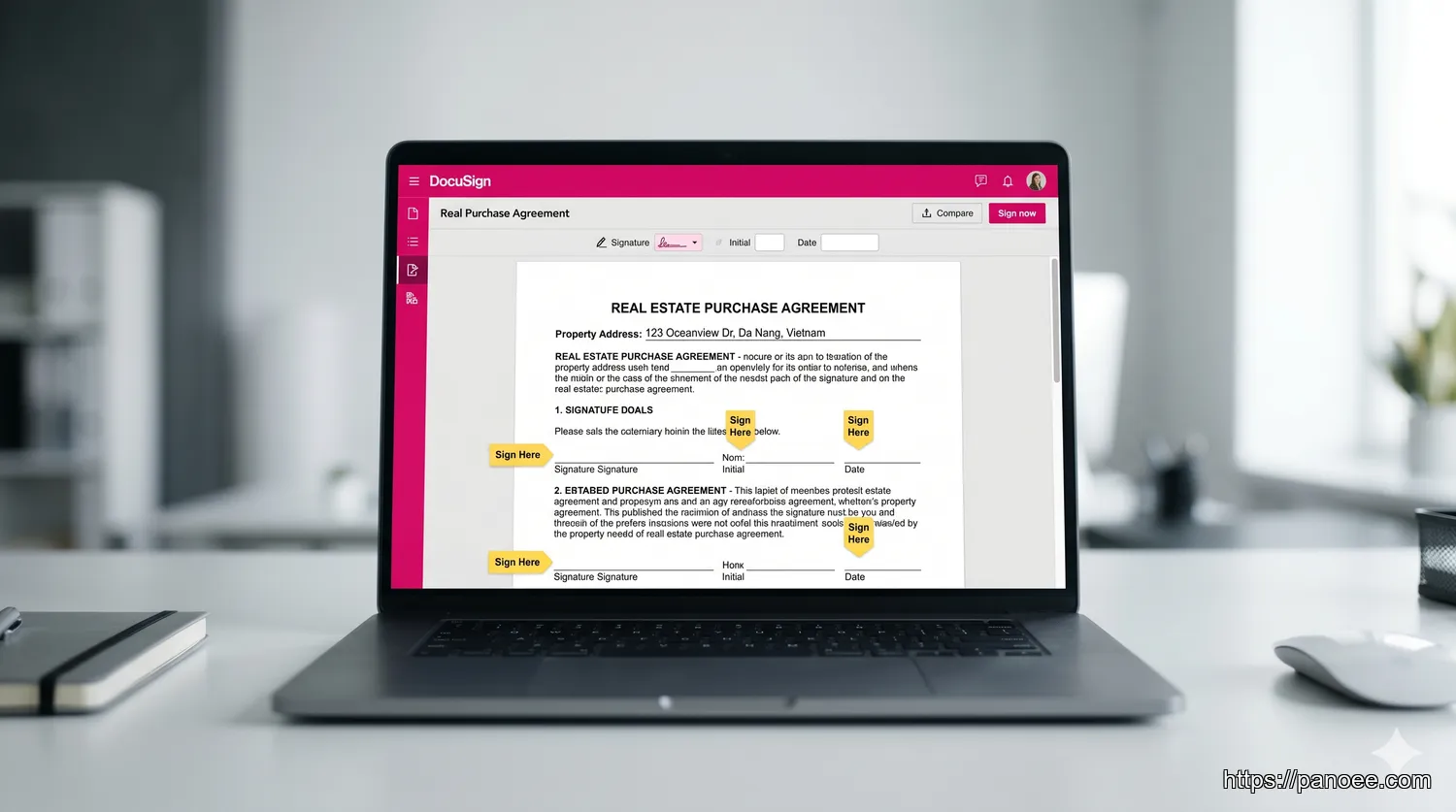
The days of printing, signing, scanning, and emailing documents are over. E-signature platforms allow all parties to sign legally binding contracts from any device, anywhere in the world — reducing a multi-day process to minutes.
DocuSign is the market leader and the platform most real estate brokerages have already integrated into their workflows. Its real estate-specific templates (purchase agreements, addenda, disclosure forms) make document prep fast. Critically for agent liability purposes, e-signatures facilitated through DocuSign are legally binding under the ESIGN Act, providing the same legal enforceability as wet-ink signatures in all 50 U.S. states.
HelloSign (now Dropbox Sign) is a strong alternative at a lower price point. It integrates natively with Google Workspace and Dropbox, making it ideal for agents already living in that ecosystem. For teams and small brokerages, its Template feature saves significant time on repeat document types.
Transaction Coordination Software
Beyond e-signatures, full transaction coordination platforms manage the entire lifecycle from accepted offer to closed escrow. dotloop is particularly popular in the residential space because it combines document storage, e-signatures, task checklists, and agent-broker communication in a single platform. SkySlope offers more robust compliance and audit trail features, making it a preferred choice for brokerages with strict documentation requirements. Both platforms send automated deadline reminders to ensure nothing falls through the cracks during the critical 30–45 day closing window.
Category 5: Essential Hardware for Today’s Agent
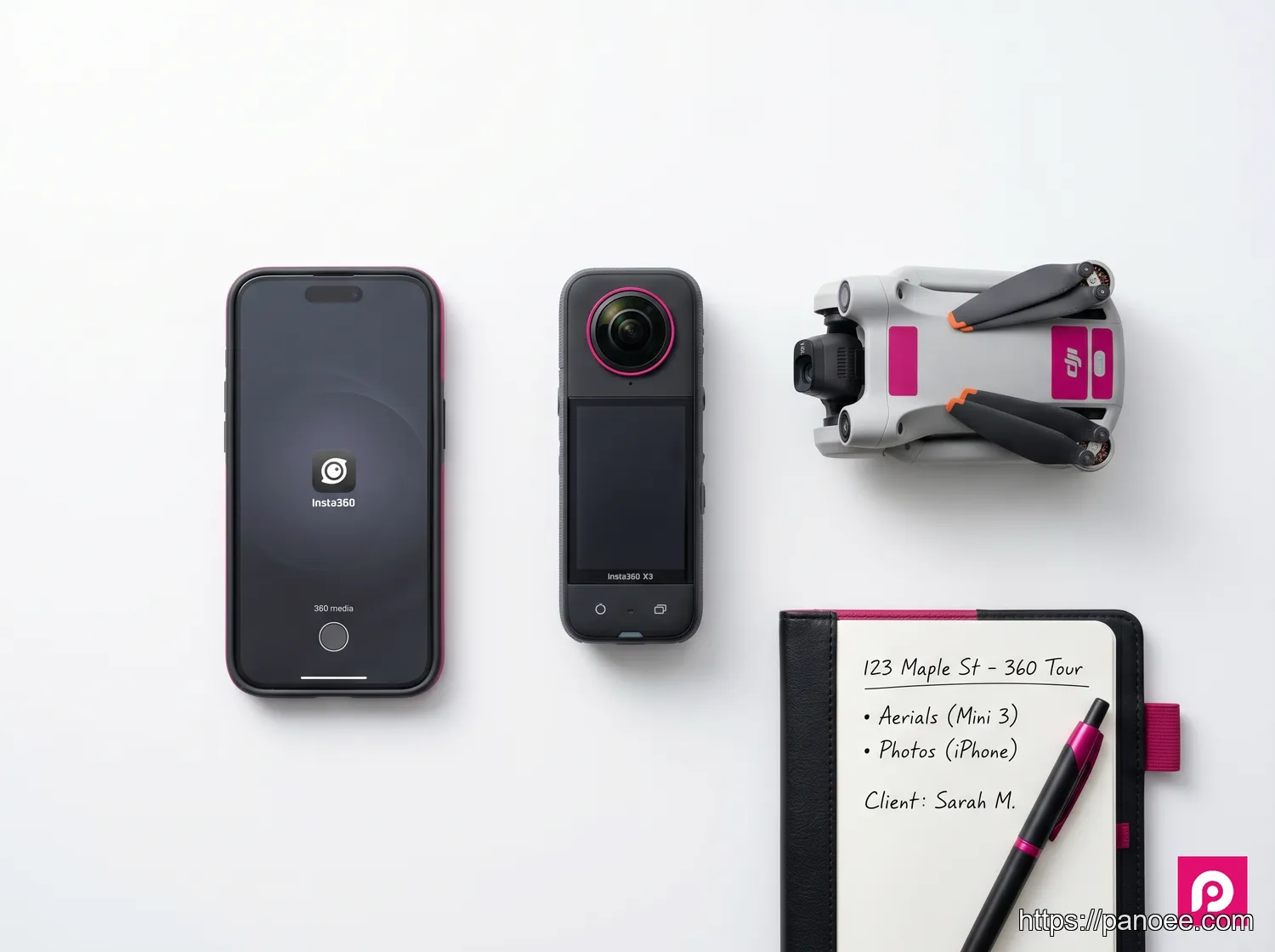
The best software in the world is only as effective as the content you feed it. For real estate agents, a small investment in the right hardware unlocks a dramatic step-up in listing quality.
360 Cameras: This is the single most impactful hardware investment an agent can make. A quality 360 camera lets you self-produce virtual tours for every listing without hiring a photographer. The Ricoh Theta Z1 delivers exceptional image quality for discerning clients, while the Insta360 X4 offers a more affordable entry point with impressive resolution. Both are fully compatible with Panoee. For a detailed breakdown of options at every budget, our guide to the best 360 cameras for virtual tours covers everything you need to know before buying.
Smartphone & Gimbal: Your smartphone already has a capable camera — pairing it with a gimbal stabilizer (DJI OM 6 or Insta360 Flow) transforms handheld video from shaky to cinematic. Walkthrough videos shot on a stabilized phone are ideal for Instagram Reels, YouTube Shorts, and Facebook preview clips. Learn more about how to plan and execute professional property photography in our 360 real estate photography guide.
Drones: Aerial footage provides context that ground-level photos simply cannot — neighborhood proximity to parks, schools, and highways; the scale of a large lot; rooftop condition. The DJI Mini 4 Pro weighs under 249g (below FAA registration threshold) and shoots 4K video, making it the most practical choice for agents. Always verify local ordinances and obtain FAA Part 107 certification before flying commercially.
Frequently Asked Questions
Supercharge Your Listings with Panoee
Every tool in this guide moves you forward — but Panoee is the one that directly drives more inquiries from every listing you take. With built-in lead capture, interactive floor plans, 32K image quality, and a Free Forever Plan that requires no credit card, there’s no reason to wait. Ready to create stunning virtual tours that capture leads and impress sellers? Start building today — unlimited tours, zero watermark, no commitment.
Create Professional Virtual Tours for Every Listing — Free
Unlimited tours, lead capture forms, interactive floor plans. No watermark. No credit card needed.
🚀 Start Free with Panoee