
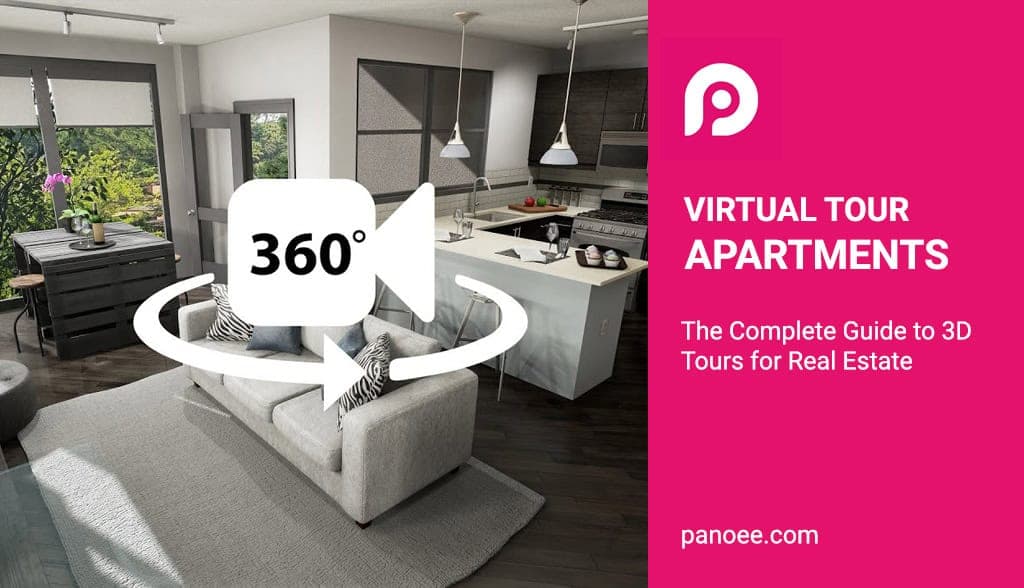
- Definition: A virtual apartment tour is an interactive simulation of an existing location, usually composed of a sequence of 360-degree panoramic images or 3D models.
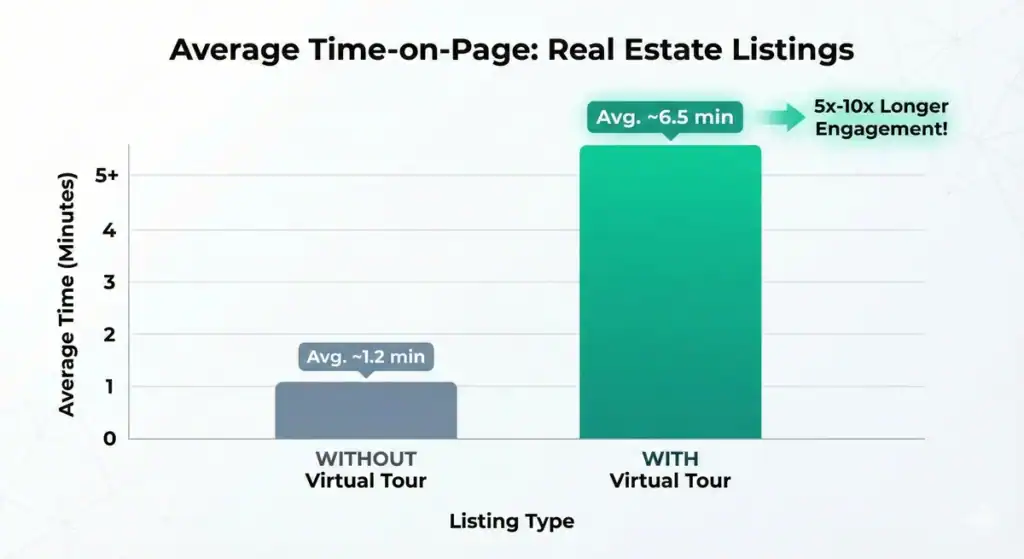
- Key Statistic: Listings with virtual tours receive 87% more views and keep visitors on the page 5-10 times longer than those without.
- Top Software: Panoee (Best for customization & cost), Matterport, Zillow 3D Home (Best for Zillow integration).
- Marketing Impact: Virtual tours act as a 24/7 open house, pre-qualifying leads and reducing unnecessary physical viewings by up to 40%.
- Creation Process: Requires a 360° camera (or smartphone), stitching software, and a hosting platform to publish and share the tour.
What are Virtual Tour Apartments?
A virtual tour apartment is a digital twin of a residential property that allows prospective renters or buyers to “walk through” the unit remotely using a computer, smartphone, or VR headset. Unlike a video, it is interactive, giving the user control over where they look and move within the space.
In the modern real estate landscape, these tours are no longer just a luxury for luxury apartments; they are a necessity. Whether it’s a studio apartment 3D tour or a sprawling NYC virtual tour apartment, the goal is the same: to provide transparency and convenience that static photos cannot match.
The Shift from Static to Immersive
At Panoee, we have observed a massive shift in user behavior. Users don’t just want to see the apartment; they want to feel the layout.
- 2D Photos: Show what a room looks like.
- Virtual Tours: Show how rooms connect and flow (Spatial Awareness).
Expert Note: “We often see real estate agents make the mistake of thinking a video walkthrough is a virtual tour. It is not. A video is passive; a virtual tour is active. Active engagement leads to higher emotional connection and conversion.”
Why Virtual Tours are Essential for Apartments in 2025
Virtual tours are essential because they filter out “tire-kickers” and attract high-intent leads. Data shows that renters who view a virtual tour are 300% more engaged and more likely to book a physical showing or sign a lease sight-unseen.
Key Benefits for Landlords and Agents
- 24/7 Open House: Your virtual tour apartments for rent are open even when you are sleeping.
- Wider Reach: Attract international students or relocation clients who cannot visit in person.
- Cost Efficiency: Reduce travel time and staging costs for repeated physical viewings.
- SEO Boost: Google prioritizes listings with rich media. Embedding a tour keeps users on your site longer, sending positive signals to search engines.
Types of Virtual Tours for Apartments
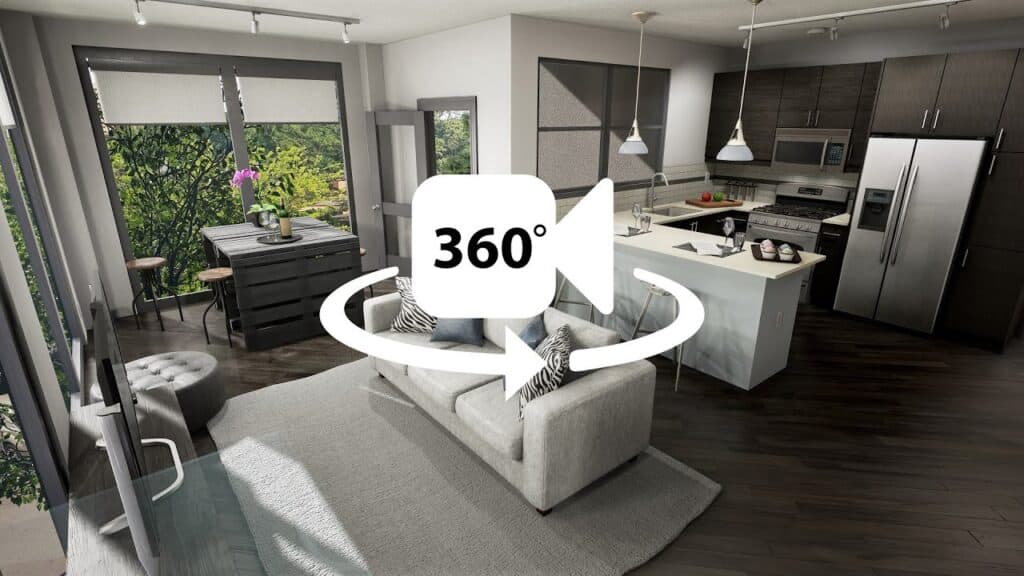
There are three main types of virtual tours: 360° Panoramic Tours (most common and versatile), 3D Digital Twins (offering depth data), and Video Walkthroughs (non-interactive).
1. 360° Virtual Tours (The Panoee Standard)
These are created by stitching together high-resolution panoramic photos.
- Pros: High image quality, fast loading, highly customizable branding, affordable.
- Best For: Marketing luxury apartments 3D Tour, branding-focused agencies, and creative custom tours.
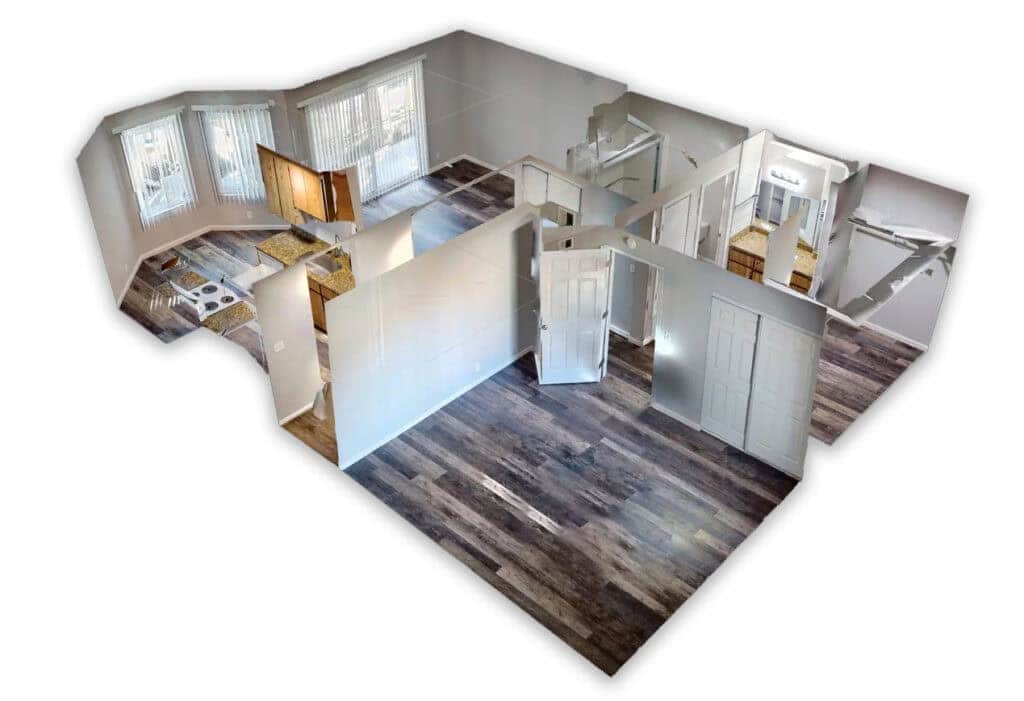
2. 3D Digital Twins (The “Dollhouse” View)
These use infrared or LiDAR sensors to map the geometry of the room.
- Pros: Accurate measurements, “Dollhouse” view.
- Cons: Expensive hardware, high monthly hosting fees, limited customization.
- Best For: Construction, engineering, and insurance claims.
3. Video Walkthroughs
A simple continuous video shot on a gimbal or phone.
- Pros: Easy to make.
- Cons: Non-interactive, large file sizes, lower engagement.
You can learn more about the differences in our guide to 360° & 3D Virtual Tours.
Best Software for Creating Apartment Virtual Tours
The best virtual tour software balances image quality, ease of use, and cost. Panoee is the top choice for unlimited high-quality tours without recurring fees, while Matterport is the industry standard for automated 3D scanning.
Here is a comparison to help you choose the right tool for your virtual tour apartments for sale:
| Feature | Panoee | Matterport | Zillow 3D Home |
| Cost Model | Free / One-time or Low Monthly | High Subscription Fees | Free |
| Hosting | Unlimited | Limited by tier | Unlimited (Zillow only) |
| Custom Branding | Full (Logos, Domains) | Restricted | None (Zillow branded) |
| Image Quality | Up to 32K Resolution | Good (Pro cameras required) | Low/Medium |
| Lead Gen Tools | Yes (Forms, Call buttons) | Limited | No |
| Best For | Marketing & Sales | Digital Twinning | Fast Zillow Listings |
Why Panoee is the Preferred Choice
While Matterport is excellent for scanning, Panoee is built for marketing. We allow you to upload high-res panoramas from any camera (even DSLR), add custom hotspots (videos, audio, links), and publish to your own domain. This makes it the ultimate Matterport alternative for real estate professionals who want to own their data.
How to Create a Virtual Tour for an Apartment (Step-by-Step)
To create a virtual tour, you must Capture the space using a 360° camera, Edit the photos to improve lighting, Upload them to a software platform like Panoee, and Publish the tour to share via a link or embed code.
Step 1: Preparation & Staging
Before shooting, ensure the apartment is “show-ready.”
- Open all blinds to let natural light in.
- Hide clutter (cables, trash cans, personal items).
- Tip: For a Loft apartment 3D Tour, ensure the vertical space is well-lit to highlight high ceilings.
Step 2: Shooting the Panoramas
You don’t need a $3,000 camera. Good results can be achieved with:
- Entry Level: Insta360 One X3 or Ricoh Theta Z1.
- Pro Level: DSLR with a fisheye lens + Nodal Ninja head.
- Smartphone: Panoee allows you to use smartphone panoramas, though a dedicated camera is recommended for professional real estate virtual tours.
Step 3: Uploading & Connecting
Upload your images to Panoee.
- Create Scenes: Upload panoramas for the Living Room, Kitchen, Bedroom, etc.
- Add Hotspots: Link the scenes together so users can “walk” from room to room.
- Enhance: Add informational hotspots. For example, in a Studio apartment 3D tour, add a hotspot on the sofa that pops up a video showing how it converts into a bed.
Step 4: Publishing & Sharing
Once your tour is ready, you can export it.
- Embed: Place it directly on your property website.
- Link: Share it on social media or via email.
- Portals: Many platforms like 3dapartment.com or radiantapartments.com allow you to link external tours.
For a detailed walkthrough, read our guide on How to create Virtual Tours in 4 steps.
Advanced Features to Sell More Apartments
To truly stand out, your tour needs to be more than just images. It needs to be a sales tool.
Interactive Floor Plans
Users can get lost in a virtual space. Integrating a floor plan allows them to instantly orient themselves. You can use our 3D Floorplan Maker to generate these assets easily.
Lead Generation Forms
Don’t let visitors leave without a trace. With Panoee, you can lock specific scenes (like the Master Bedroom) behind a lead capture form, requiring the user to enter their email to continue viewing.
FAQ: People Also Ask
How much does it cost to make a virtual tour of an apartment?
If you DIY, the cost is minimal—just the price of a 360 camera ($300-$1,000) and hosting software. Panoee offers free virtual tour software that is robust enough for most real estate needs. Hiring a professional photographer typically costs between $200 and $500 per apartment.
Can I create a virtual tour with my iPhone?
Yes. You can use apps like Google Street View (discontinued but alternatives exist) or dedicated hardware shooting modes to capture panoramas. You can then upload these images to the 360 Panorama Viewer on Panoee to build the tour.
Do virtual tours help rent apartments faster?
Yes. Listings with virtual tours receive more inquiries and rent faster because they answer the prospect’s questions about layout and condition before they even call you. This is especially true for virtual tour apartments for rent in competitive markets like NYC or London.
What is the difference between a 3D tour and a virtual tour?
A “Virtual Tour” is the umbrella term. A “3D Tour” usually refers to a tour that includes depth data and a 3D model (Dollhouse view), whereas a standard 360 tour relies on spherical photography. Both are effective, but 360 tours are generally faster to load and cheaper to produce.
Ready to Create Your First Tour?
Don’t let your listings fall behind. Start capturing immersive experiences today. Start creating for free with Panoee and transform how you showcase your apartments.
