

Quick answer: 360 embed code generator is a free tool that gives you an iframe snippet for a 360 photo. Upload a photo or paste a panoee.live post link, set the size, check the live preview and copy the code into your page.
Last updated: October 27, 2026
Key takeaways
- The snippet is an
<iframe>that loads the 360 viewer from panoee.live in embed mode. - You can publish a new photo as a guest post or reuse an existing panoee.live post link.
- Width can be in pixels or percent. Responsive mode keeps a 16:9 shape.
- Guest links follow panoee.live policy: guest posts stay online for 90 days.
What is a 360 embed code?
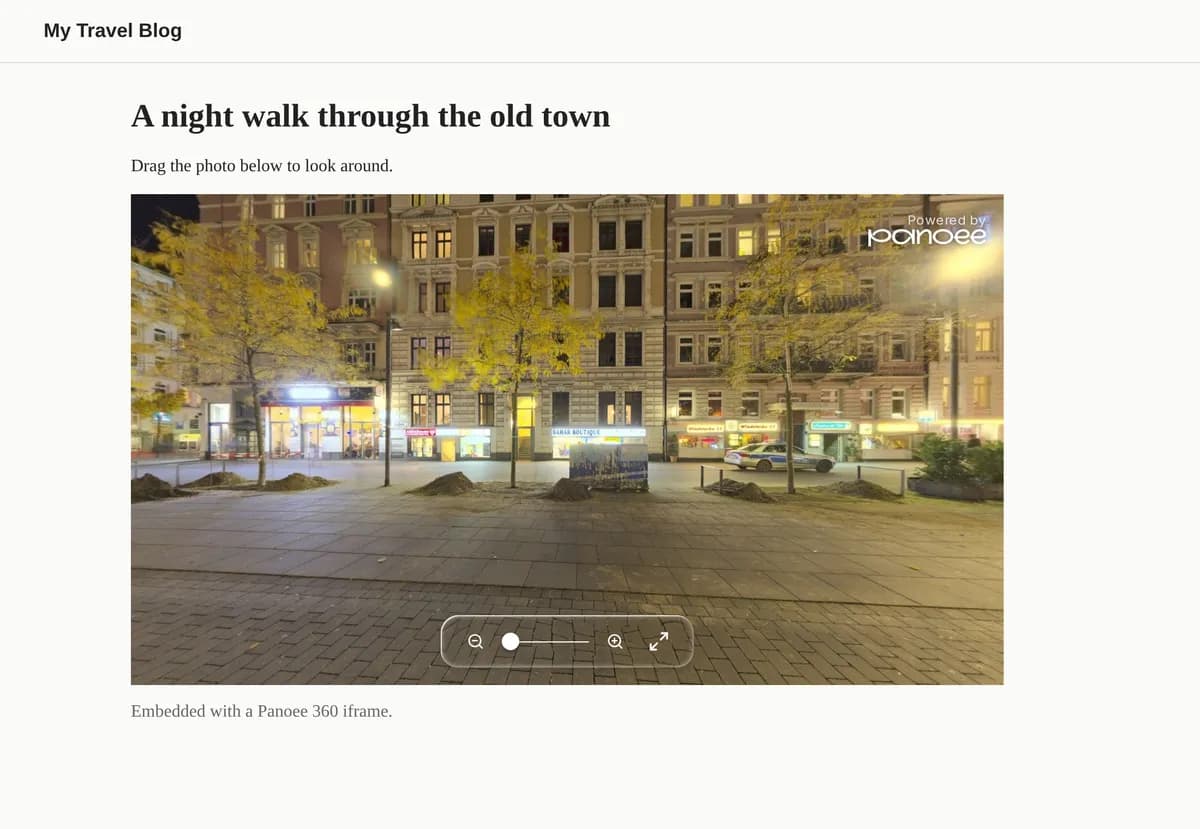
A 360 embed code is a short piece of HTML that places a 360° viewer inside your own page. This tool writes an <iframe> whose address is https://panoee.live/360/<slug>?embed=true. The visitor can look around the photo without leaving your site. The preview on this page renders the same code you copy, so you see what your page will show.
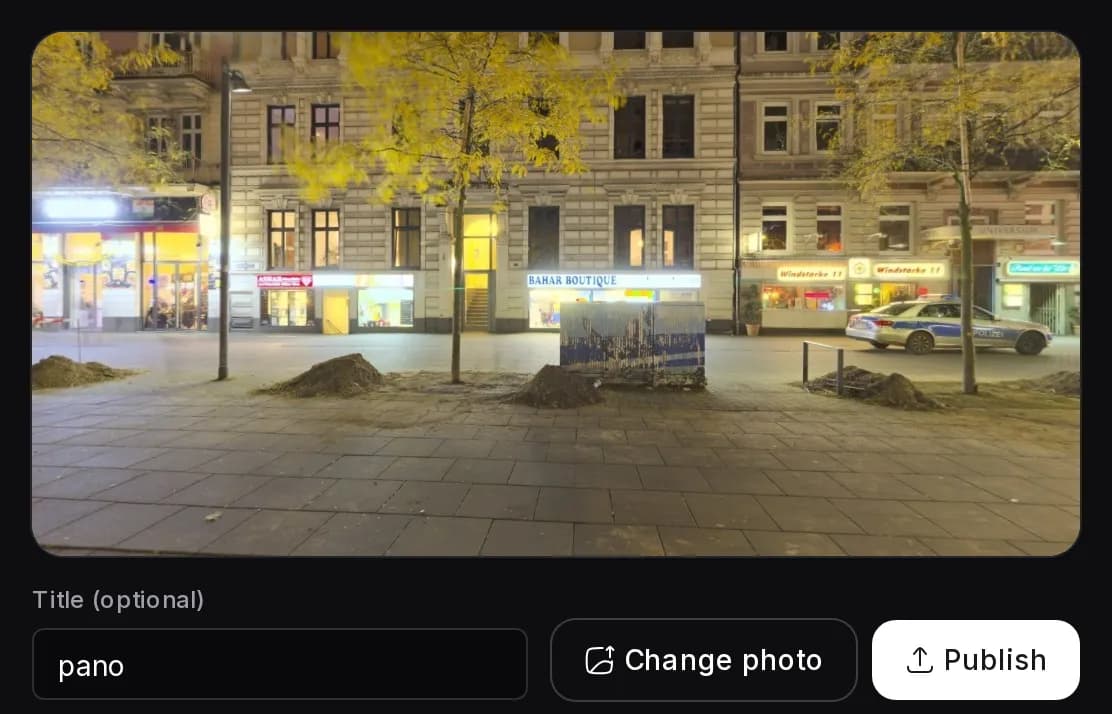
How to embed a 360 photo on your website
- Drop a 360 photo into the uploader and click Publish, or paste a panoee.live post link and click Create code.
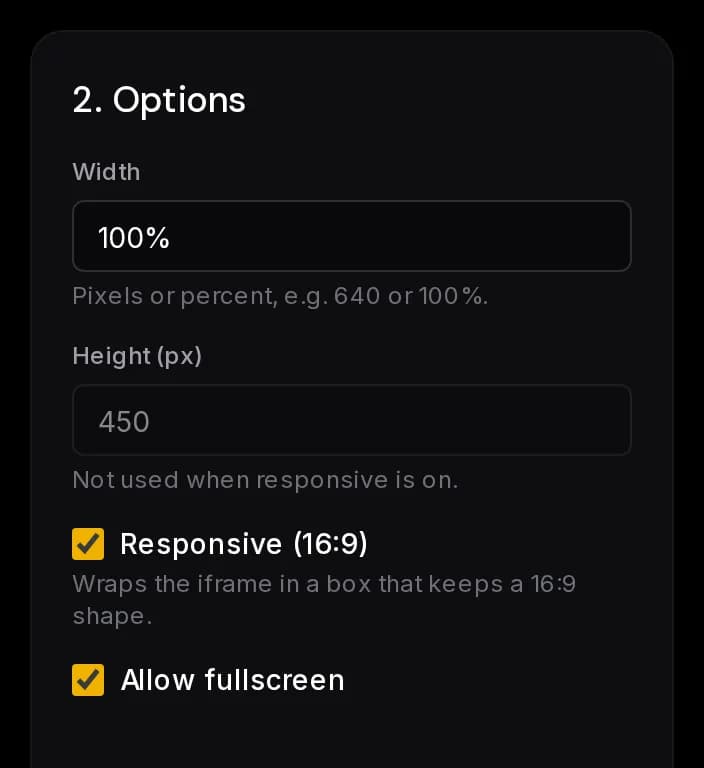
- Set the width and height. Turn Responsive on if the frame should scale with its container.
- Leave Allow fullscreen on if visitors should be able to go fullscreen.
- Check the live preview.
- Click Copy code and paste it into the HTML of your page.
Which links can I paste?
The generator accepts post links on panoee.live in two forms: panoee.live/360/<slug> and panoee.live/<username>/<slug>. It reads the slug and always builds the /360/<slug> address, with the slug URL-encoded. Links on other hosts are rejected, so the code only ever points at panoee.live.
What is in the iframe code?
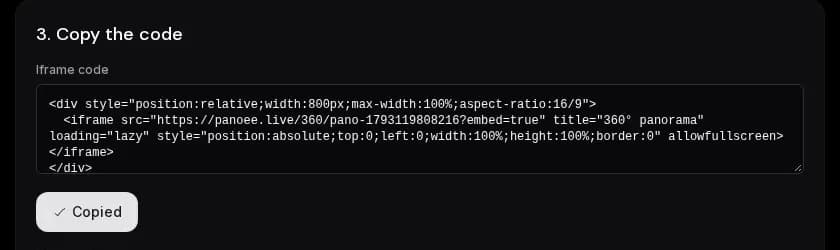
The snippet has a src, a size, a title for screen readers, loading="lazy" so the frame loads when it nears the viewport, style="border:0", and optionally allowfullscreen.
How does responsive mode work?
With Responsive on, the iframe is wrapped in a div that has aspect-ratio:16/9. The iframe is positioned absolutely inside it and fills it, so the box and the viewer scale together. The width field still sets the width of the box, for example 100% or 640px, and it never grows past its container. The height field is not used in this mode. With Responsive off, the width and height go straight onto the iframe.
How long does the embed stay online?
The embed shows a post hosted on panoee.live. Guest links follow panoee.live policy: guest posts stay online for 90 days. If you paste a link to an existing post, the post's own status applies.
Sources
FAQ
How do I embed a 360 photo on my website?
Drop the photo into the generator or paste a panoee.live post link, choose the size, then copy the iframe code and paste it into the HTML of your page. The frame loads the 360 viewer from panoee.live.
Is the 360 embed code free?
Yes. Publishing a guest post and generating the iframe code both need no sign-up.
How long do guest links stay online?
Guest posts follow panoee.live policy and stay online for 90 days. The embed shows the post, so it depends on the post staying online.
Can I embed an existing panoee.live post?
Yes. Paste its link in either the /360/<slug> or the /<username>/<slug> form. The generator reads the slug and builds a /360/<slug>?embed=true URL. No upload happens.
What does the responsive option do?
It wraps the iframe in a 16:9 box and sets the iframe to fill it, so the frame scales with its container. The height field is not used in this mode.
Does the embed work in WordPress, Wix or Squarespace?
Any editor that accepts custom HTML or an embed block can hold an iframe. Paste the code there. Some page builders strip iframes or limit them to certain plans, so check yours.
