
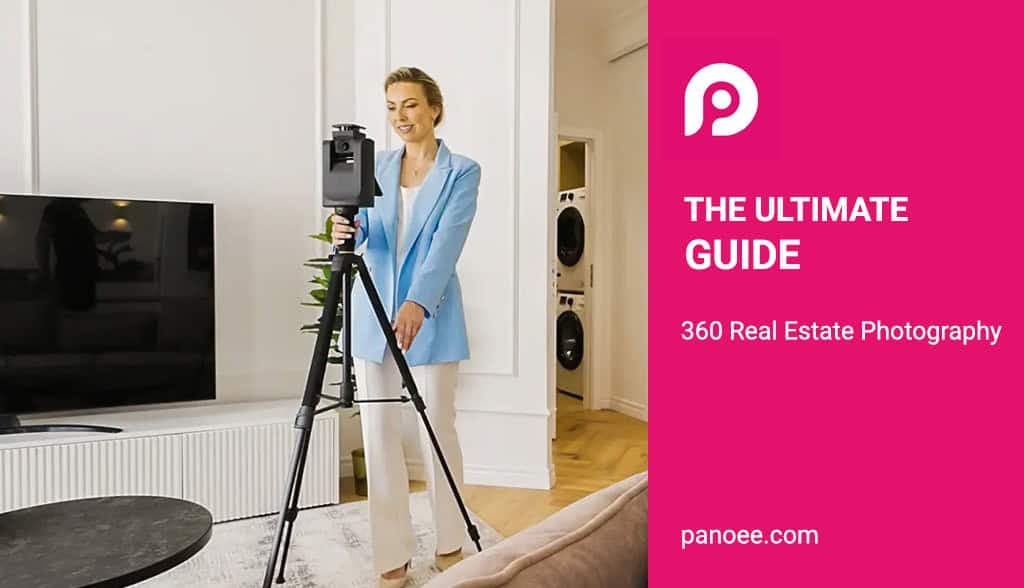
Definition: 360 real estate photography involves capturing entire rooms in a single panoramic image (equirectangular), stitched together to create immersive virtual tours.
Core Benefit: Properties with 360 tours receive up to 87% more views and retain potential buyers 5-10x longer than standard listings.
Essential Gear: High-quality 360 cameras (like the Insta360 ONE RS 1-Inch or Ricoh Theta Z1) and a dedicated monopod are standard.
Software Ecosystem: After shooting, photos require editing (Lightroom/Photoshop) and virtual tour software (like Panoee) to connect images into an interactive experience.
Strategy: While hiring professionals ensures quality, modern “prosumer” gear allows agents to create high-quality tours themselves using free software platforms.
What is 360 Real Estate Photography?
360 real estate photography is a specialized technique that captures a 360-degree field of view of a property, allowing viewers to look up, down, and all around a room. Unlike static 2D images, these photos serve as the foundation for interactive virtual house tours, enabling potential buyers to navigate a property remotely as if they were physically standing there.
In the modern real estate market, standard photography is no longer enough. A 360-degree view provides context-showing how the kitchen connects to the living room or the true scale of a master bedroom-that standard wide-angle lenses often distort.
DIY vs. Hiring a Professional: Which is Right for You?
Deciding between shooting 360 photos yourself or hiring a professional media company depends on your budget, volume of listings, and technical comfort. If you have high listing volume, investing in gear and free virtual tour software like Panoee is cost-effective. For luxury, high-stakes properties, a professional photographer ensures perfect lighting and editing.
Comparison: DIY vs. Professional Service
| Feature | DIY (Do It Yourself) | Hiring a Professional Service |
| Initial Cost | High (Camera + Gear: $800 – $1,500) | Low ($0 upfront) |
| Cost Per Listing | Very Low (Time + Hosting) | Medium-High ($200 – $600/tour) |
| Turnaround Time | Immediate (Shoot & Upload) | 24 – 48 Hours |
| Image Quality | Good (with modern 1-inch sensors) | Excellent (DSLR/HDR workflows) |
| Software Control | Full Control (You own the data on Panoee) | Limited (Often hosted on their server) |
At Panoee, we have seen thousands of agents successfully transition to DIY photography using modern cameras that automate much of the hard work. However, for agents searching for “a full-service Real Estate Photography and Media Company,” we recommend looking for providers who offer “flambient” (flash + ambient) lighting techniques and provide the final tour links on a platform that you can control.
Essential Gear for 360 Real Estate Photography
The best 360 real estate photography setup requires a camera with a large sensor (1-inch or larger) for low-light performance, a sturdy monopod, and a smartphone for remote control. Do not use a standard tripod, as the wide legs will appear in the shot and are difficult to edit out.
1. The Best 360 Cameras for Real Estate
- Insta360 ONE RS 1-Inch 360 Edition: Currently a market leader for real estate. Co-engineered with Leica, its dual 1-inch sensors capture excellent dynamic range (critical for bright windows in dark rooms).
- Ricoh Theta Z1: A favorite among 360 photographers for its ability to shoot RAW (DNG) files, allowing for superior editing flexibility.
- Insta360 X4: A budget-friendly option that shoots 8K video and high-res photos, though it has smaller sensors than the 1-Inch model.
| Camera Model | Resolution | Price Range | Best Use Case | Key Strength |
| Ricoh Theta Z1 | 23MP | $999-$1,099 | Luxury residential | Superior image quality |
| Insta360 ONE RS 1-Inch | 21MP | $799 | Multi-purpose pro | Video + photo versatility |
| Matterport Pro3 | Professional 3D | $5,495 | Commercial properties | 3D modeling + accuracy |
| Ricoh Theta X | 60MP | $499-$599 | Standard residential | Value for quality |
| Insta360 X3 | 72MP | $449 | Growing businesses | Latest technology |
| Insta360 ONE X2 | 18MP | $299-$349 | Entry-level/testing | Affordability |
2. Must-Have Accessories
- The “Invisible” Monopod: Use a dedicated 360 monopod with a narrow base. This minimizes the “nadir” (the bottom of the photo) footprint, making it easier to patch later.
- Smartphone: Acts as your remote shutter so you aren’t in the picture.
How to Shoot Professional 360 Real Estate Photos (Step-by-Step)
To shoot professional 360 photos, you must stage the room perfectly, place the camera at roughly 5 feet (1.5m) high in the center of the room, and hide from the camera’s line of sight while shooting remotely.
With years of experience supporting virtual tour creators, we have refined this workflow to ensure success:
Step 1: Staging the Property
The camera sees everything. Unlike standard photography where you can shove clutter behind the camera, a 360 camera captures the pile of laundry in the corner.
- Open all interior doors: This creates “flow” and allows the user to see how rooms connect.
- Turn on all lights: Even in daytime, this adds warmth.
- Open blinds/curtains: Show off the view, but be wary of direct sunlight causing lens flare.
Step 2: Camera Placement
- Height: Set your monopod to approximately 150cm (chest height). Too high, and the ceiling looks low; too low, and the furniture looks giant.
- Position: Place the camera in the visual center of the room, not necessarily the geometric center. Avoid placing it too close to walls or mirrors.
Step 3: The “Hide and Shoot” Technique
Since the camera captures 360 degrees, you cannot stand behind it.
- Connect your phone to the camera via Wi-Fi.
- Set a timer (optional) or use the live preview on your phone.
- Walk into the next room or hide behind a door frame.
- Trigger the shutter via the app.
Pro Tip: If shooting a bathroom with large mirrors, place the camera on the edge of the doorframe line or use the timer and squat directly beneath the tripod (if the camera stitches well) to minimize your reflection.
Step 4: Review Immediately
Always check the photo on your phone before moving the camera. Look for:
- Your own reflection in windows/mirrors.
- Misaligned stitching (lines that don’t match up).
- Overexposed windows (blown-out white light).
Post-Processing & Creating the Virtual Tour
Once the photos are taken, the raw 360 images must be perfected, optimized for web performance, and uploaded to a virtual tour platform.
1. Editing and Optimizing the Images
Before building the tour, you must ensure your images are clean and load quickly for the best user experience.
- Nadir Patching: You don’t need complex editing software to hide your tripod. Simply use Panoee’s Nadir Fixer to automatically cover or patch the tripod legs at the bottom of your shot with a custom logo or patch.
- Image Optimization: Large, high-resolution files can slow down your virtual tour. Use our Panorama Image Optimization tool to apply advanced compression algorithms, significantly reducing file sizes while maintaining visual quality for faster loading times.
- HDR Balancing: If you are shooting manually, ensure you balance the highlights (windows) and shadows (corners) to create a natural look.
2. Building the Tour with Panoee
This is where the magic happens. A flat image isn’t a tour until it’s interactive.
- Quick Preview: Before starting a complex project, you can instantly check your stitched images using our 360 Panorama Viewer. This is a free, web-based tool that works directly in your browser (no login or plugins required) to preview and share 360° panoramic images instantly.
- Upload & Connect: Drag your optimized photos into Panoee and create “Hotspots” to link rooms together.
- Add Context: Use our 3D Floorplan Maker to generate a map that helps users understand the property layout.
- Enhance: Add interactive elements like marketing pop-ups, videos, and sound to turn a simple tour into a sales machine.
For a detailed walkthrough, read our guide on How to create Virtual Tours in 4 steps.
360 Real Estate Photography Cost Breakdown
The cost of 360 real estate photography varies: DIY setups cost $400–$1,500 initially, while hiring a professional typically costs $200–$500 per property depending on square footage.
- Software Costs: Many platforms charge monthly hosting fees. However, Panoee offers a robust free model and affordable upgrades, making it ideal for scalable real estate virtual tours.
- Hardware Costs: Expect to pay ~$800 for a decent camera kit.
- Service Fees: If hiring out, ensure the quote includes “hosting” fees. Some photographers charge rent on the tour hosting; creating it yourself on Panoee avoids this perpetual cost.
While DIY 360 photography appeals to tech-savvy agents and budget-conscious sellers, many prefer partnering with a full-service real estate photography and media company providing comprehensive marketing solutions. Professional photography companies deliver consistent quality, save significant time, and often achieve superior results through specialized expertise and equipment.
Pricing Models
Per-Square-Foot Pricing: $0.10-$0.20/sq ft Common for larger properties and commercial real estate, this model scales appropriately with property size. A 3,000 sq ft home would cost $300-$600.
Hourly Rates: $150-$300/hour Some photographers charge hourly, particularly for complex shoots requiring extensive setup or challenging properties. Typically includes 2-3 hours on-site plus editing time.
Per-Image Pricing: $25-$50 per 360 image Allows flexibility for clients needing selective coverage of key rooms rather than full property tours.
What to Expect from Professional Services
Comprehensive Service Offerings Leading real estate photography companies typically provide:
- Complete Photography Services: Traditional HDR photography, 360 panoramic images, drone aerial photography, and twilight shots
- Virtual Tour Creation: Professional 360 virtual tour assembly with custom branding and interactive features
- Videography: Property walkthrough videos, cinematic tours, and agent introduction videos
- Floor Plans: 2D and 3D floor plan creation with accurate measurements
- Virtual Staging: Digital furniture and décor placement transforming vacant properties
- Editing and Enhancement: Advanced post-processing ensuring optimal color, exposure, and presentation
- Marketing Materials: Property brochures, social media graphics, and listing descriptions
FAQ: People Also Ask
Is real estate photography hard?
It has a learning curve, but modern 360 cameras automate the hardest parts (stitching and lighting). With proper staging and software like Panoee, agents can produce professional results with minimal training.
Which camera is best for virtual tours?
The Insta360 ONE RS 1-Inch 360 Edition and the Ricoh Theta Z1 are currently the top choices for real estate due to their large sensors that handle indoor lighting conditions effectively.
How much does a 360 virtual tour cost?
Hiring a pro costs between $200 and $600 per home. Doing it yourself costs the price of the camera (approx. $1,000 one-time) plus free or low-cost hosting software.
What is the difference between 3D and 360 tours?
A 360 tour is a series of connected panoramic photos. A 3D tour creates a digital mesh of the home. However, platforms like Panoee now bridge this gap by offering 360° & 3D Virtual Tours that combine high-quality photo realism with spatial understanding. Learn more about virtual tour apartments to see examples of this in action.
