
5 Jan 2023
Control The Scene View
https://www.youtube.com/watch?v=YUlL_LAr--E Before start controlling the scene view, you need to create a scene: 1. Create your new project. 2. Name your project.3. Click "Let's go". 4. Click "+Scene". 5. Upload your image(s). 6. Select/Deselect your image(s). 7. Click "Submit". Introduction
Before start controlling the scene view, you need to create a scene:
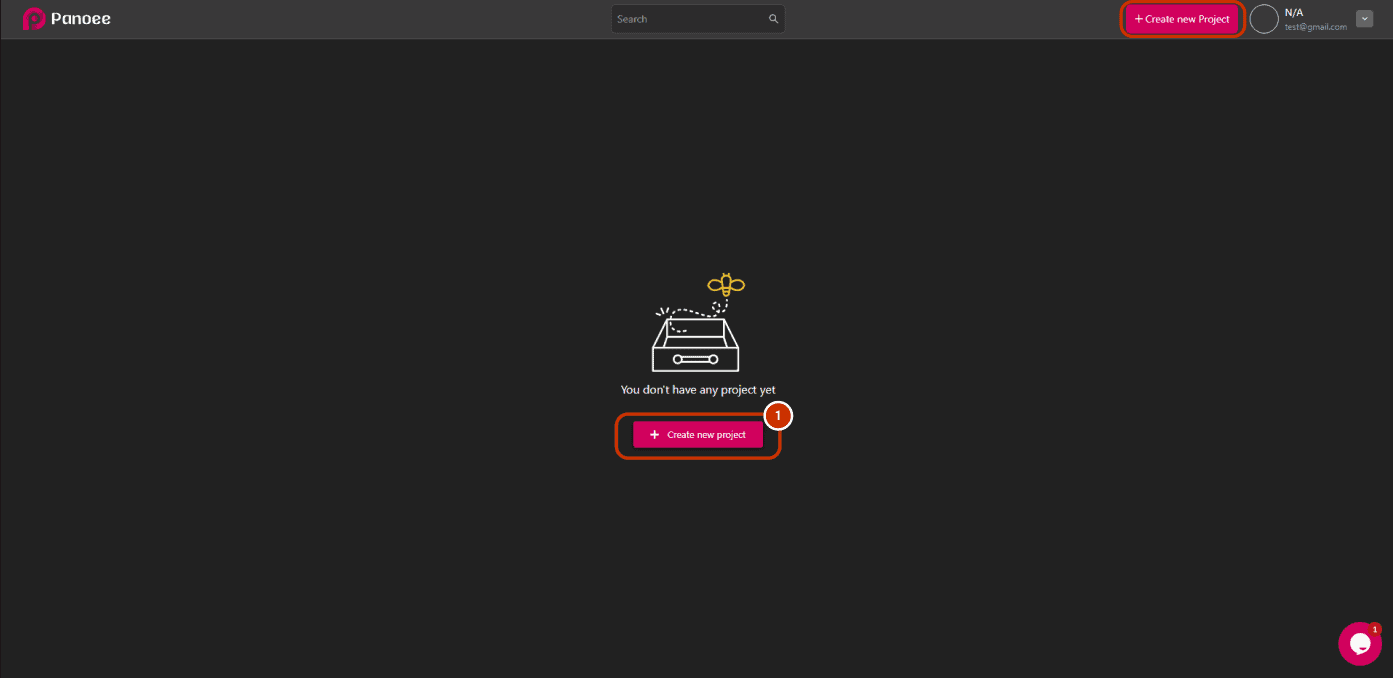
1. Create your new project.
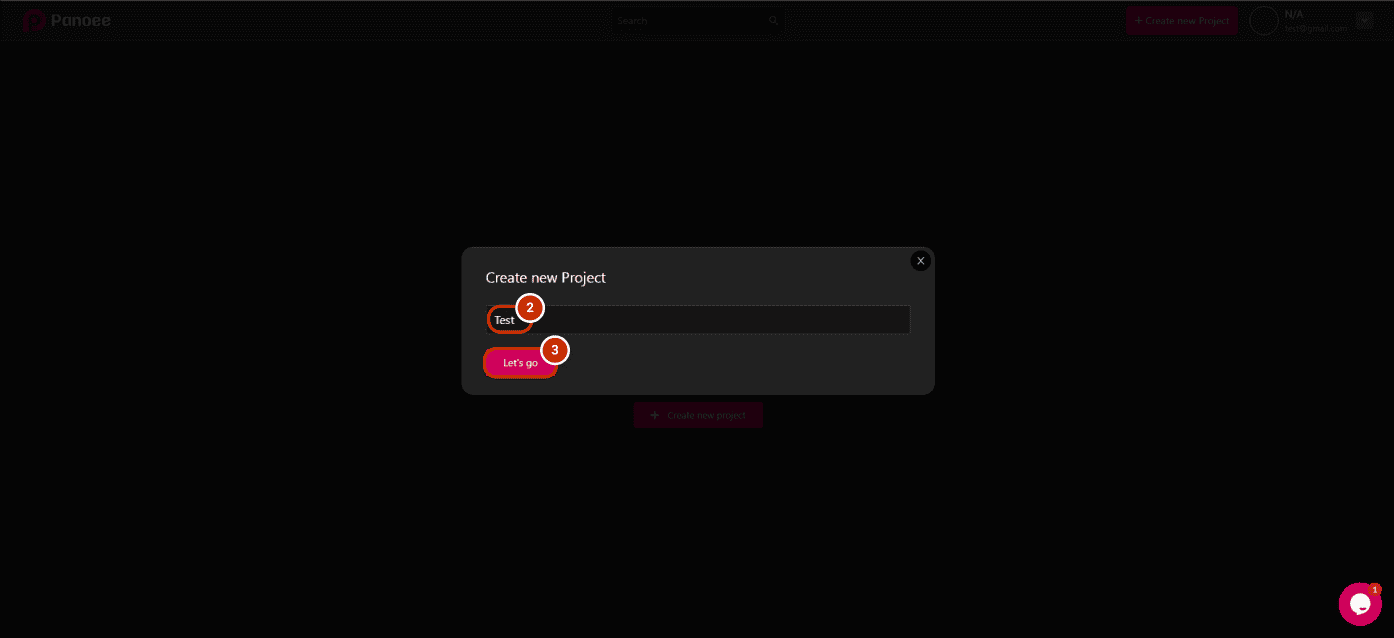
2. Name your project.
3. Click “Let’s go”.
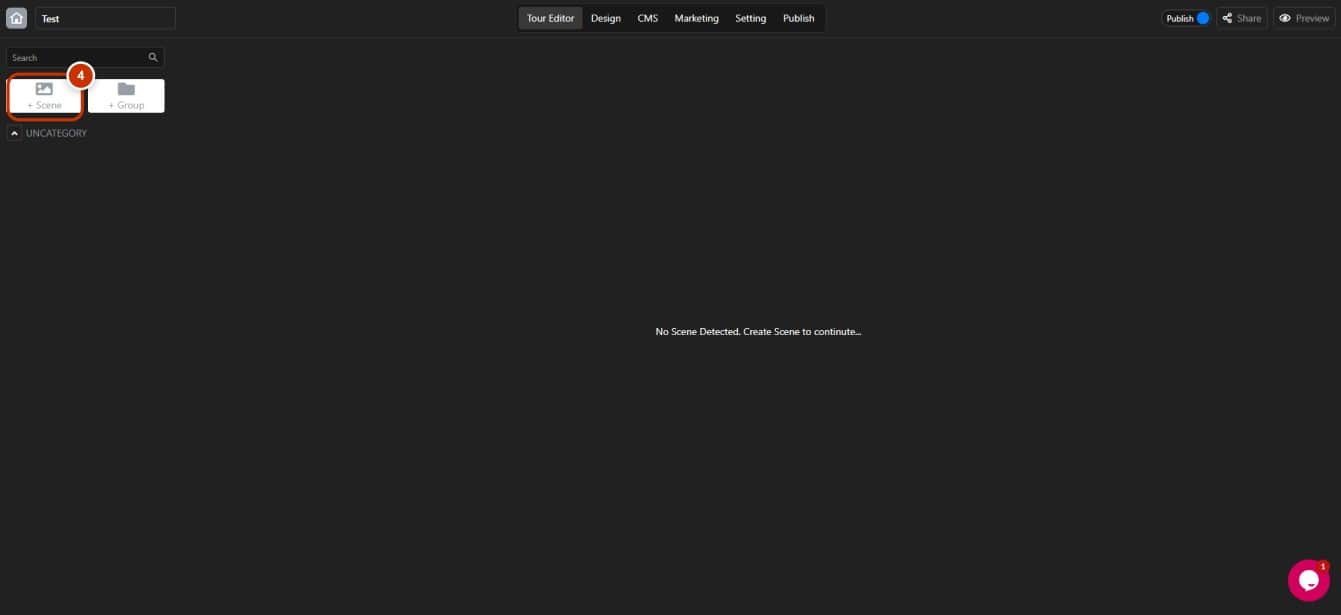
4. Click “+Scene”.
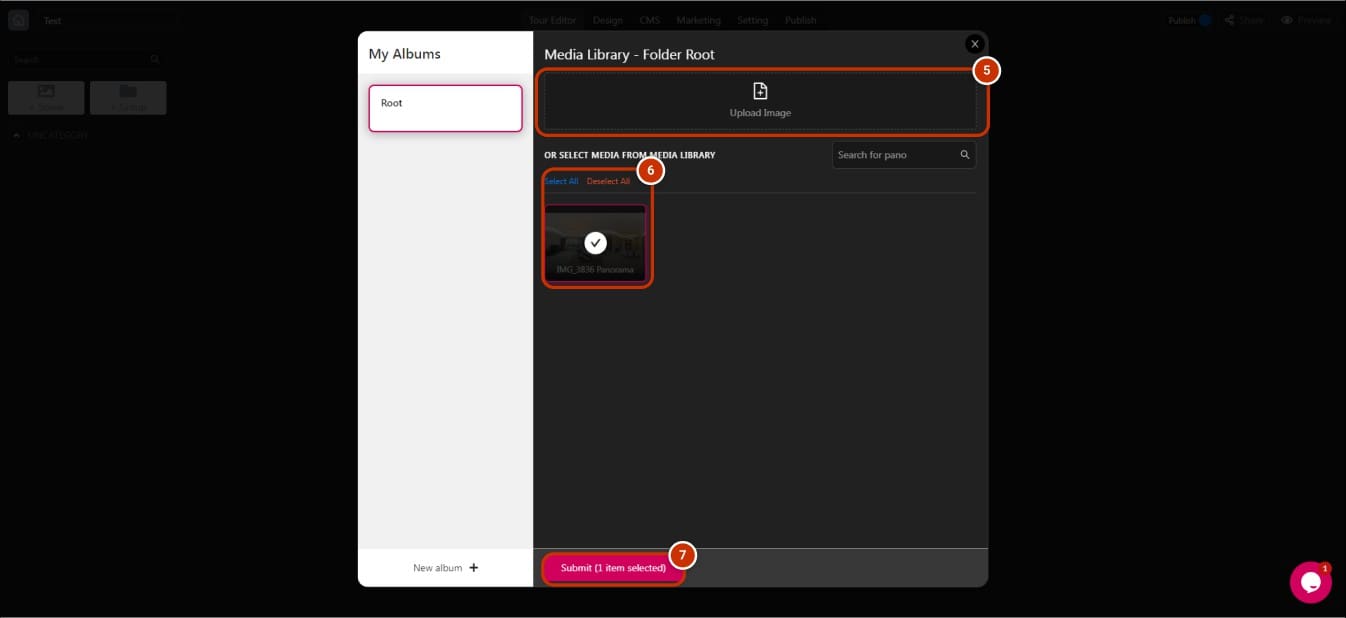
5. Upload your image(s).
6. Select/Deselect your image(s).
7. Click “Submit”.
Introduction of Tour Editor about controlling scene view
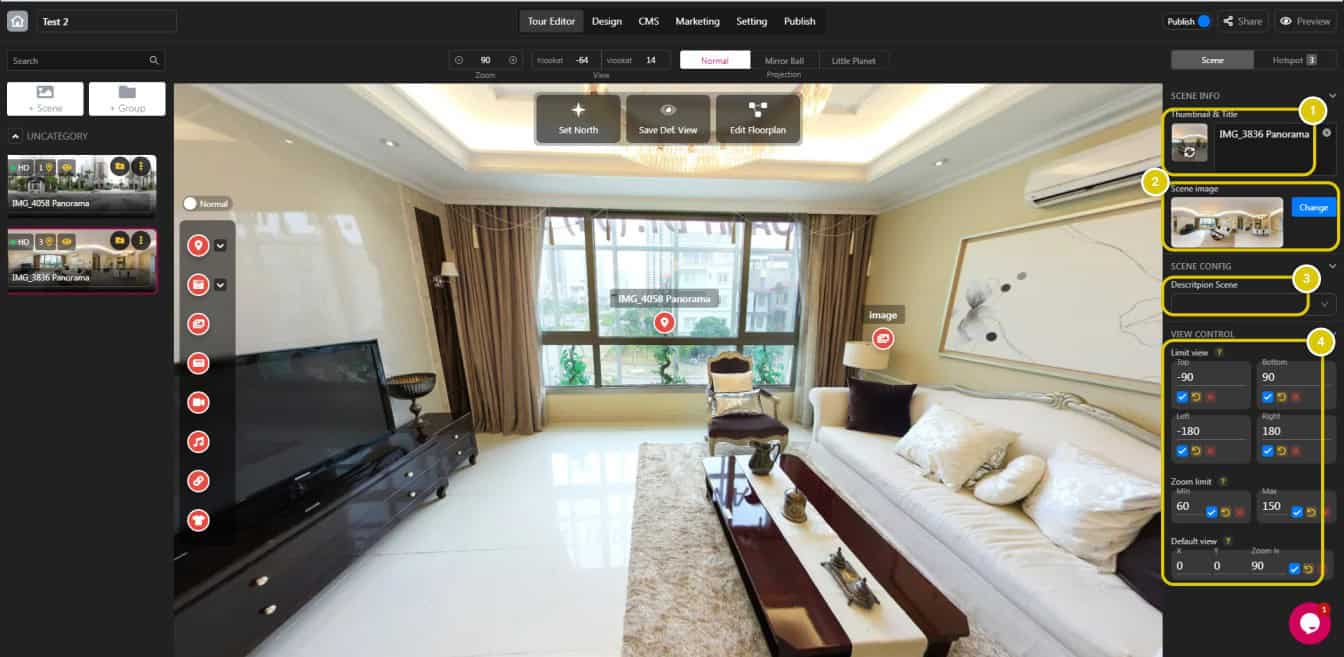
1. Set and change the thumbnail & title.
2. Check and change the scene image.
3. Create information and description of your tour
4. View control is essential to create a great tour:
- Limit view: Limit view to show only the best corners.
- Zoom limit: Lock zooming too close or too broad.
- Default view: Set the first sight of viewers when opening the tour.
