16 Oct 2023
Edit hotspot article
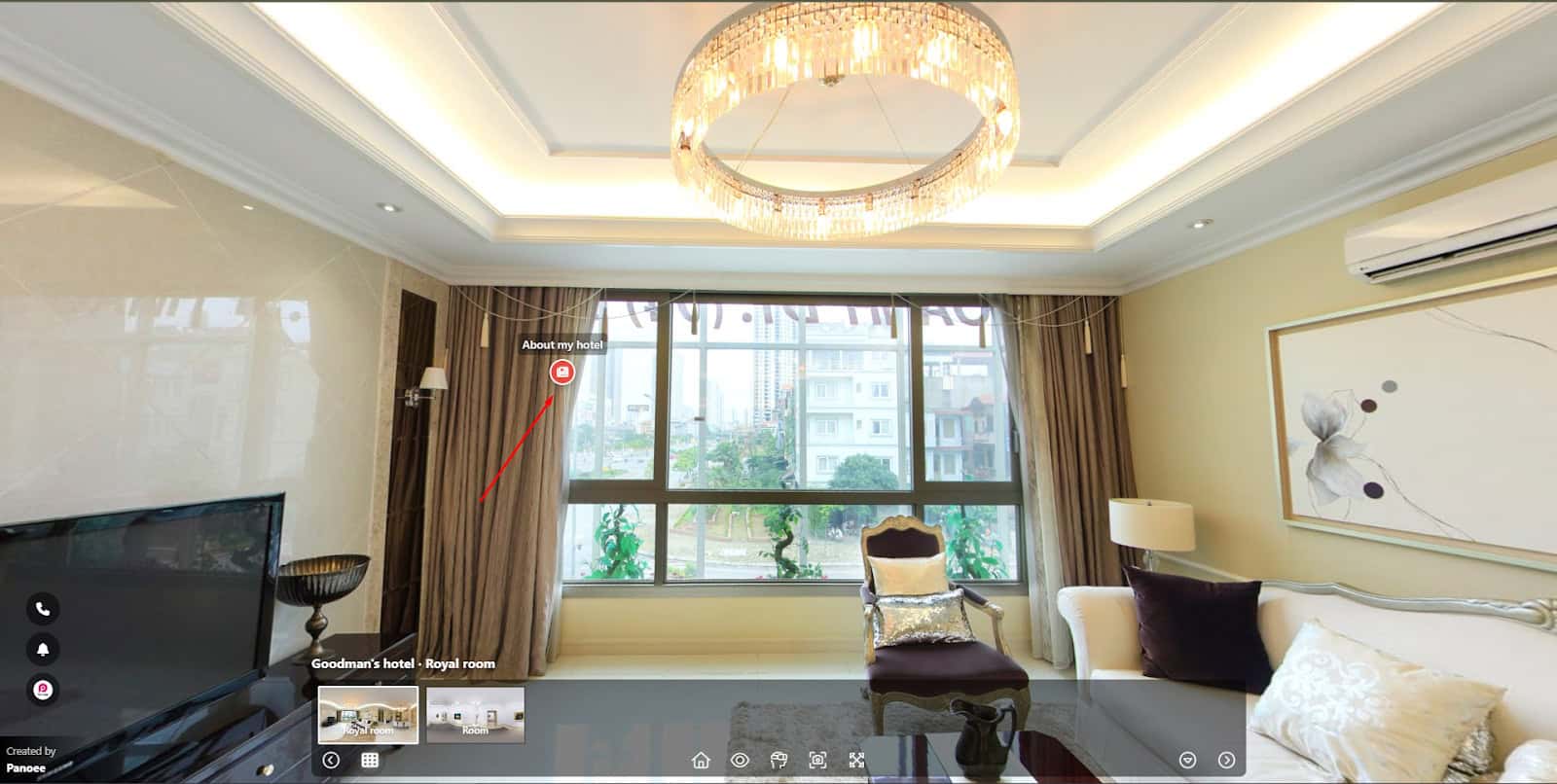
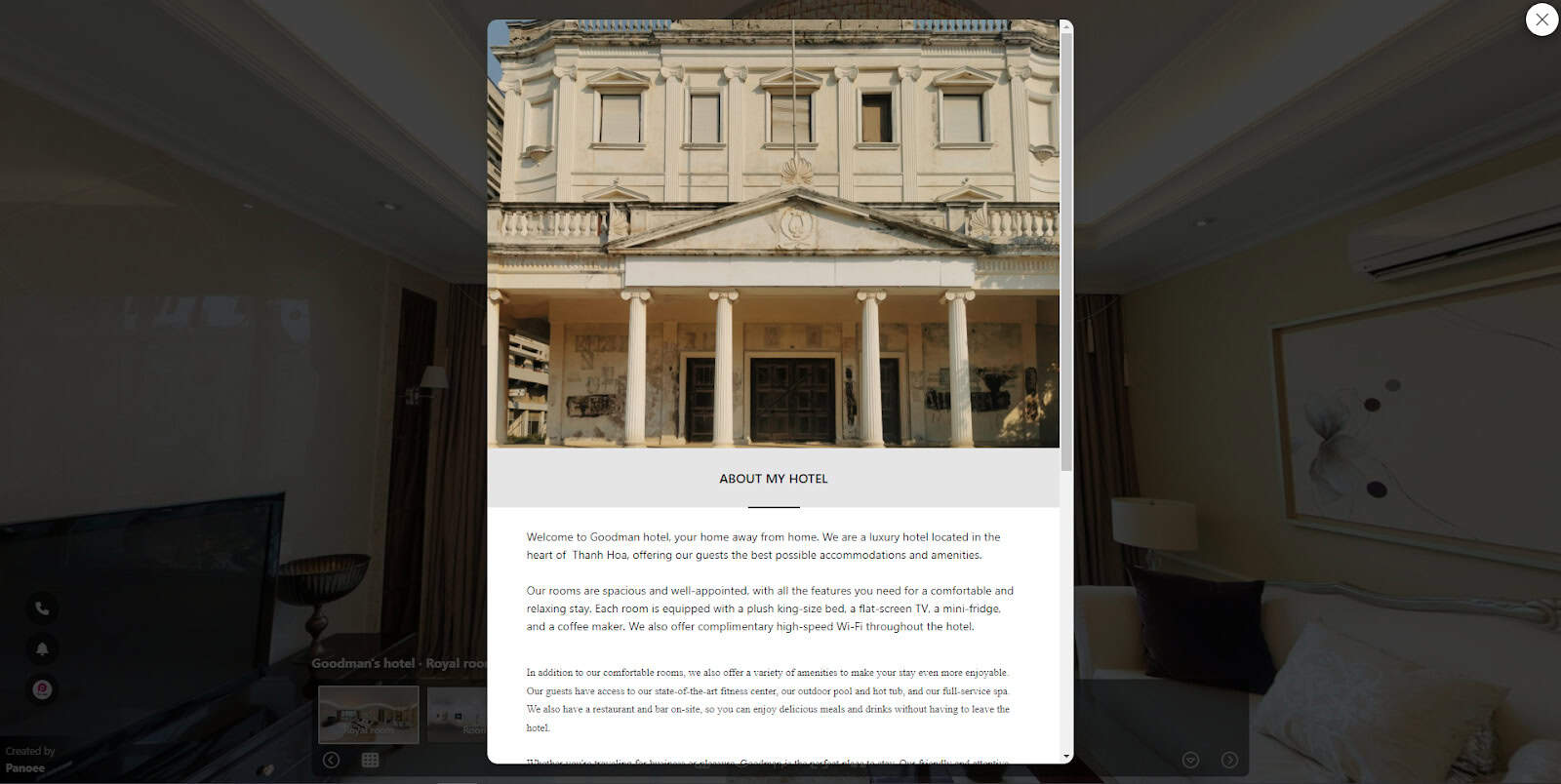
What is an Article hotspot? An Article hotspot in Panoee is a powerful feature that enables you to create a Post with text and images for your virtual tour. Article hotspots allow you to add more depth and context to
What is an Article hotspot?
An Article hotspot in Panoee is a powerful feature that enables you to create a Post with text and images for your virtual tour.
Article hotspots allow you to add more depth and context to their scene – for instance, telling a story, showing a product, sharing testimonials or providing instructions. You can customize their appearance and position on your tour – plus, all your Article hotspot content is conveniently organized under the CMS tab, where editing or deletion can easily take place as needed!
How to create an Article hotspot?
Step 1: Create a new Post
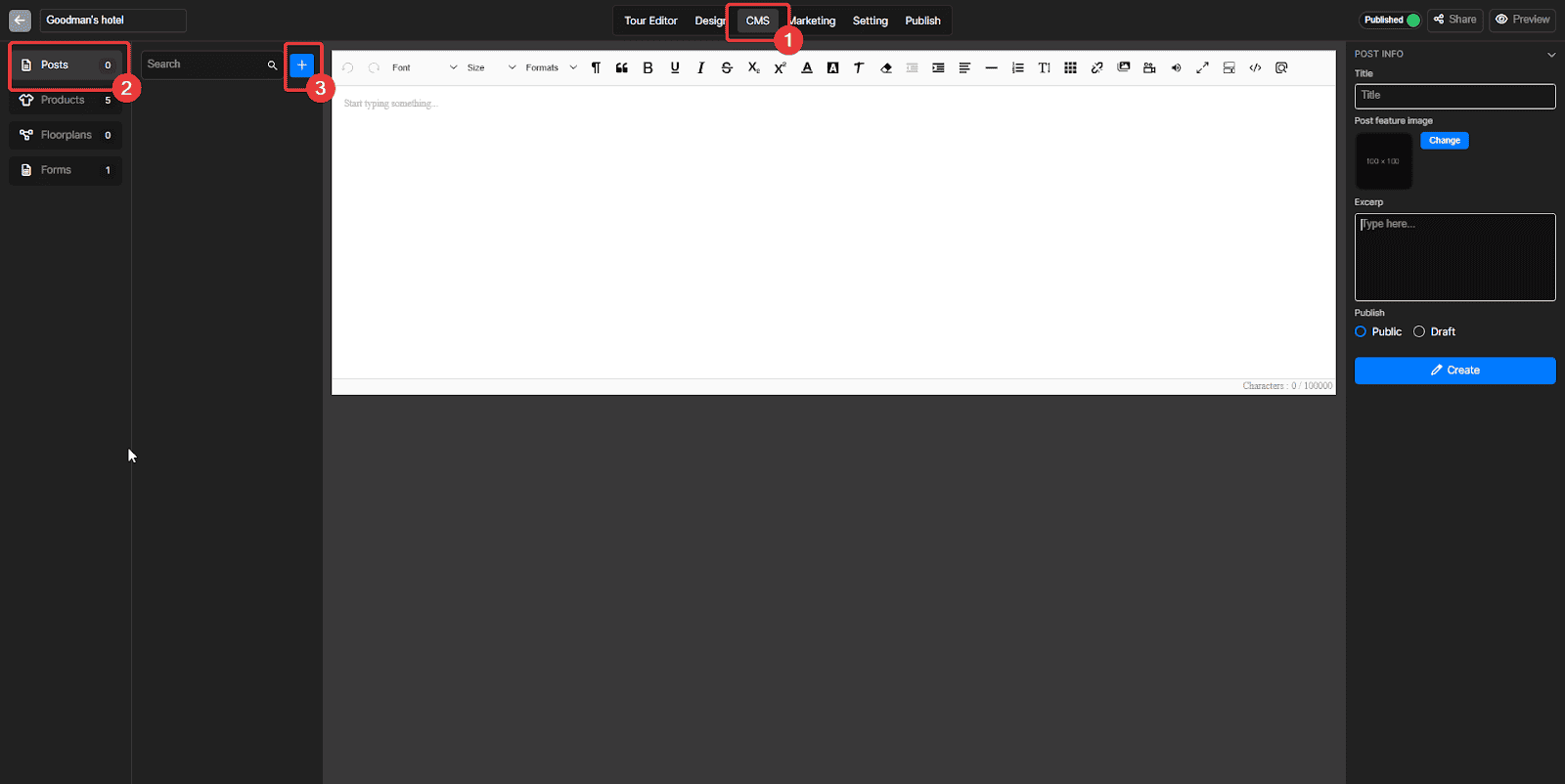
- Access the CMS tab
- Go to the Post section
- Click the + button to create a new Post
Step 2: Add your Post info
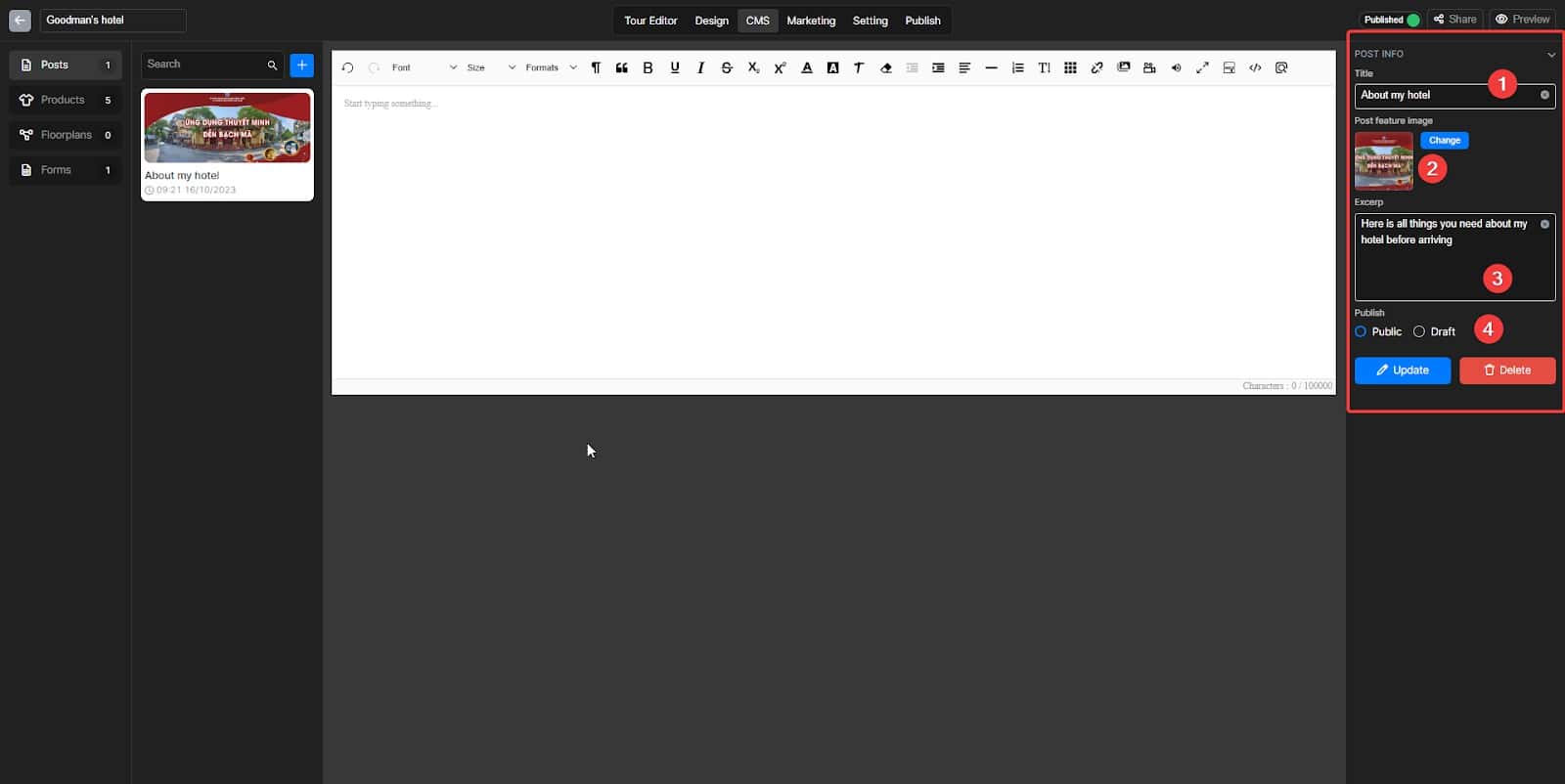
- Post title
- Post cover
- Post Excerp
- Switch your Post status between Publish and Draft
Step 3: Fill in your content
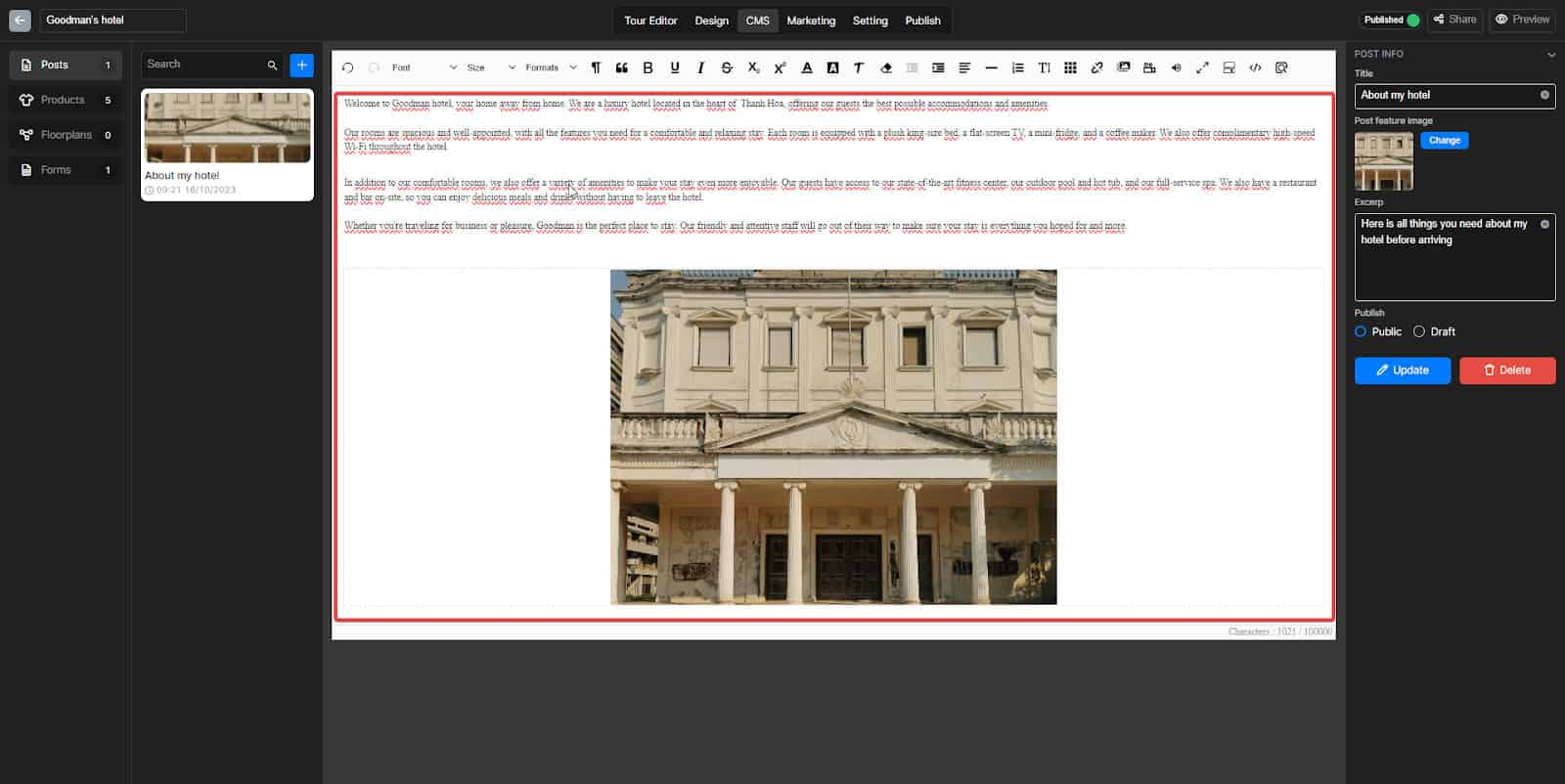
Fill your content here
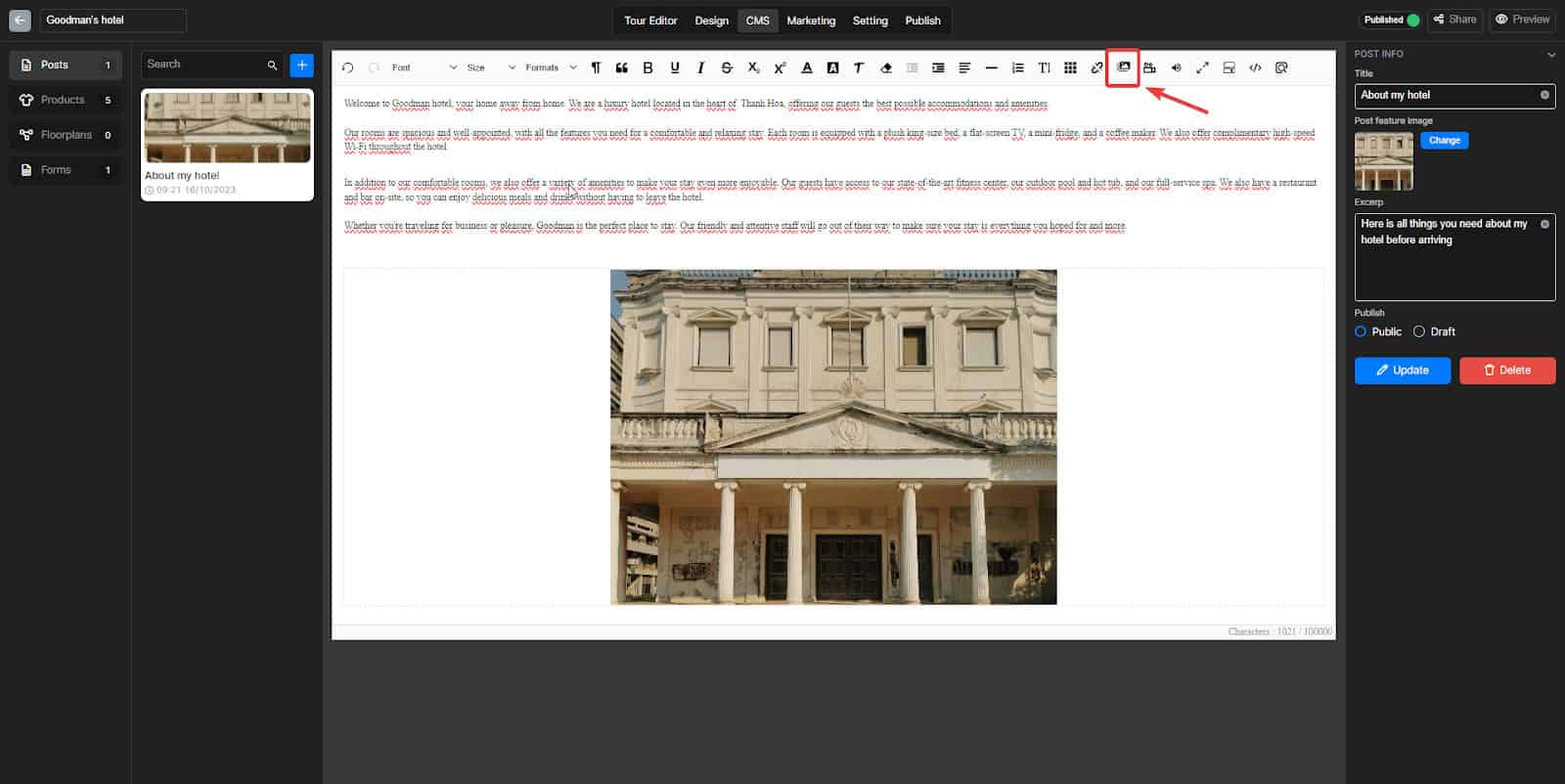
You can insert your image here
Step 4: Finish creating your Post
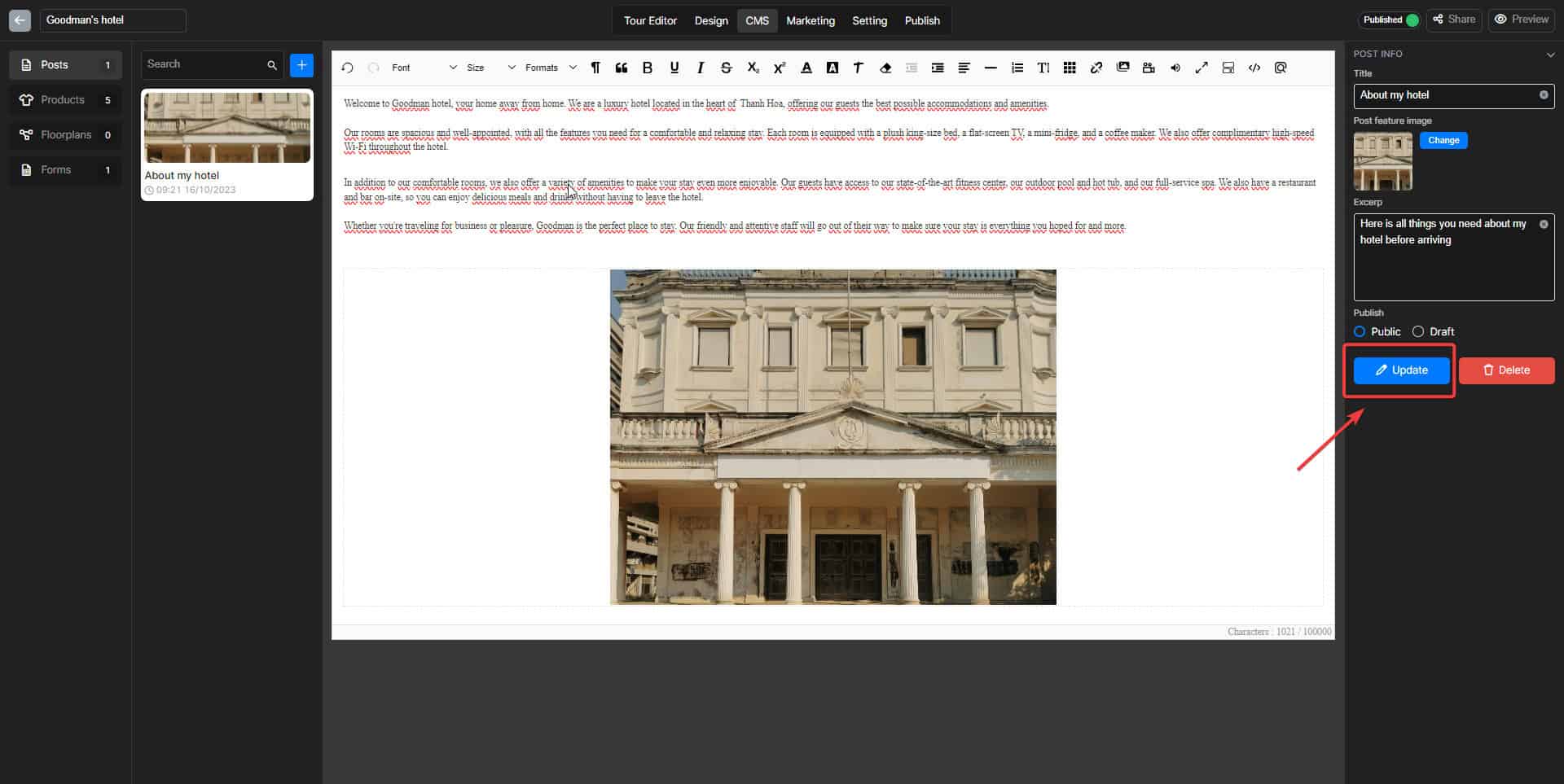
Don’t forget to Click on this button to Save your Post
Step 5: Create your Article hotspot
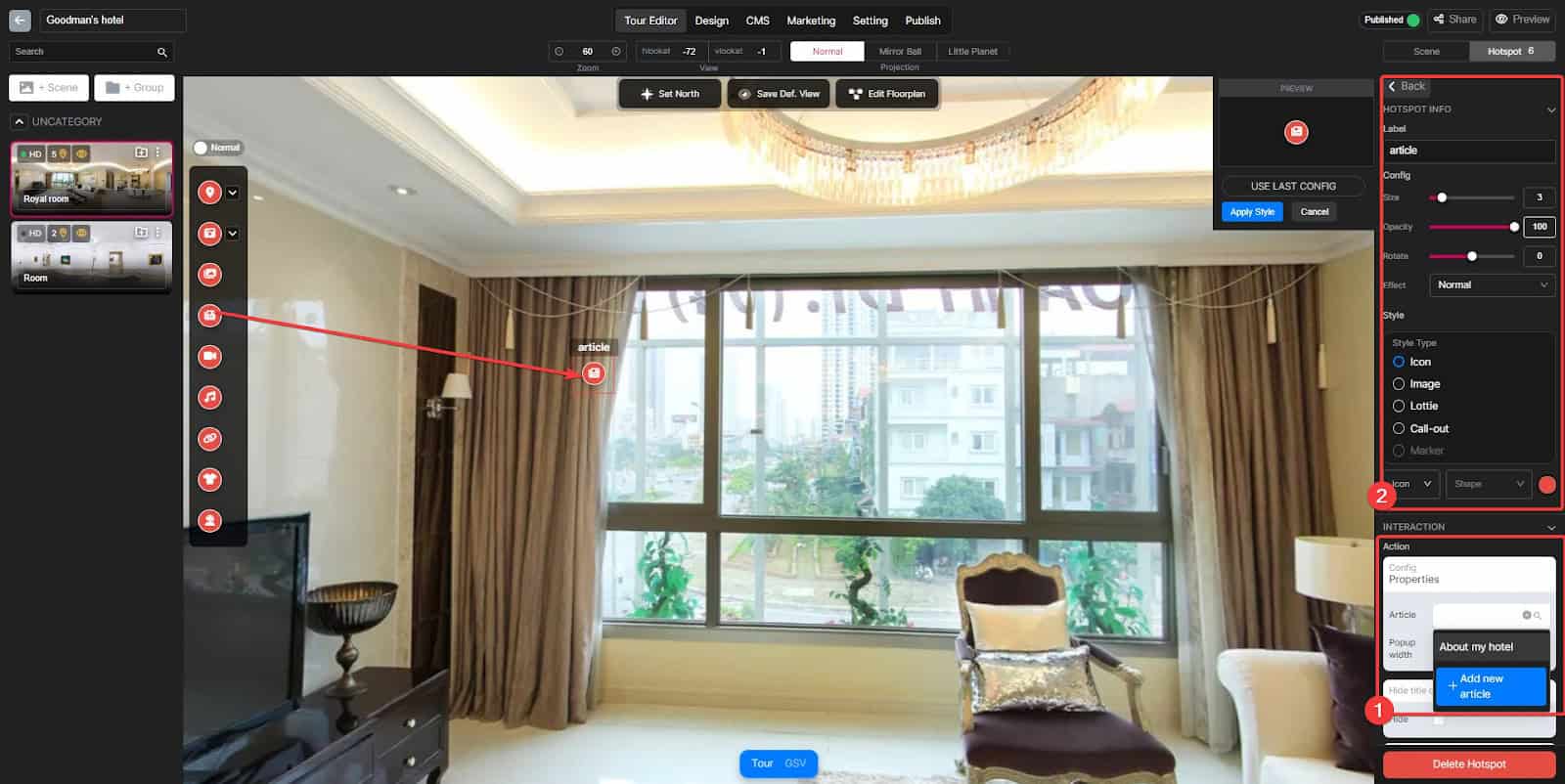
Drag the Article hotspot from the Hotspot panel to the Scene you want to display, and then:
- Choose the Post you want to put in the Article hotspot
- You can add its name and configure some basics
And now, you can check its appearance in the Preview mode