
4 May 2023
Edit hotspot Tour Guide (Green screen)
Add a Tour Guide hotspot Drag the hotspot into the position you want Click "Change" to select your mp4 file Upload your mp4 file Upload your mp4 file from your computer Select your mp4 file Submit Config Mask: Choose your
Add a Tour Guide hotspot
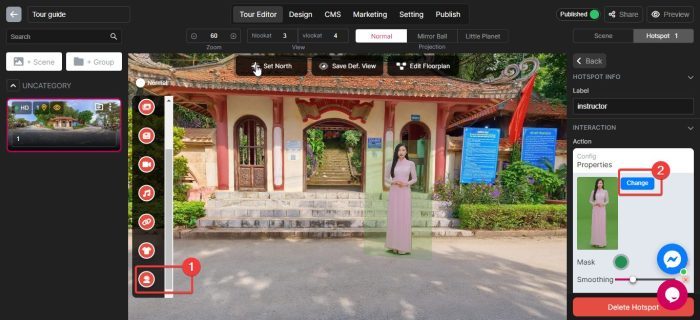
- Drag the hotspot into the position you want
- Click “Change” to select your mp4 file
Upload your mp4 file
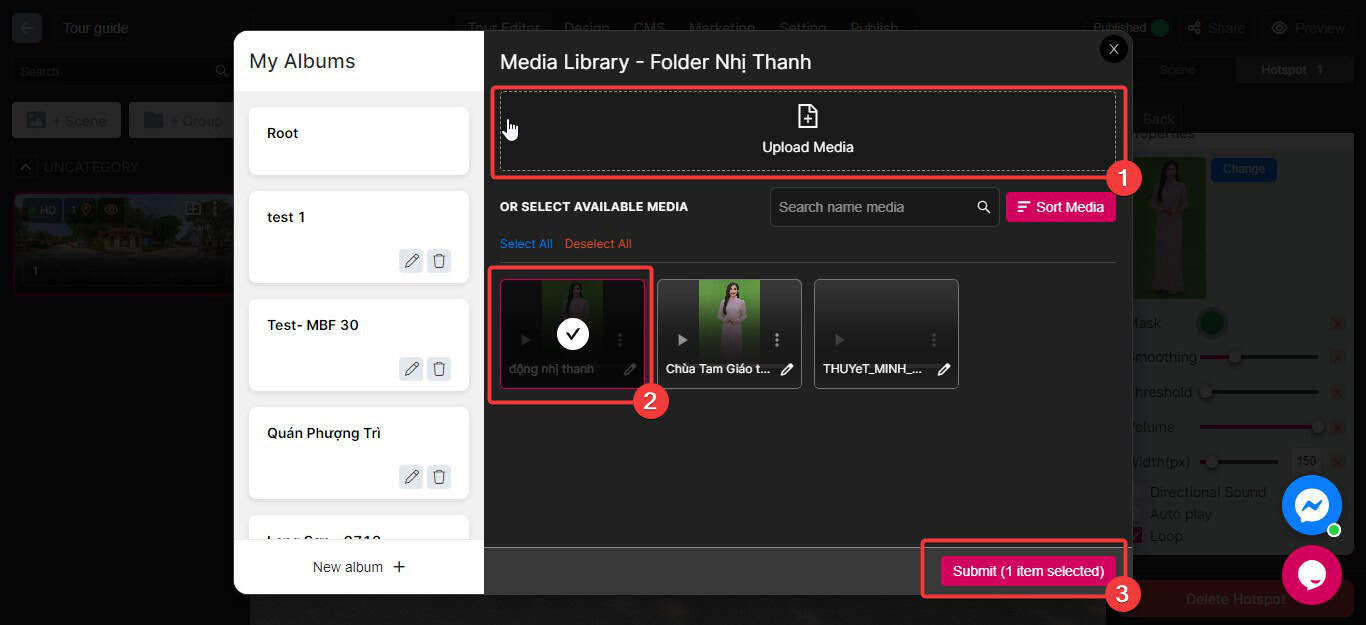
- Upload your mp4 file from your computer
- Select your mp4 file
- Submit
Config
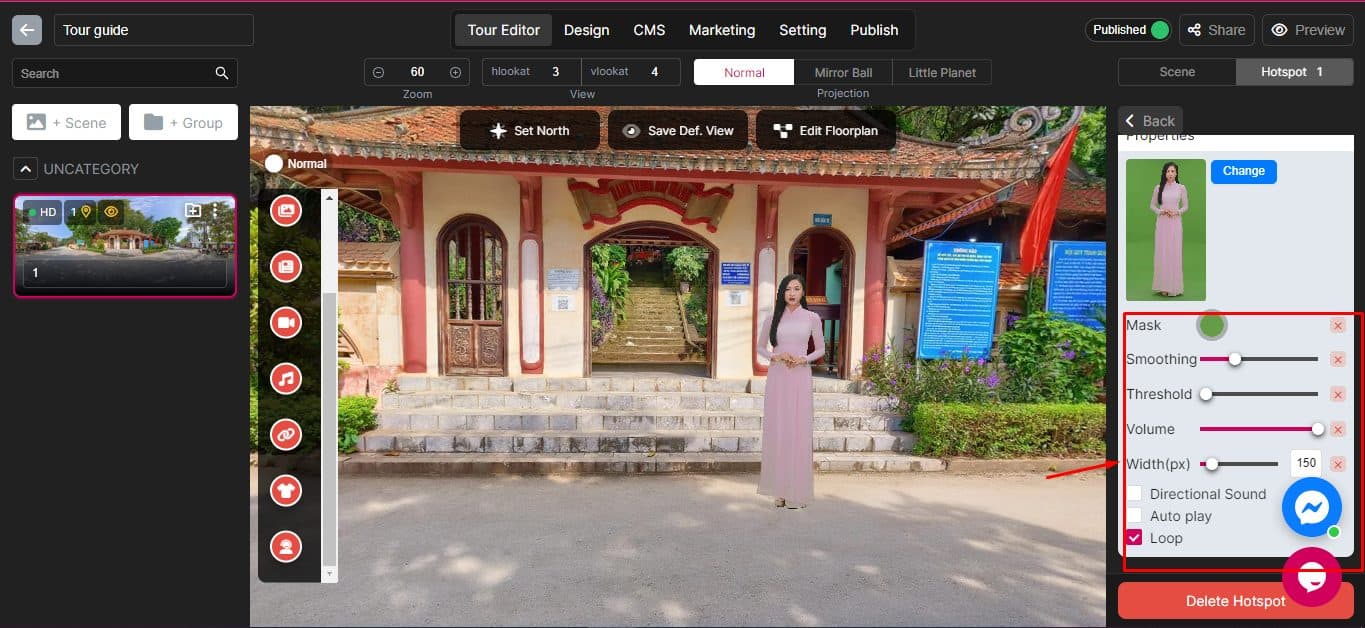
- Mask: Choose your color you want to remove
- Smoothing: smoothen your background blur
- Threshold: removing the background in a video by comparing the brightness value of each pixel with a certain threshold.
- Volume: Adjust your mp4 sound volume
- Width: Adjust the size of the video (WxH)
