17 Oct 2023
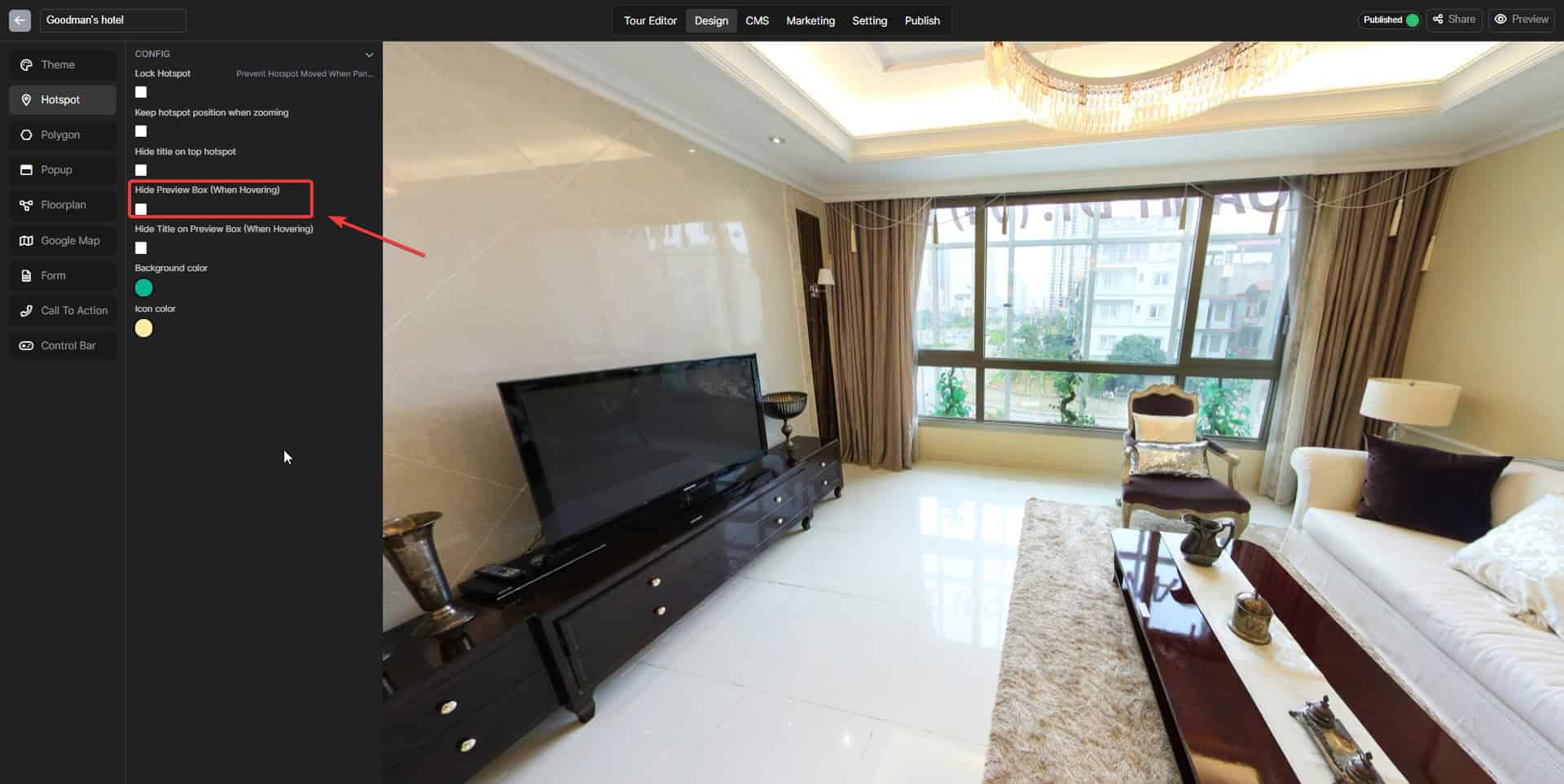
Hide Preview Box (When Hovering)
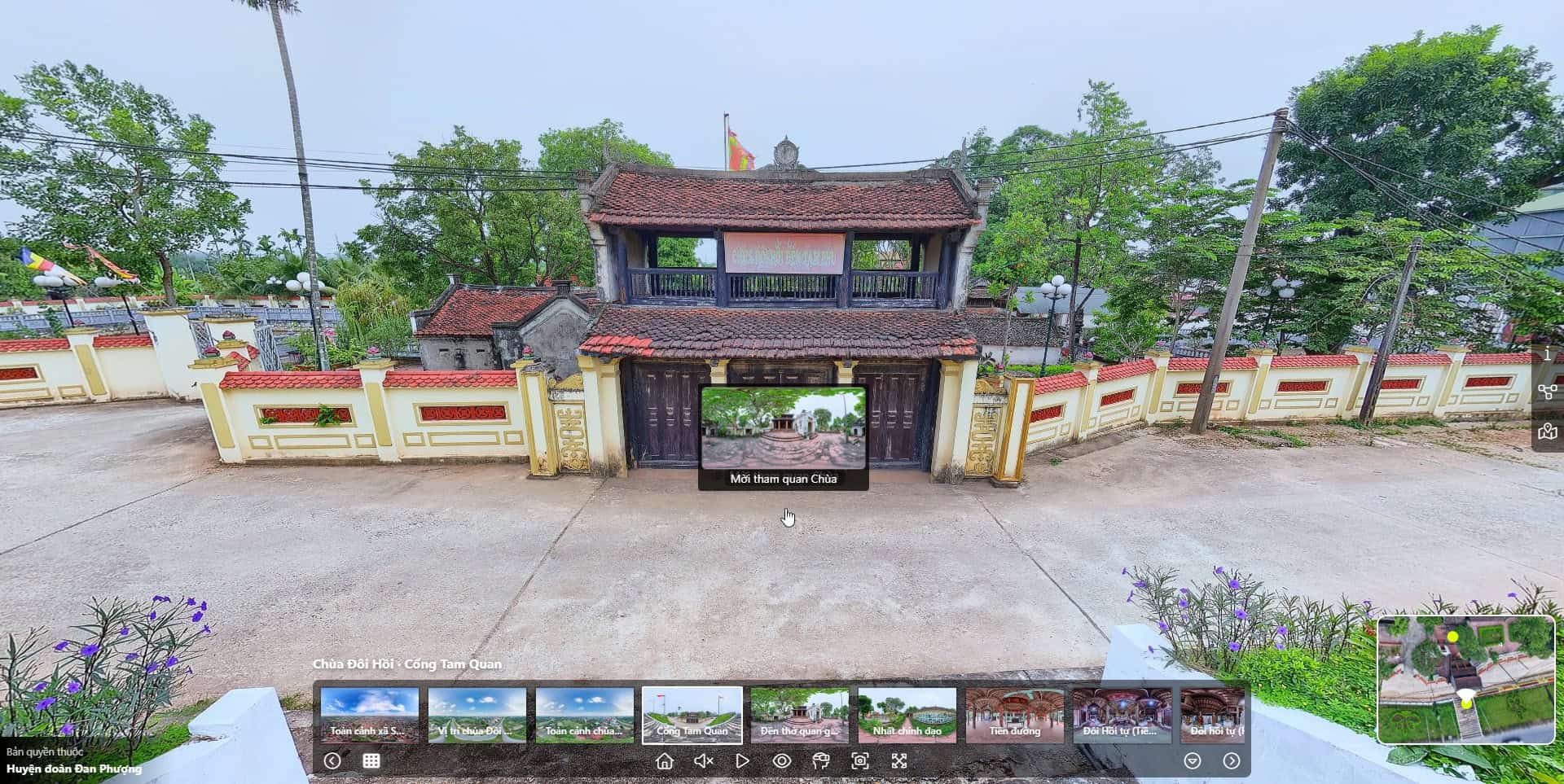
The Preview box appears when you hover on a specific hotspot Step 1: Access the Design tab Step 2: Choose the Hotspot section Step 3: Click on the "Hide Preview Box (When Hovering)" box
Step 1: Access the Design tab
Step 2: Choose the Hotspot section
Step 3: Click on the “Hide Preview Box (When Hovering)” box