
9 May 2023
Collaboration mode: Team-working Virtual Tour
Enable the Collaboration mode Choose the Setting tab. Choose Collaboration section Enable the Collaboration mode. Copy your Collaboration mode link and share it with your co-worker (You can share it with Everyone or some specific people by entering their emails
Enable the Collaboration mode
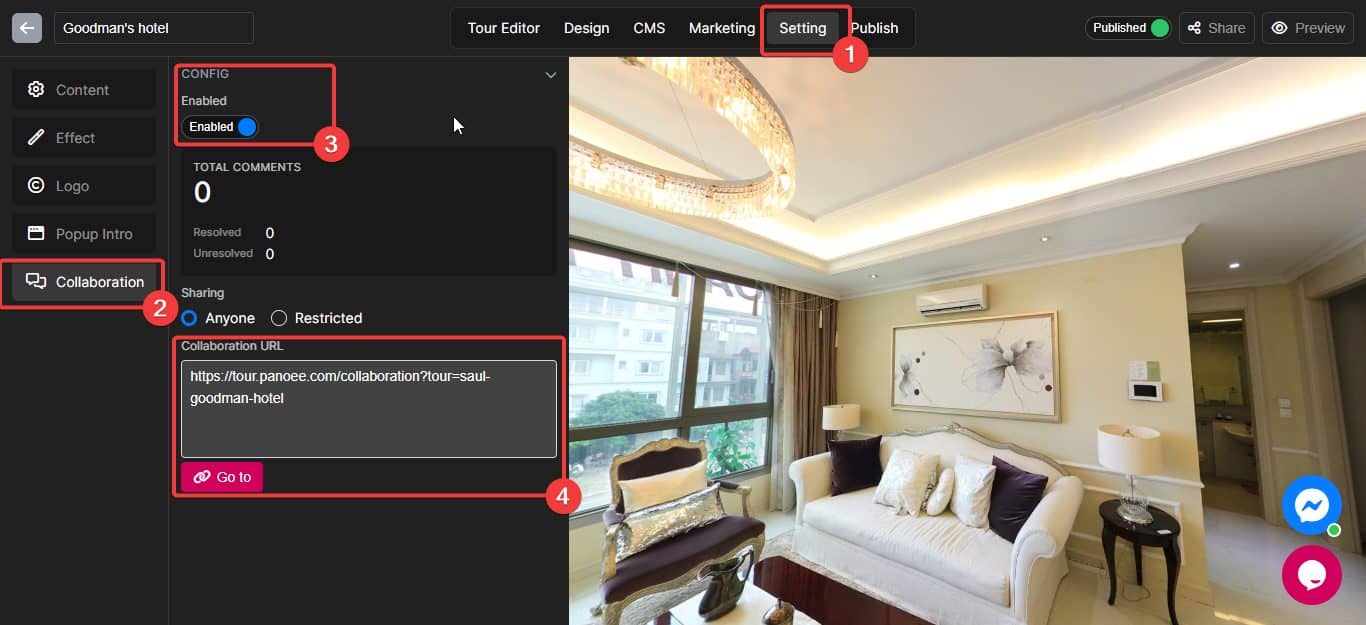
- Choose the Setting tab.
- Choose Collaboration section
- Enable the Collaboration mode.
- Copy your Collaboration mode link and share it with your co-worker (You can share it with Everyone or some specific people by entering their emails which have registered to Panoee)
Some operations with Collaboration mode
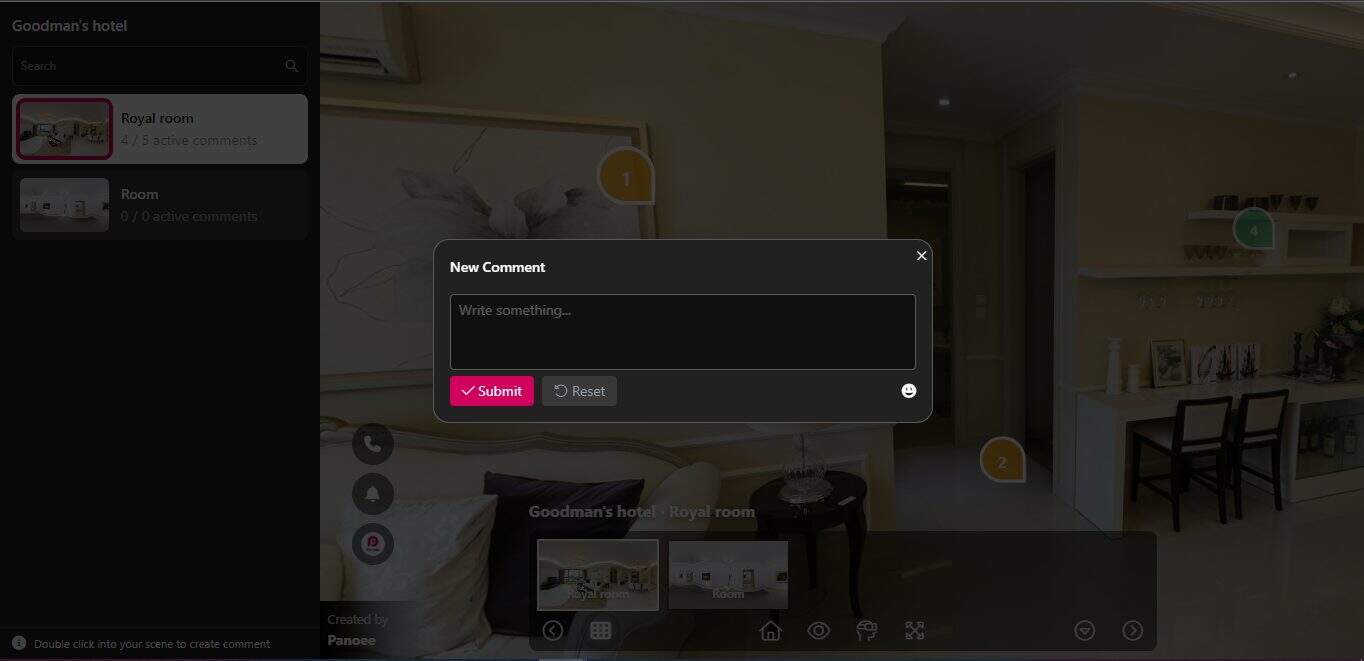
Make a task: Double-click on the position you wish
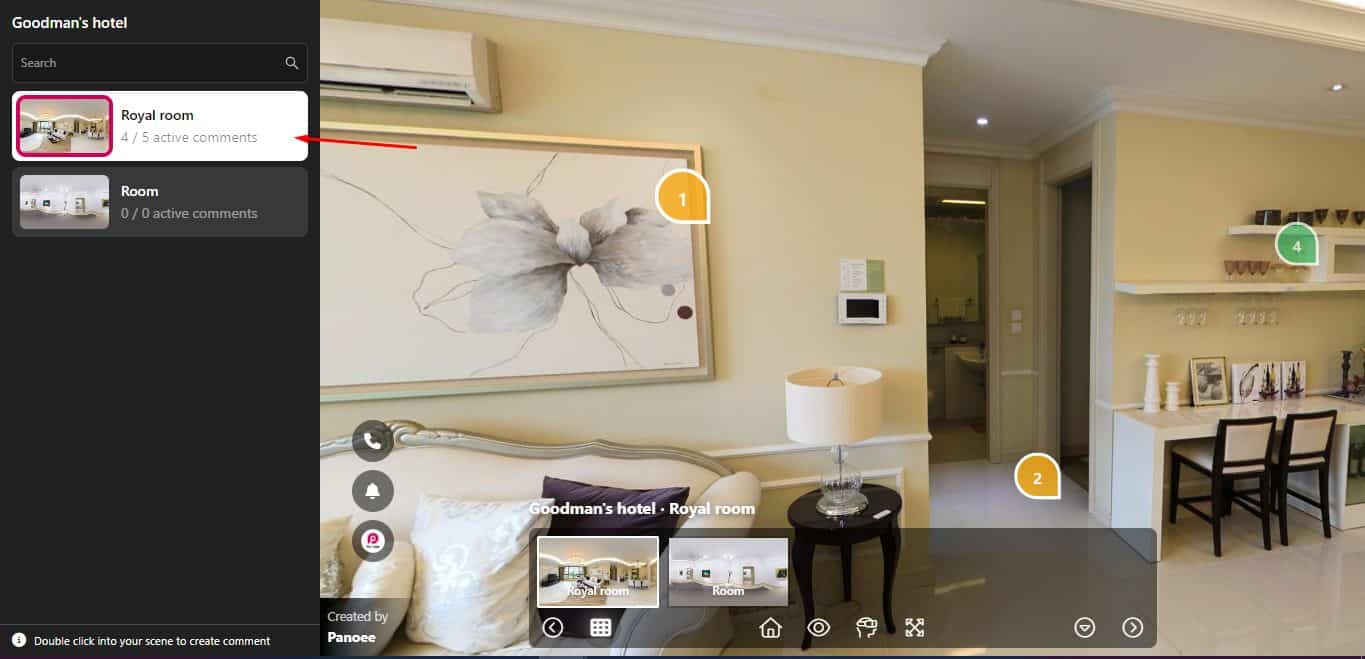
Task’s checklist: Double-click on the Scene
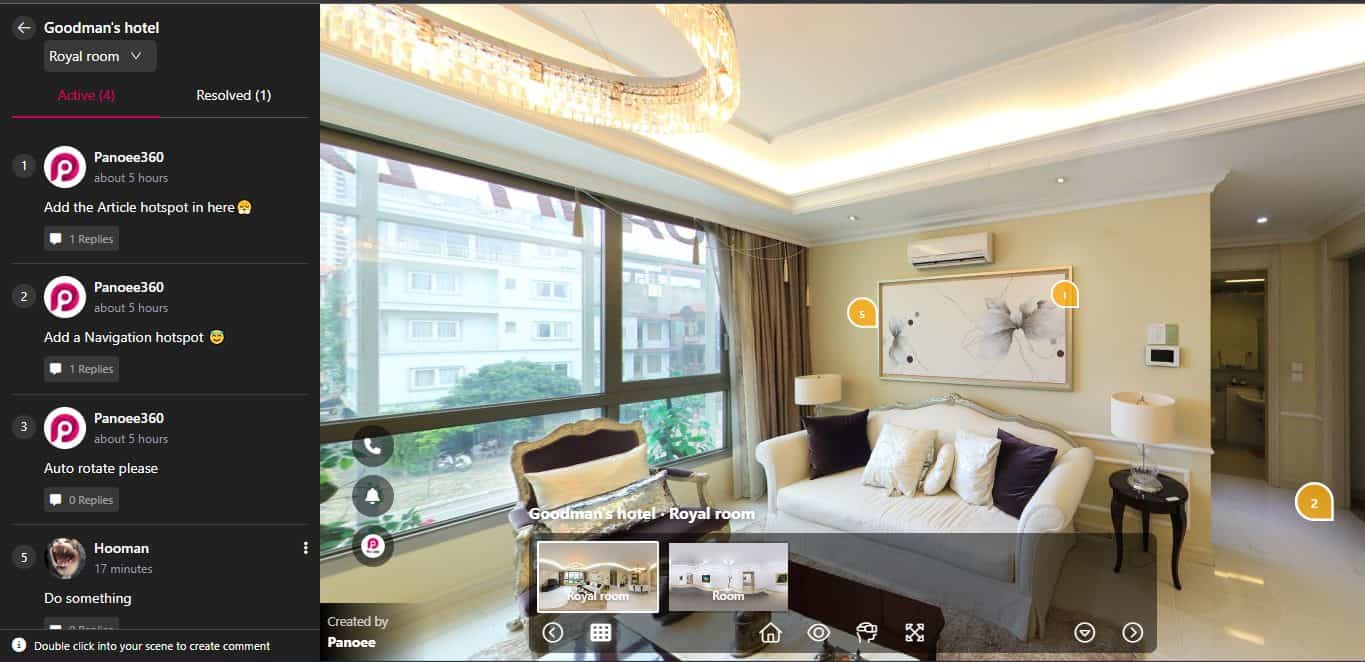
Reply to your co-worker: Click on their feedback and write something
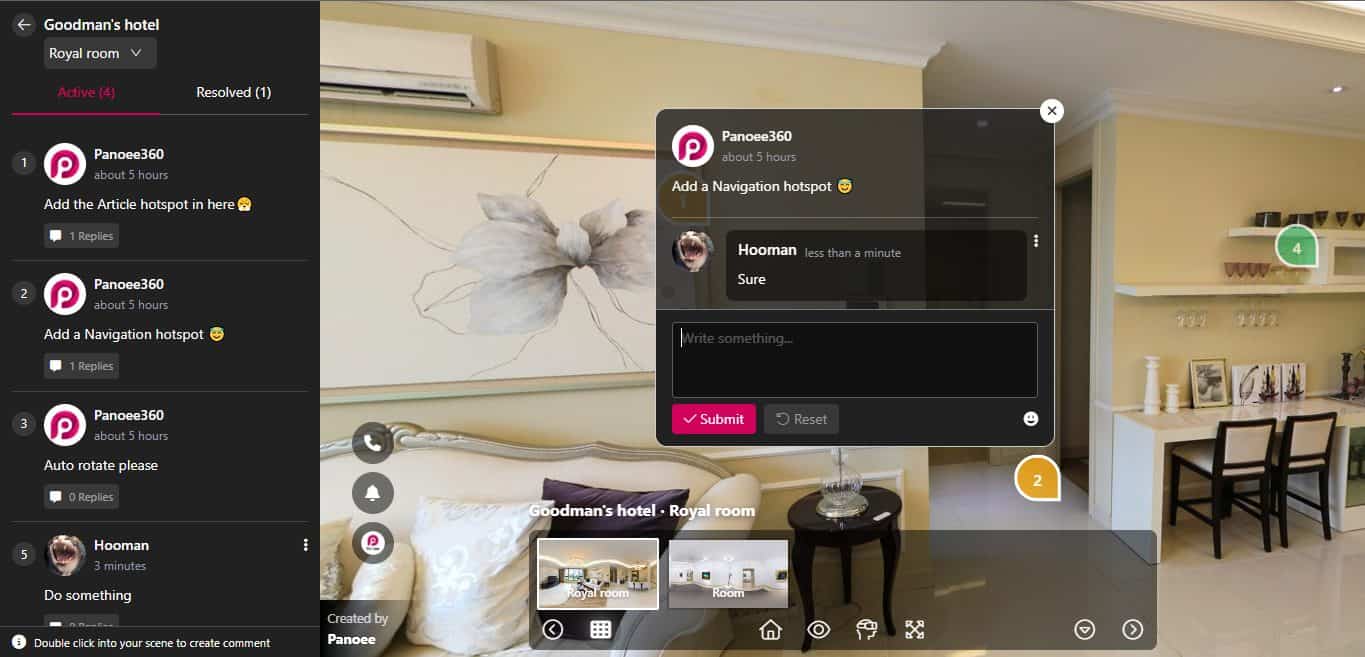
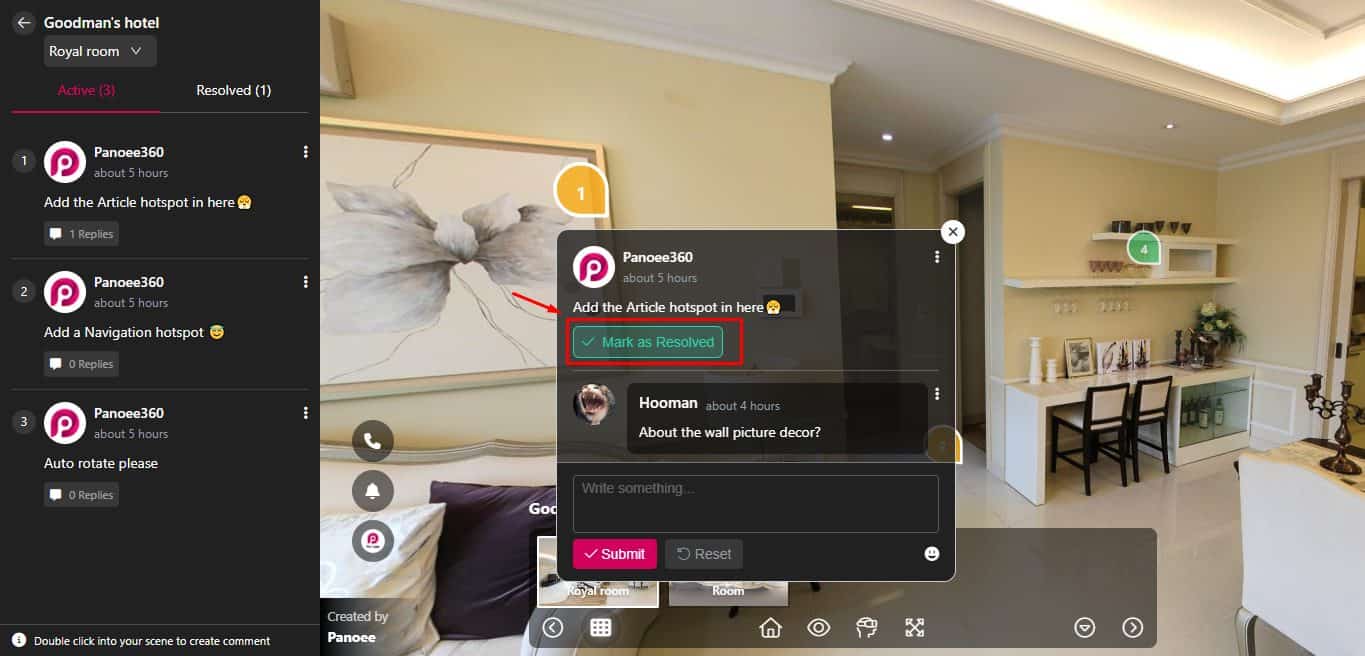
Mark as done (for tour owner’s only): Tick the completed tasks
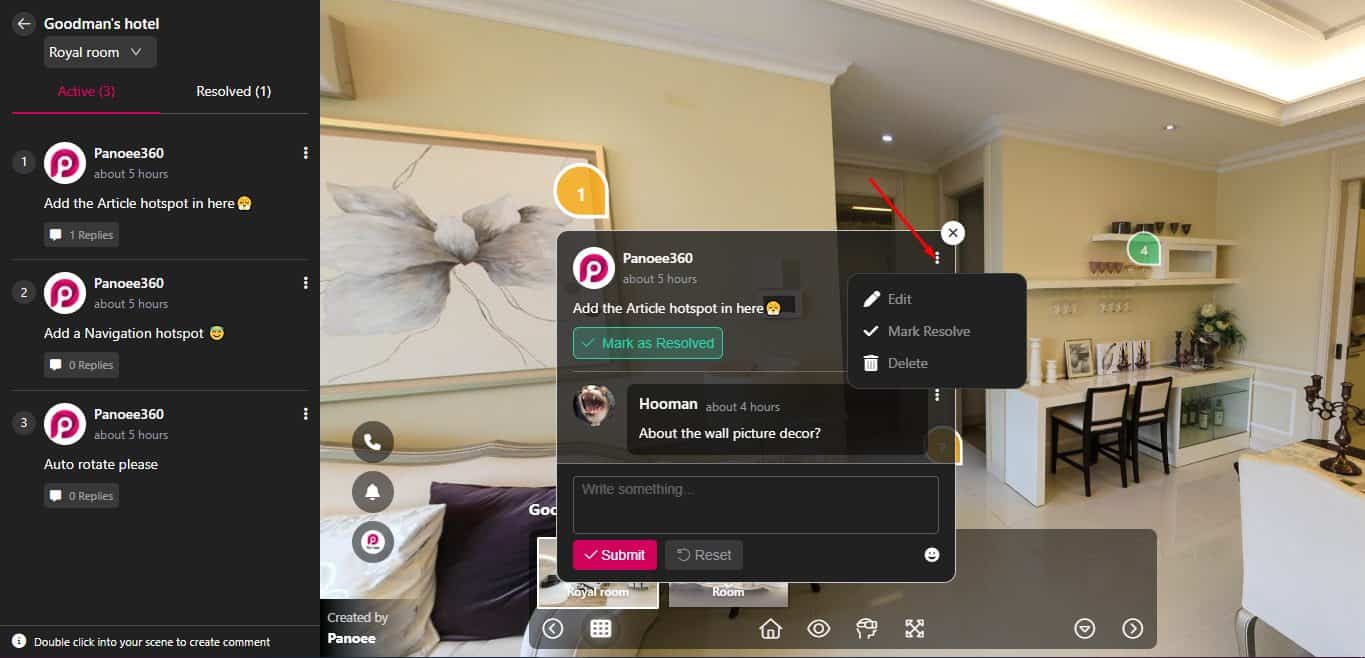
Edit and Delete task (for tour’s owner only)
That’s all about Panoee’s Collaboration mode ?. Easy, right?
