
5 Jan 2023
Manage Projects
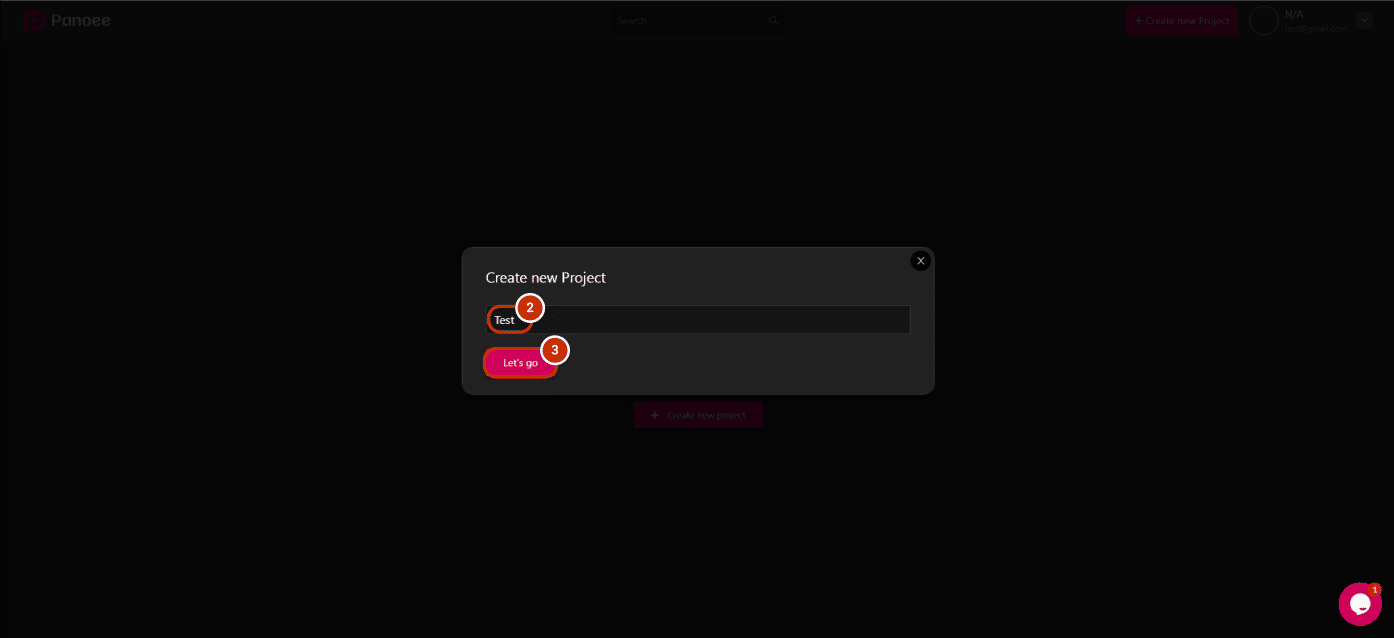
https://www.youtube.com/watch?v=FAGbpIJuVns You can manage unlimited projects, and this is the guide on how you do it: STEP 1: CREATE A NEW PROJECT 1. Create a new project by clicking "Create new project". 2. Type the name of your new project.
You can manage unlimited projects, and this is the guide on how you do it:
STEP 1: CREATE A NEW PROJECT
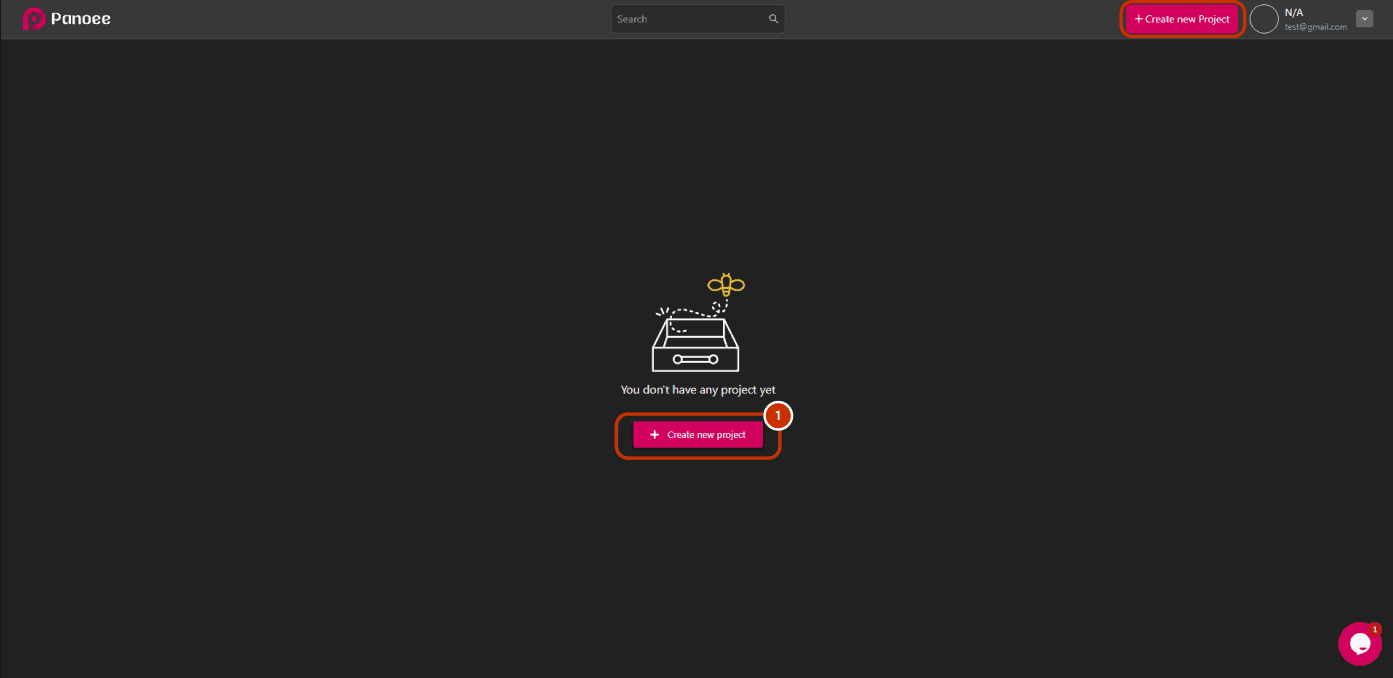
1. Create a new project by clicking “Create new project”.
2. Type the name of your new project.
3. Click “Let’s go”.
STEP 2: MANAGE PROJECTS
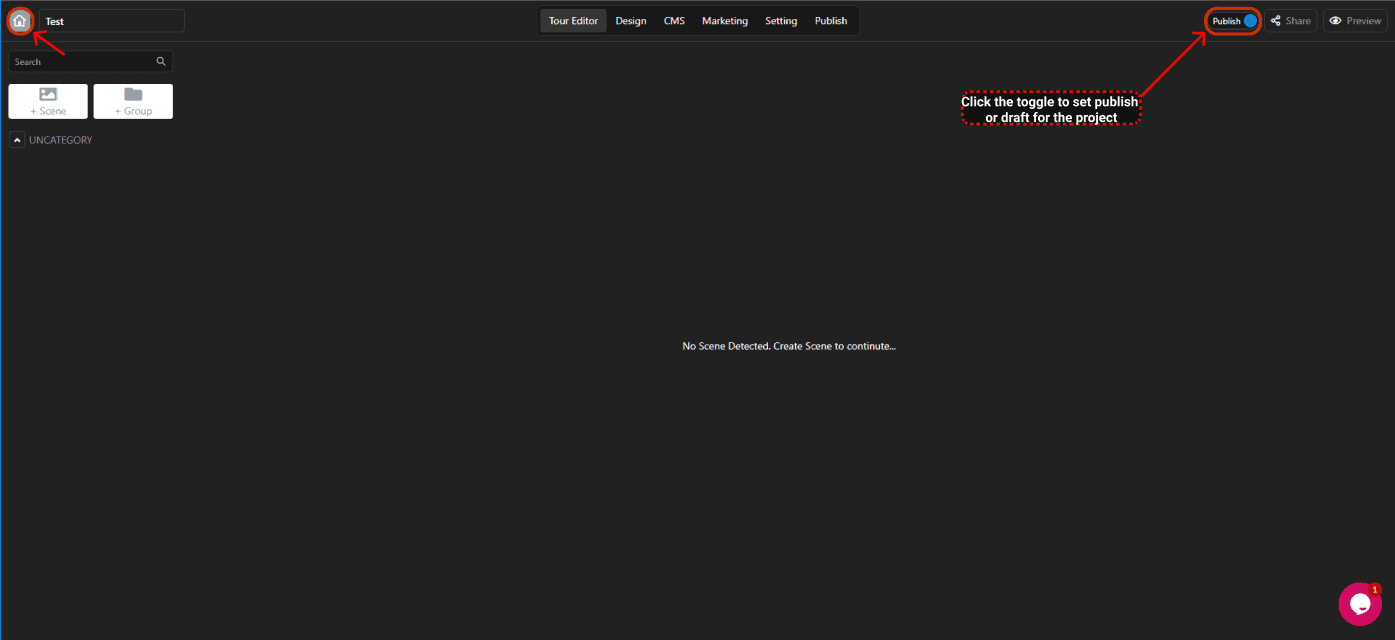
After finishing your project, if you want to set it as publish or draft, click the toggle, and click the home icon to return to the dashboard.
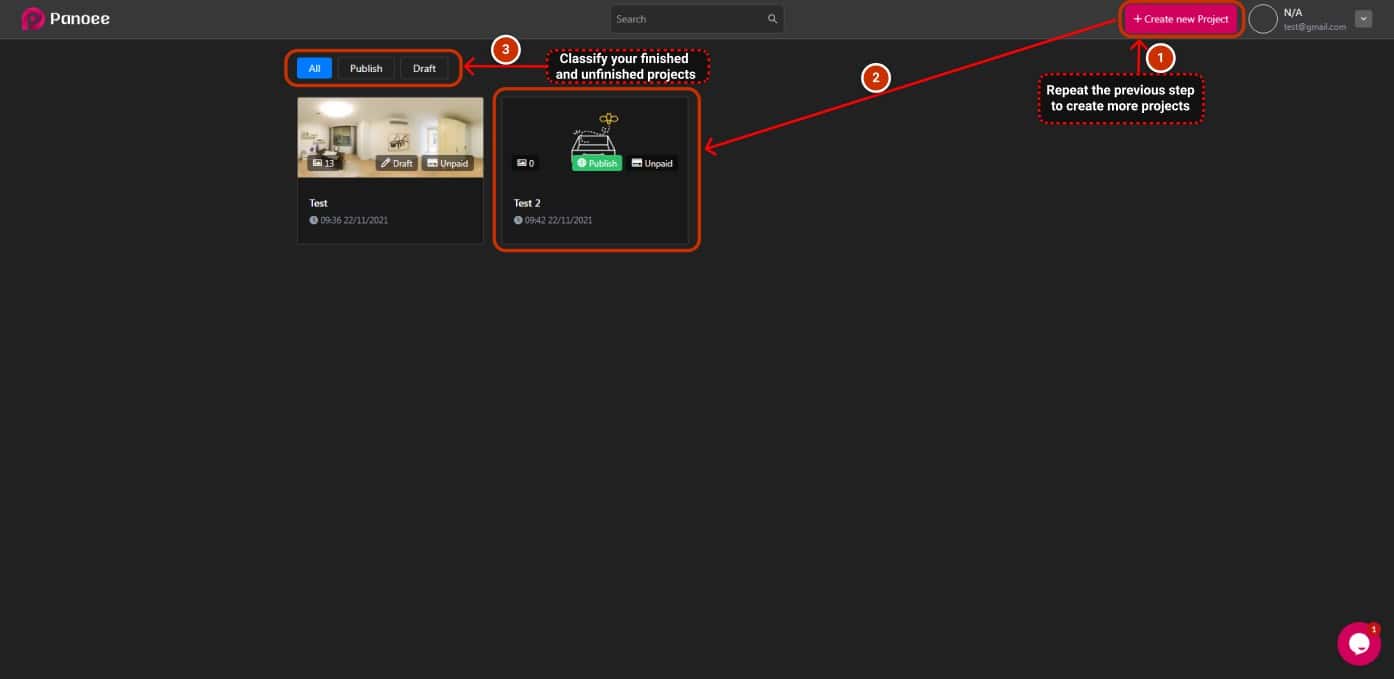
1. Repeat the previous step if you want to create more projects.
2. Now you understand how to create and manage unlimited projects.
3. Classify your draft and published projects to manage them effectively.
