
24 Oct 2023
Add Background Sound to your virtual tour
Background sound can add a new dimension to your virtual tour, making it more immersive and engaging for viewers. It can also help to set the tone and atmosphere of the tour, and create a more memorable experience for viewers.
Background sound can add a new dimension to your virtual tour, making it more immersive and engaging for viewers. It can also help to set the tone and atmosphere of the tour, and create a more memorable experience for viewers.
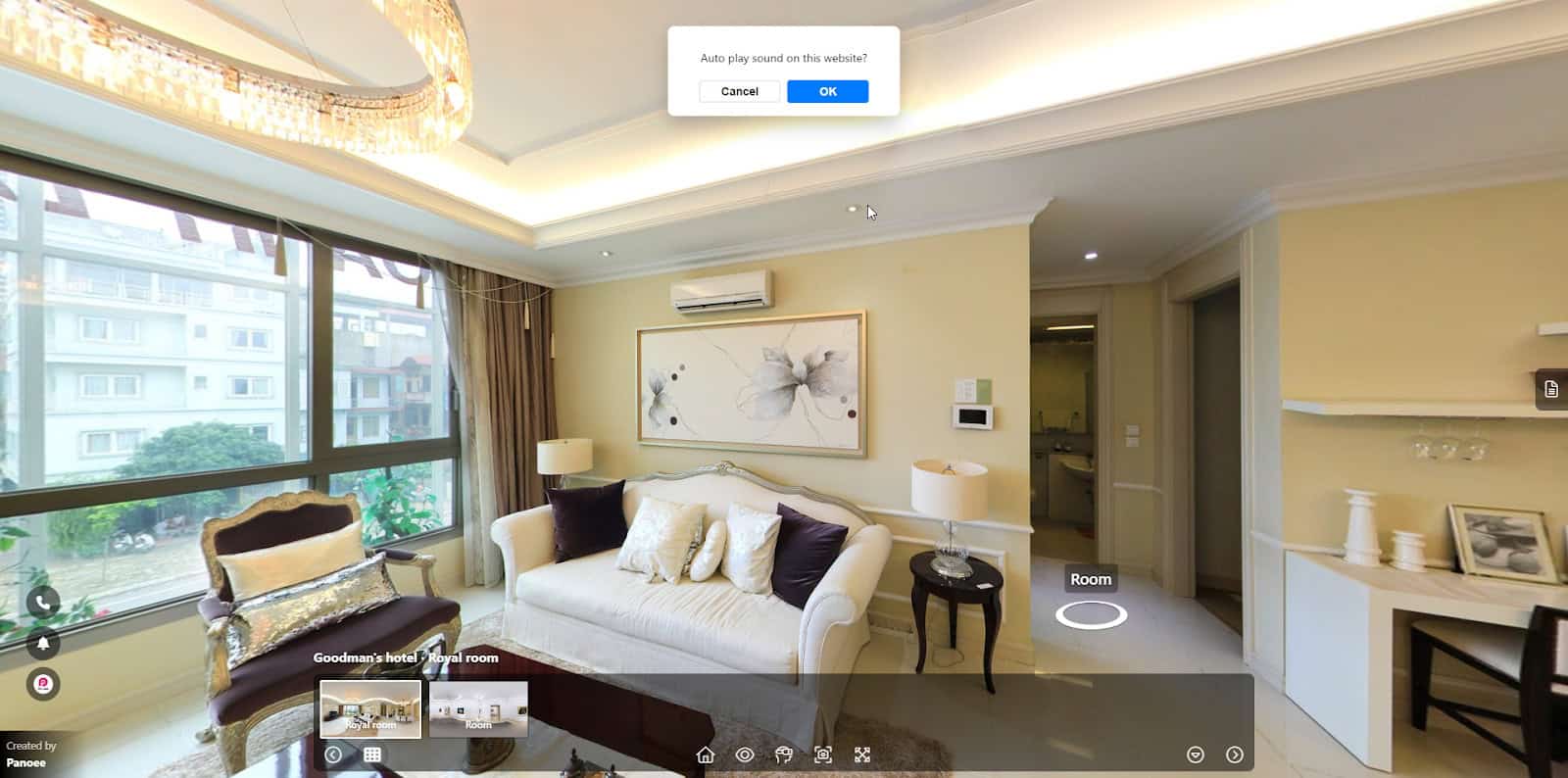
In this article, we will show you how to add the background sound to your virtual tour.
Step 1: Access the Background Sound segment
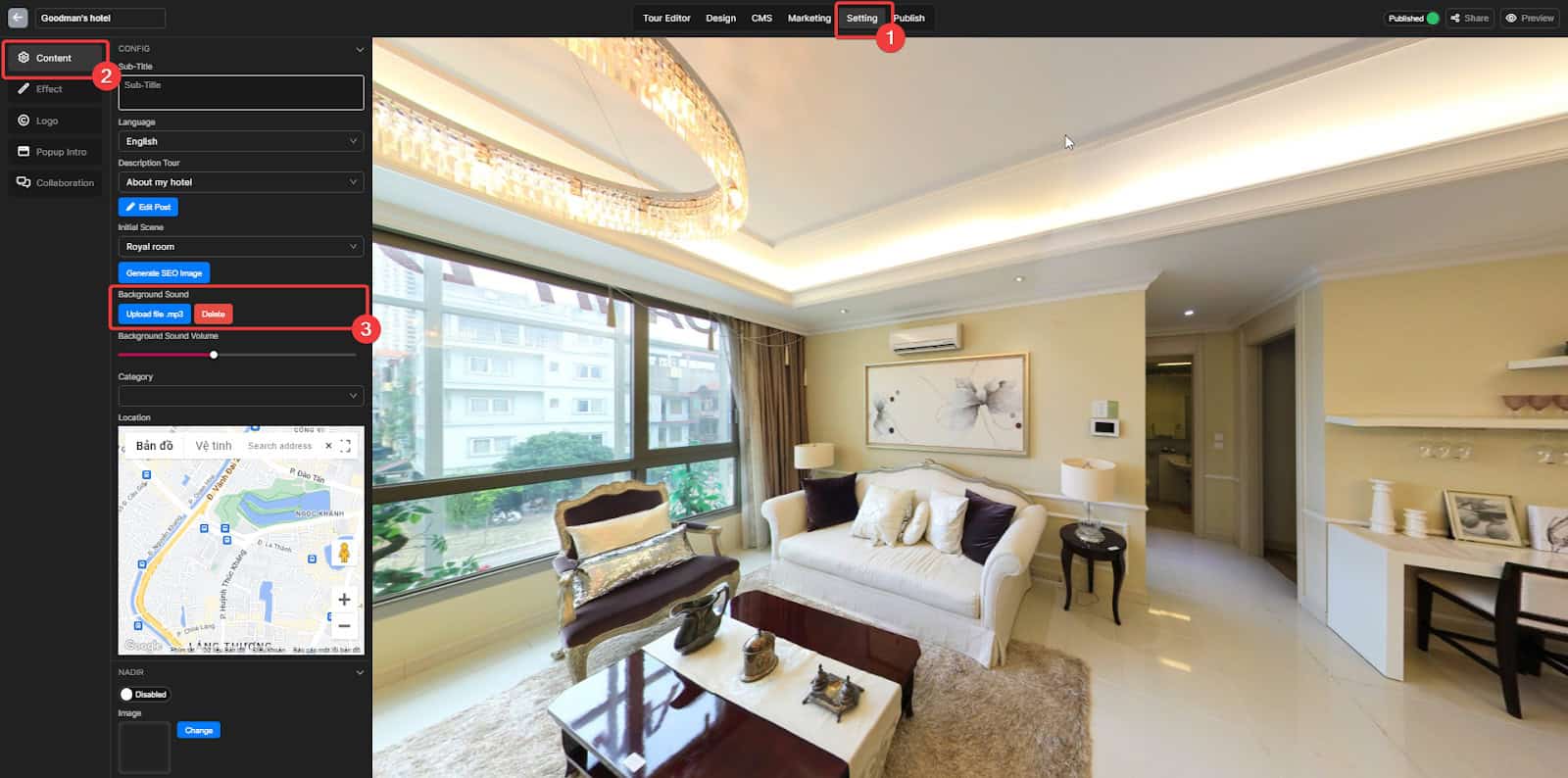
- Go to the Setting tab
- Choose the Content section
- Select the Background Music segment
- Click on the “Upload file .mp3” button
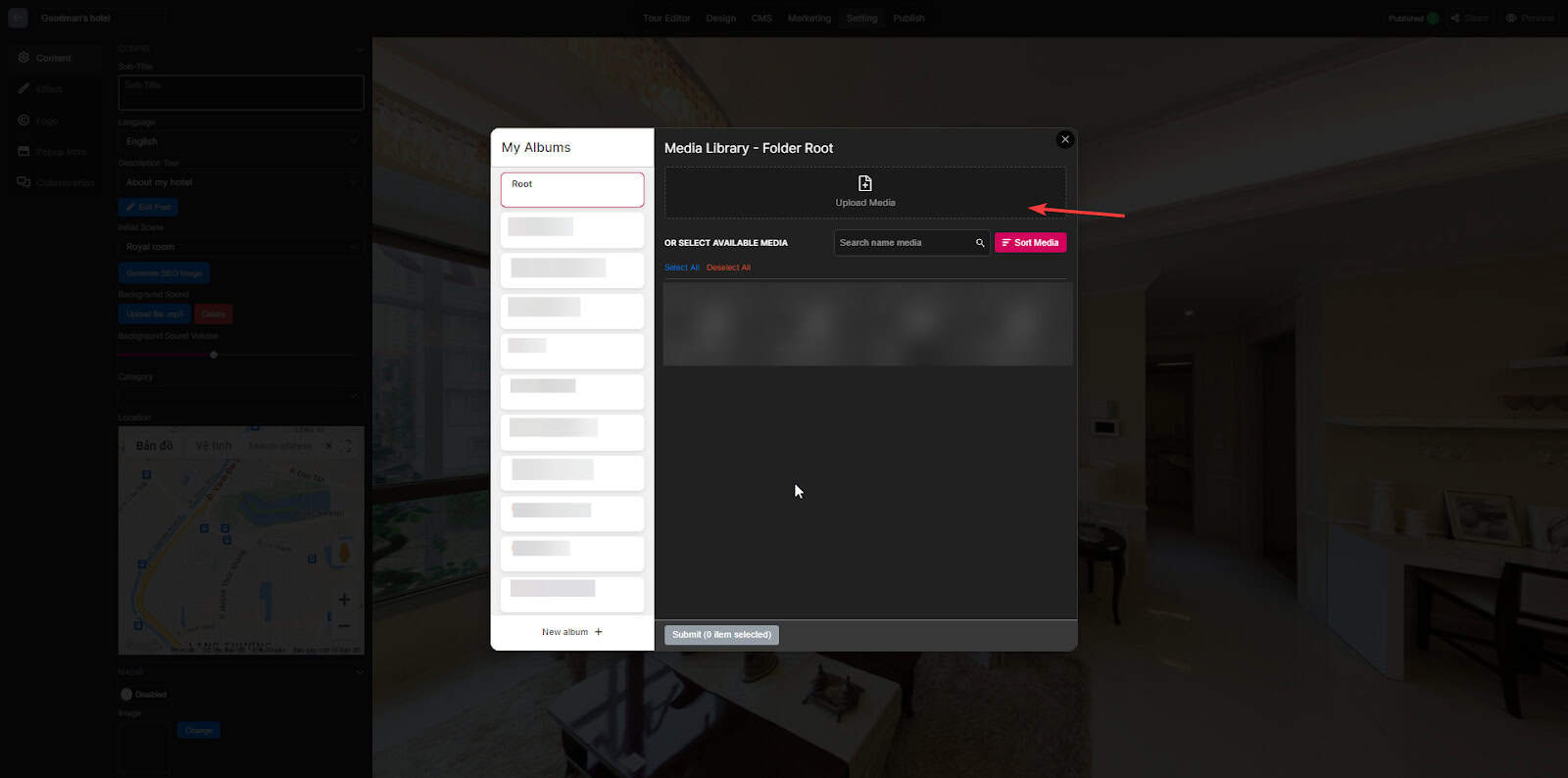
Step 2: Upload the mp3 from your device
Step 3: Select the mp3 file and Submit
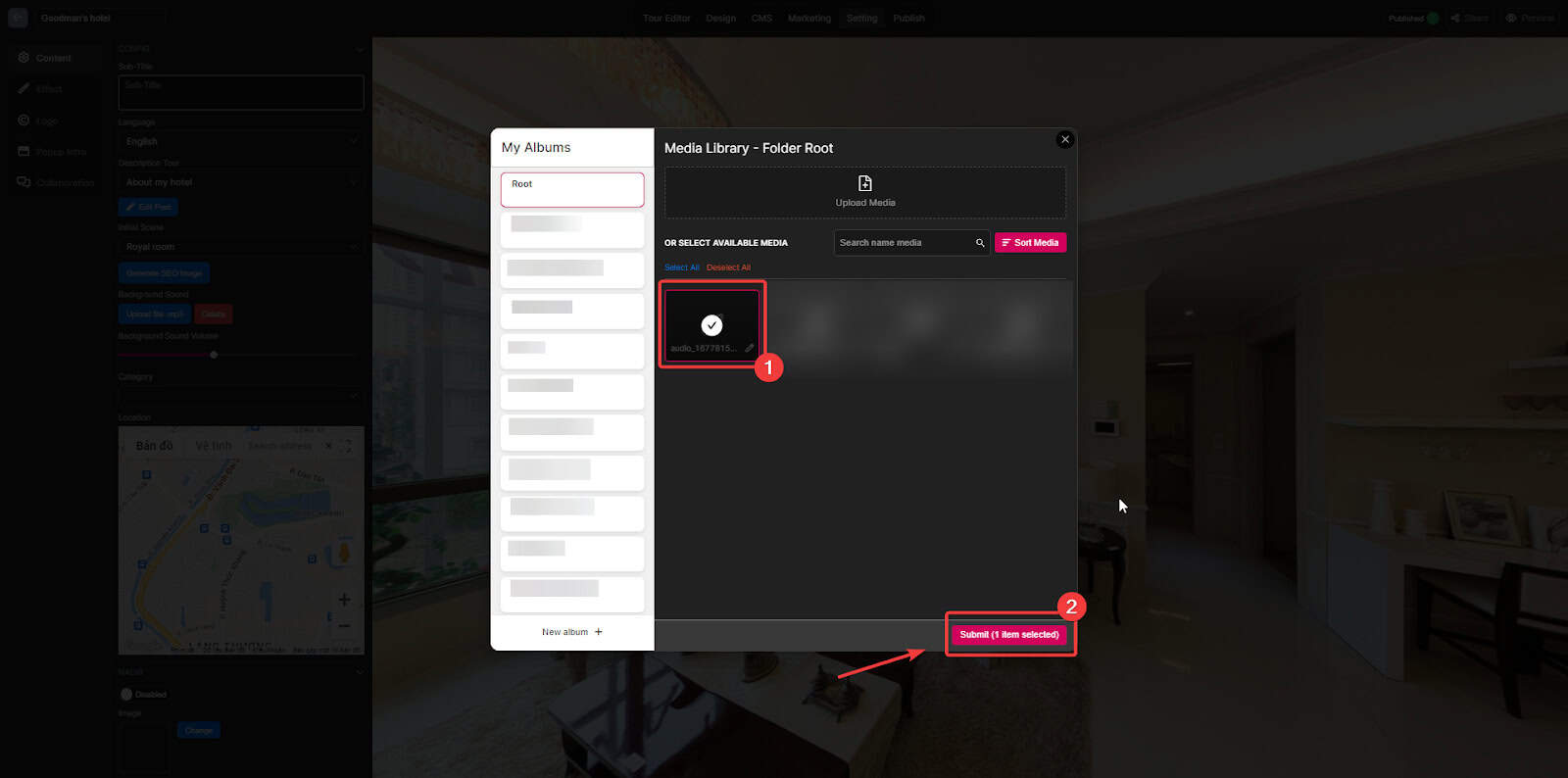
- Choose the mp3 file you want
- Submit the file
Step 4: Customize the Background sound
Adjust the volume
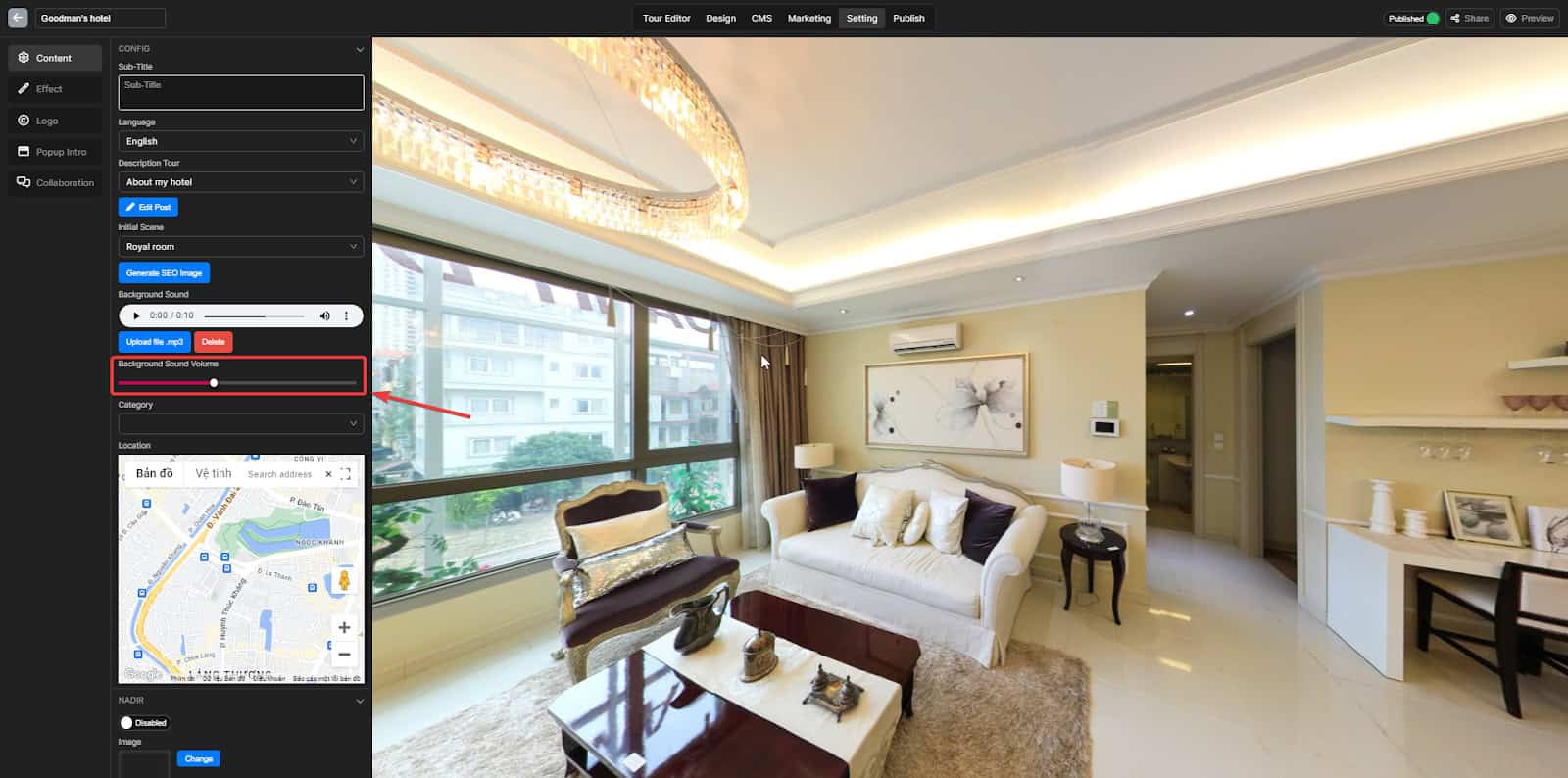
Slide the volume bar to adjust the sound
Delete
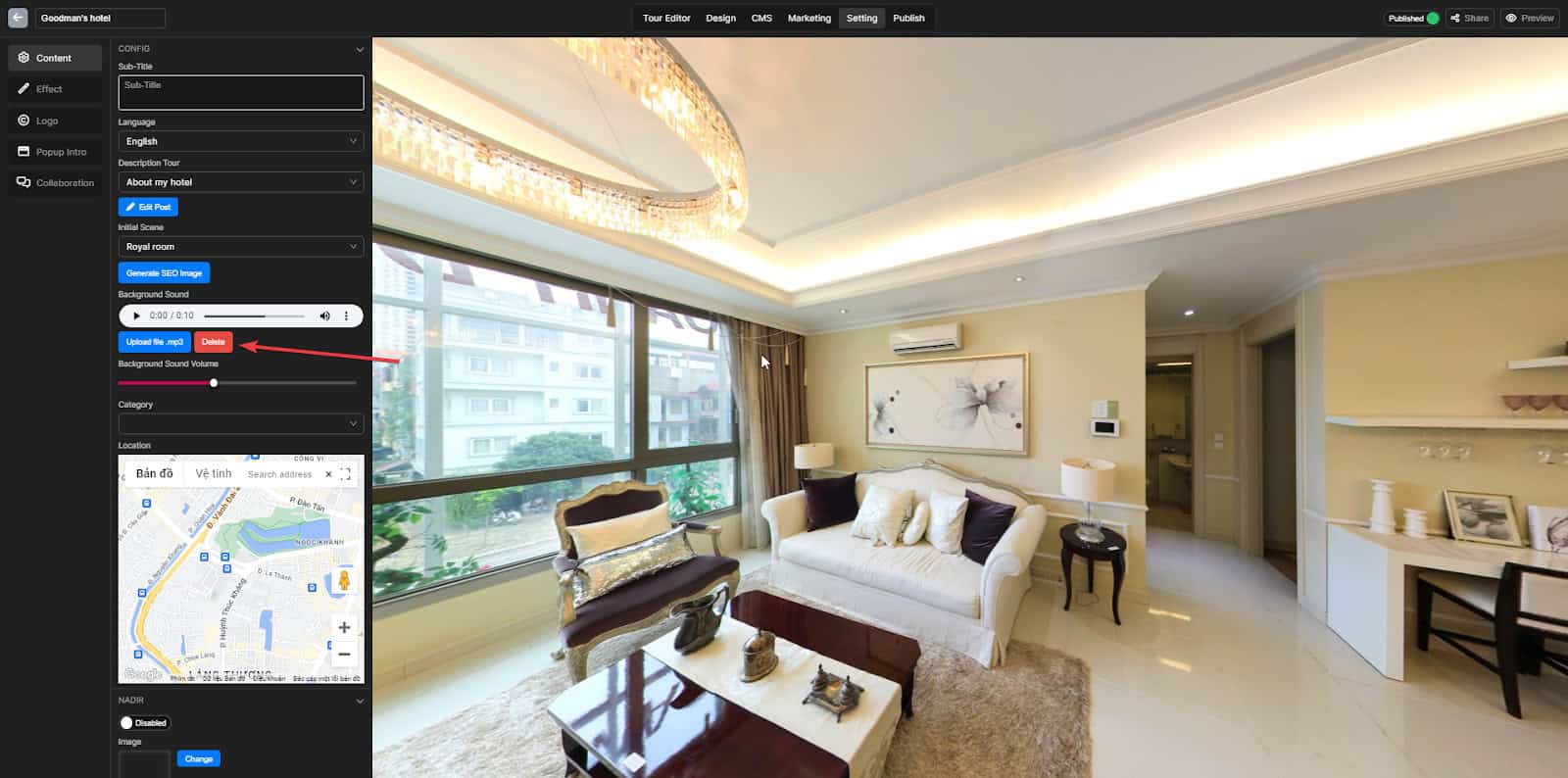
Click the Delete button to remove the sound
