Panoee

Documents

Published documents from existing production API.

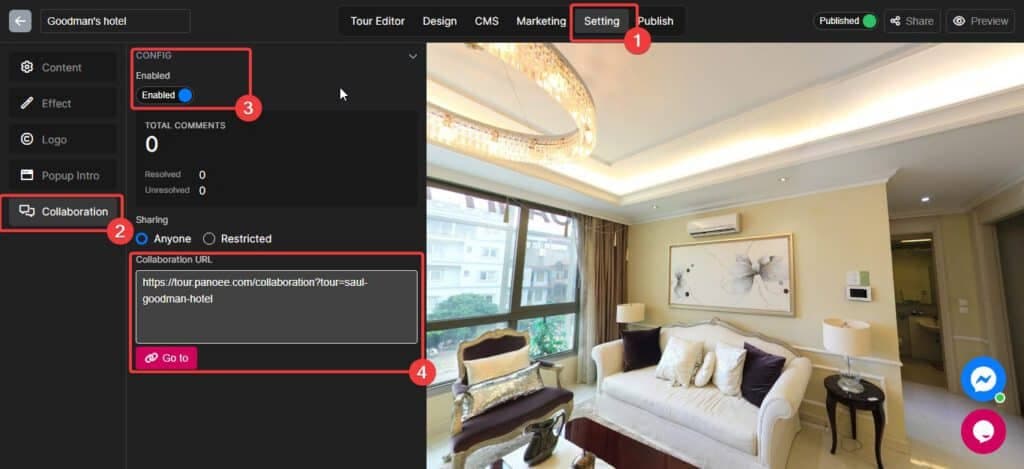
Collaboration mode: Team-working Virtual Tour

9 May 2023

Collaboration mode: Team-working Virtual Tour

Enable the Collaboration mode Choose the Setting tab. Choose Collaboration section Enable the Collaboration mode. Copy your Collaboration mode link and share it with your co-worker (You can share it with Everyone or some specific people by entering their emails

Read more
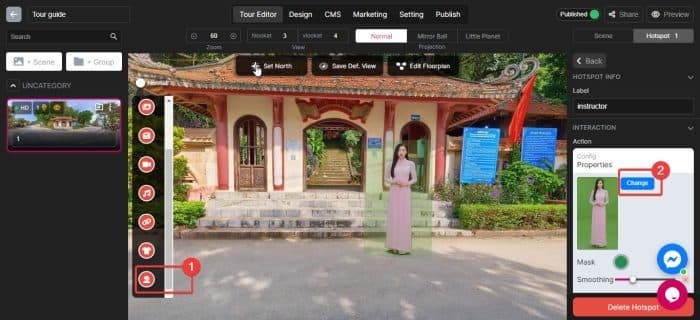
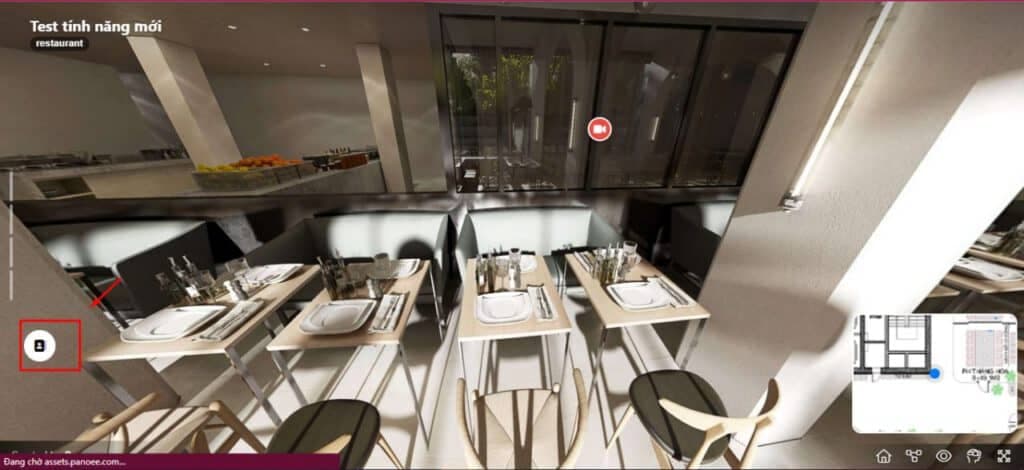
Edit hotspot Tour Guide (Green screen)

4 May 2023

Edit hotspot Tour Guide (Green screen)

Add a Tour Guide hotspot Drag the hotspot into the position you want Click "Change" to select your mp4 file Upload your mp4 file Upload your mp4 file from your computer Select your mp4 file Submit Config Mask: Choose your

Read more
Add a Call to action (CTA)

24 Apr 2023

Add a Call to action (CTA)

1. What is a Call to action (CTA) A call to action is a short statement that asks people to do something. It is used in marketing and sales to get customers to take the next step. For example, a

Read more
Add Nadir Logo at bottom of Virtual Tour

18 Apr 2023

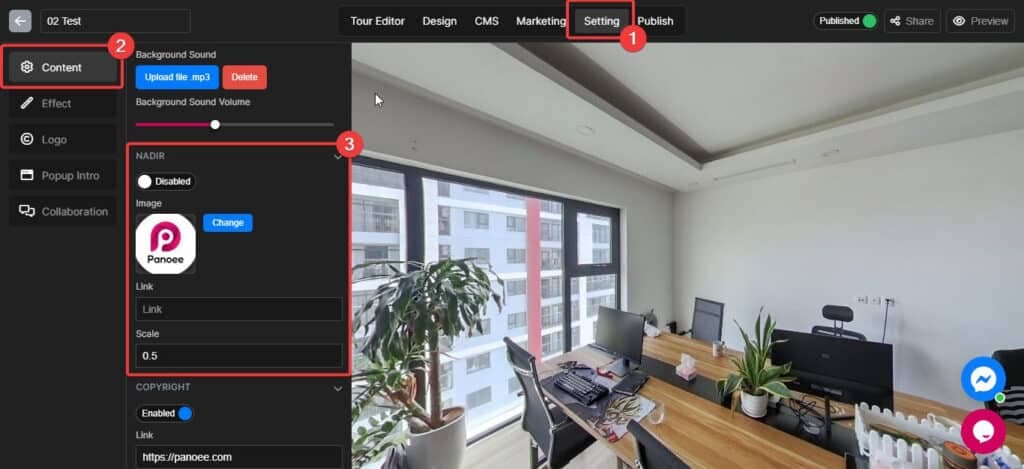
Add Nadir Logo at bottom of Virtual Tour

A nadir hole is a visible or distorted pattern at the bottom or top of your 360-degree image, where the camera or lens failed to capture the scene. Nadir holes can ruin the beauty and realism of your virtual tour

Read more

17 Apr 2023

Embed Virtual Tour to website via iFrame

Using iFrame is one of the most popular and easiest way to "publish" the Virtual Tour in your website. The embeded Virtual Tour works like any Youtube video. This method is supported by any website platform like Wordpress, Wix, Webflow,...

Read more
Setup Custom Domain

16 Apr 2023

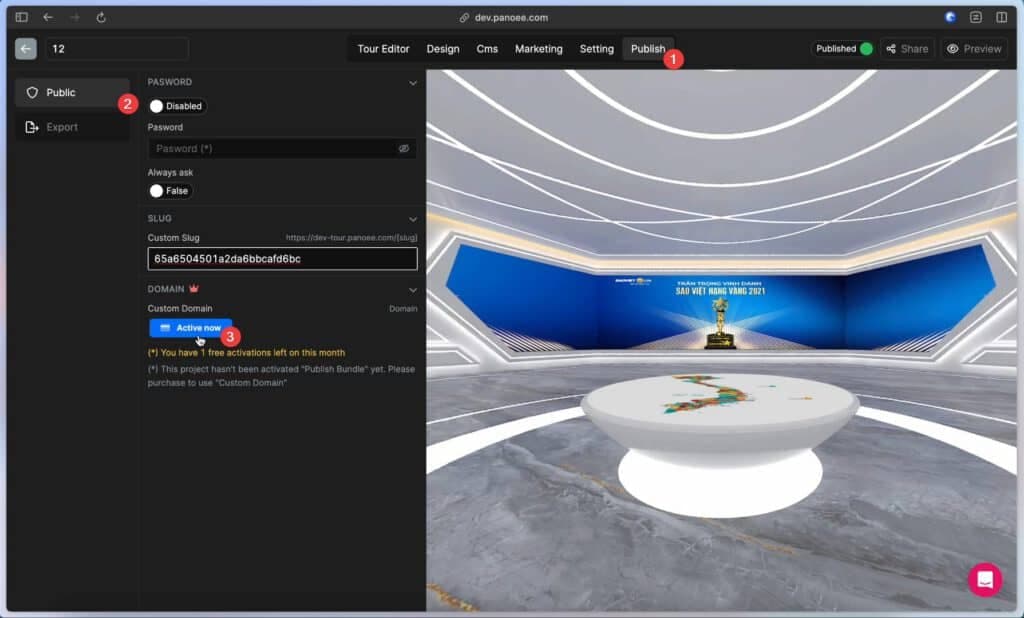
Setup Custom Domain

Let's face it, these long and complex tour links are difficult to remember, even for you. How can you expect your customers to recall them? Introducing Panoee's Custom Domain feature, your virtual tour becomes easier to remember and share, leaving

Read more
Update Favicon

15 Apr 2023

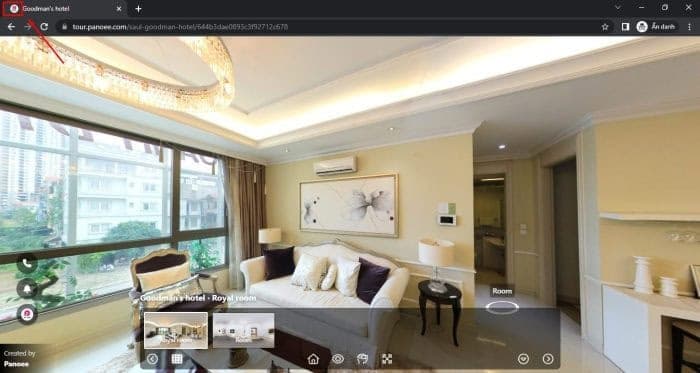
Update Favicon

A favicon is a small icon that appears next to the title of your website in browser tabs, bookmarks, and search results pages – giving visitors an immediate visual reference when browsing your virtual tour website. Favicons help your virtual

Read more
Setup Brand Logo

5 Jan 2023

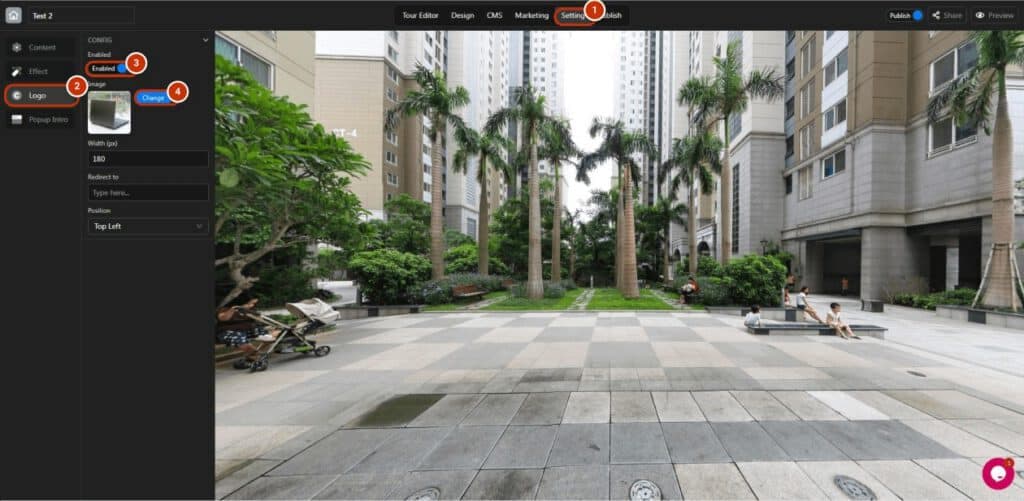
Setup Brand Logo

Follow these steps to set up your own brand logo: 1. Switch to the “Setting” tab. 2. Open the “Content” section. 3. Enable the brand logo. 4. Click “Change” to add the logo. 5. Hit upload to upload your own

Read more