
5 Jan 2023
Link Scenes with Navigation Hotspot
https://www.youtube.com/watch?v=YUlL_LAr--E You need to create a project or open existed project and add scenes before linking scenes with navigation hotspot: 1. Click the toggle-down button and choose "Point". 2. Drag and drop hotspot icon into the destination. 3. Click dragged
You need to create a project or open existed project and add scenes before linking scenes with navigation hotspot:
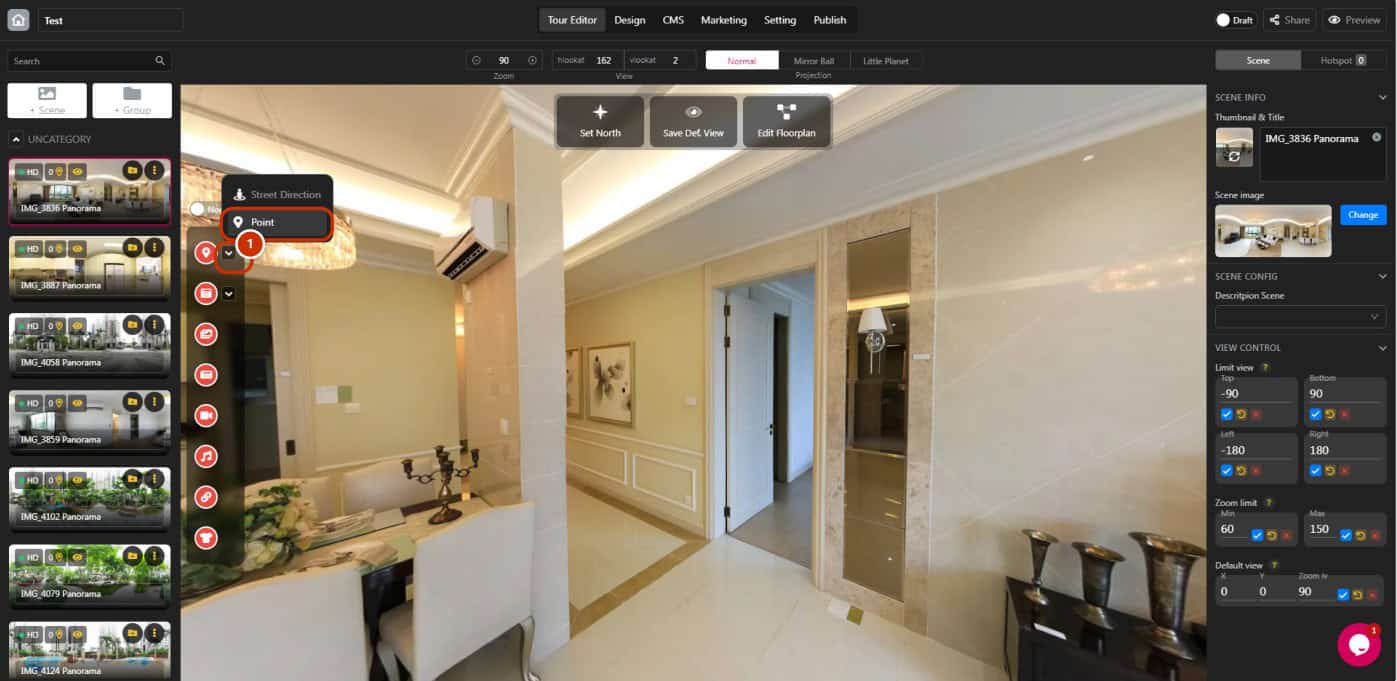
1. Click the toggle-down button and choose “Point”.
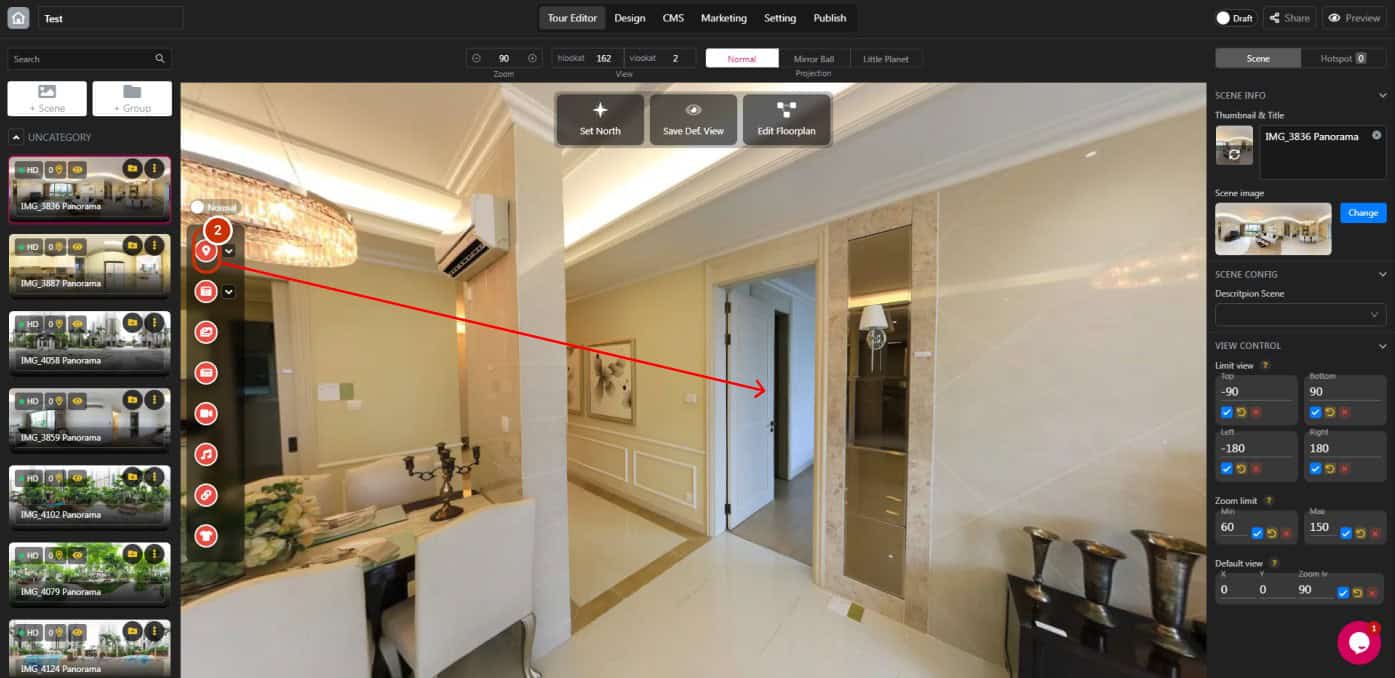
2. Drag and drop hotspot icon into the destination.
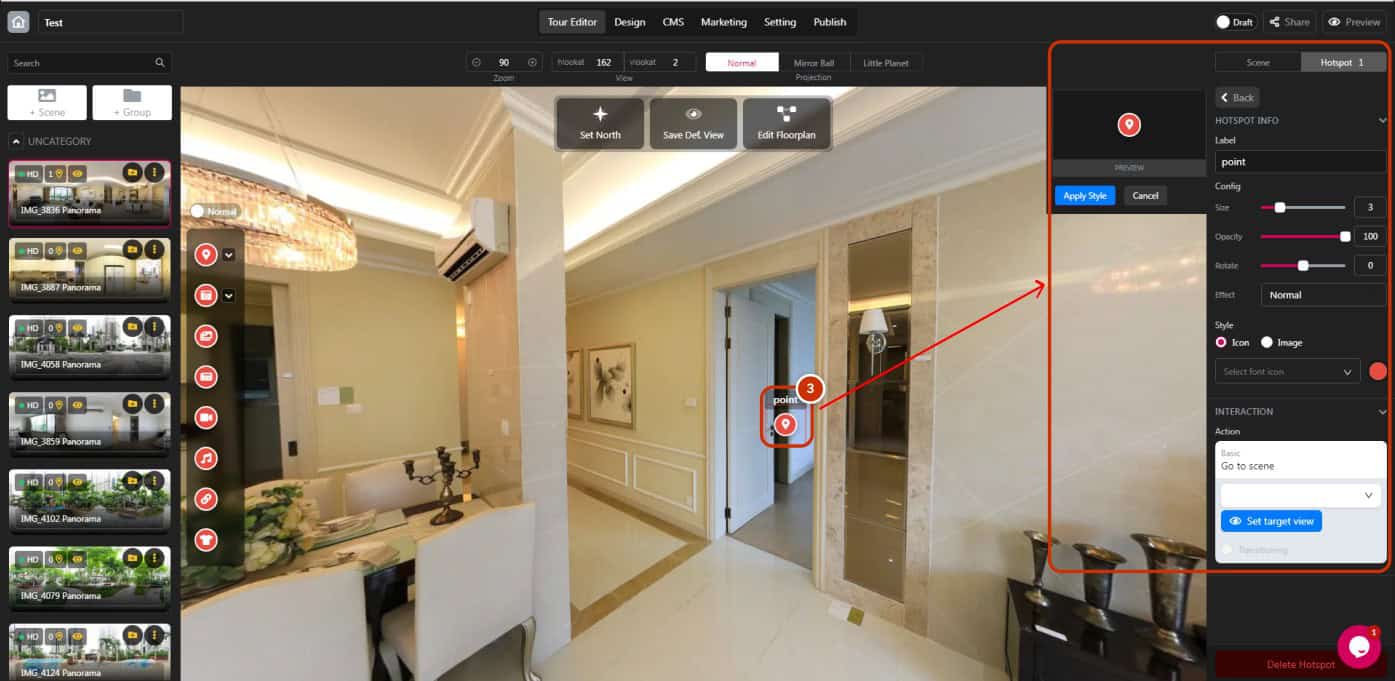
3. Click dragged hotspot to open hotspot panel.
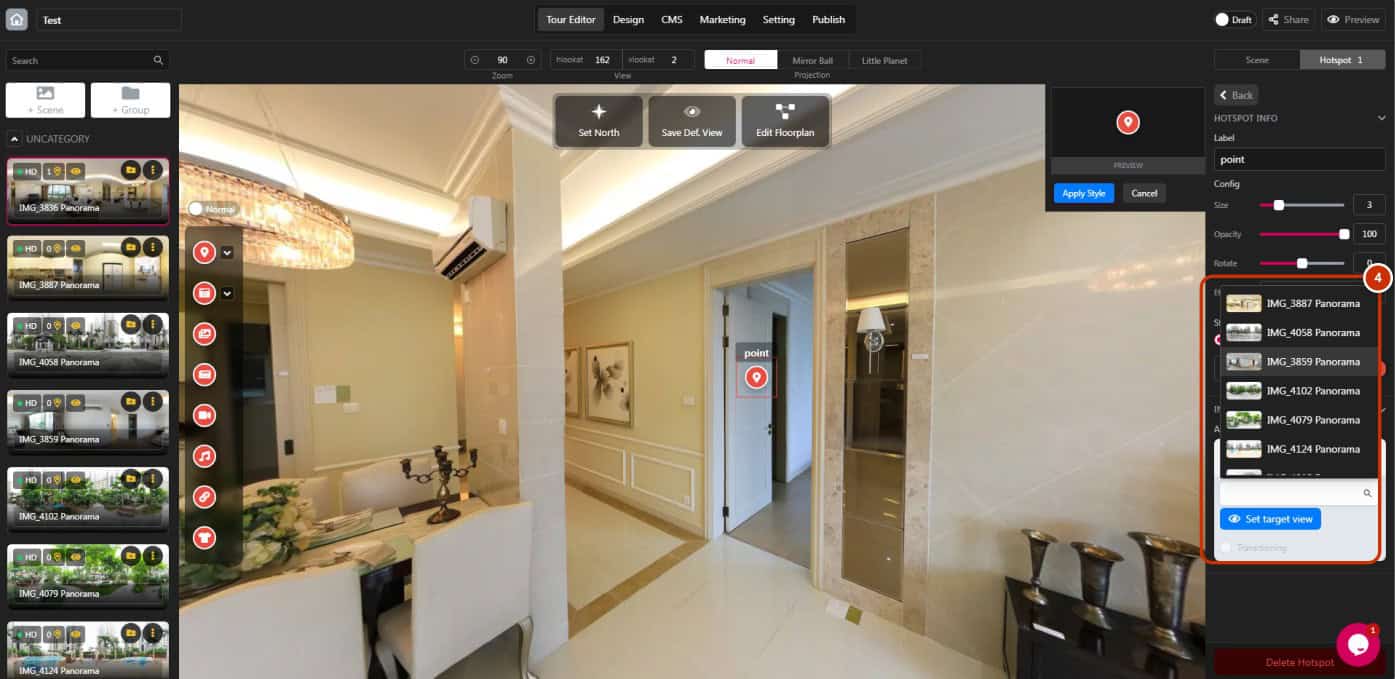
4. Select your destination scene (You need to add other scenes first).
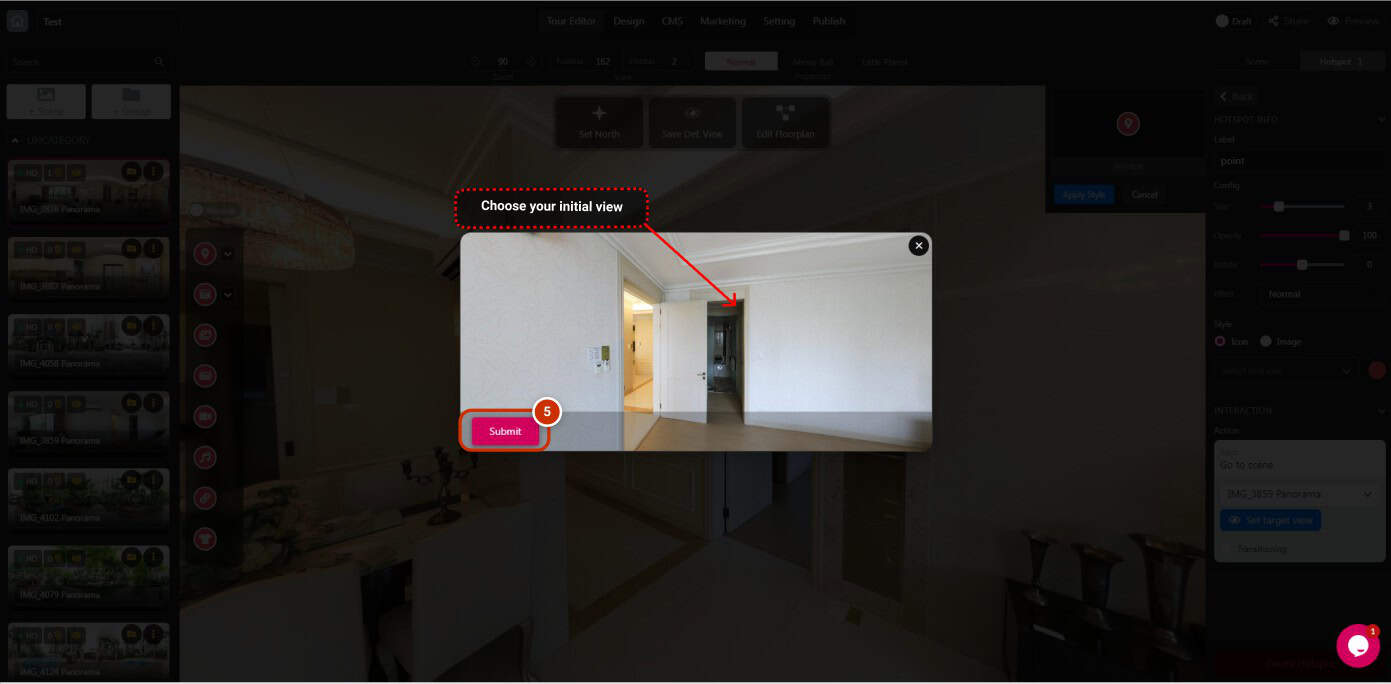
5. Click “Set target view” and choose your initial view for the next destination. Click “Submit”.
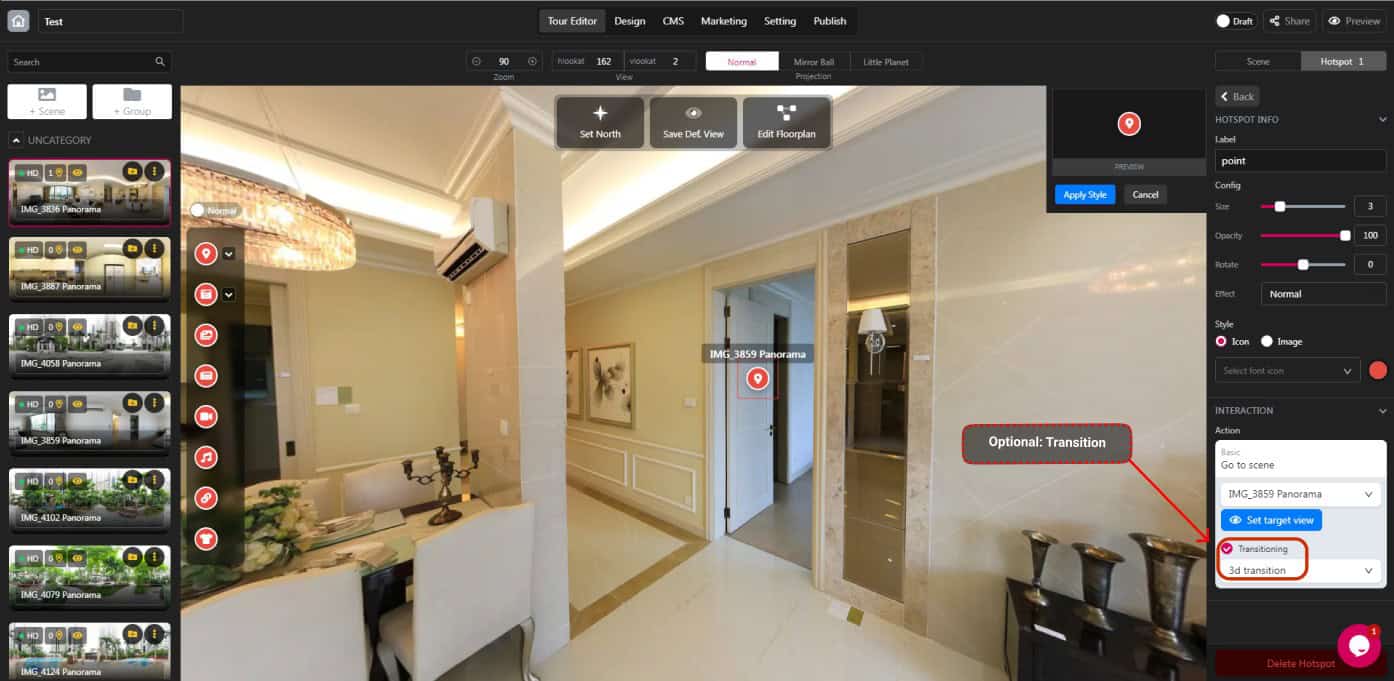
*Optional: Tick “Transitioning” to add the transition to the next destination
