
5 Jan 2023
Edit hotspot Image
As you have known about objectives of each hotspot. Image hotspot is important to add images to your virtual tours as a gallery: 1. Drag and drop the hotspot image to the specific spot. 2. Click hotspot icon to open
As you have known about objectives of each hotspot. Image hotspot is important to add images to your virtual tours as a gallery:
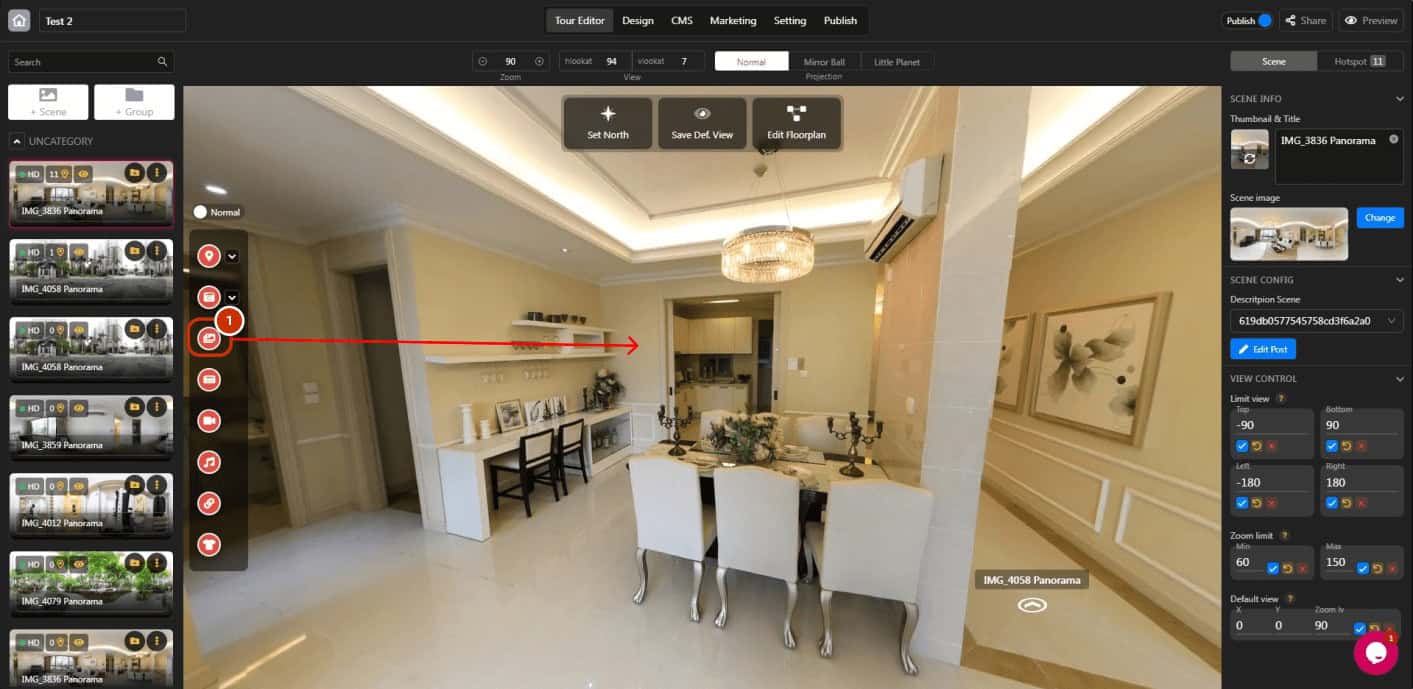
1. Drag and drop the hotspot image to the specific spot.
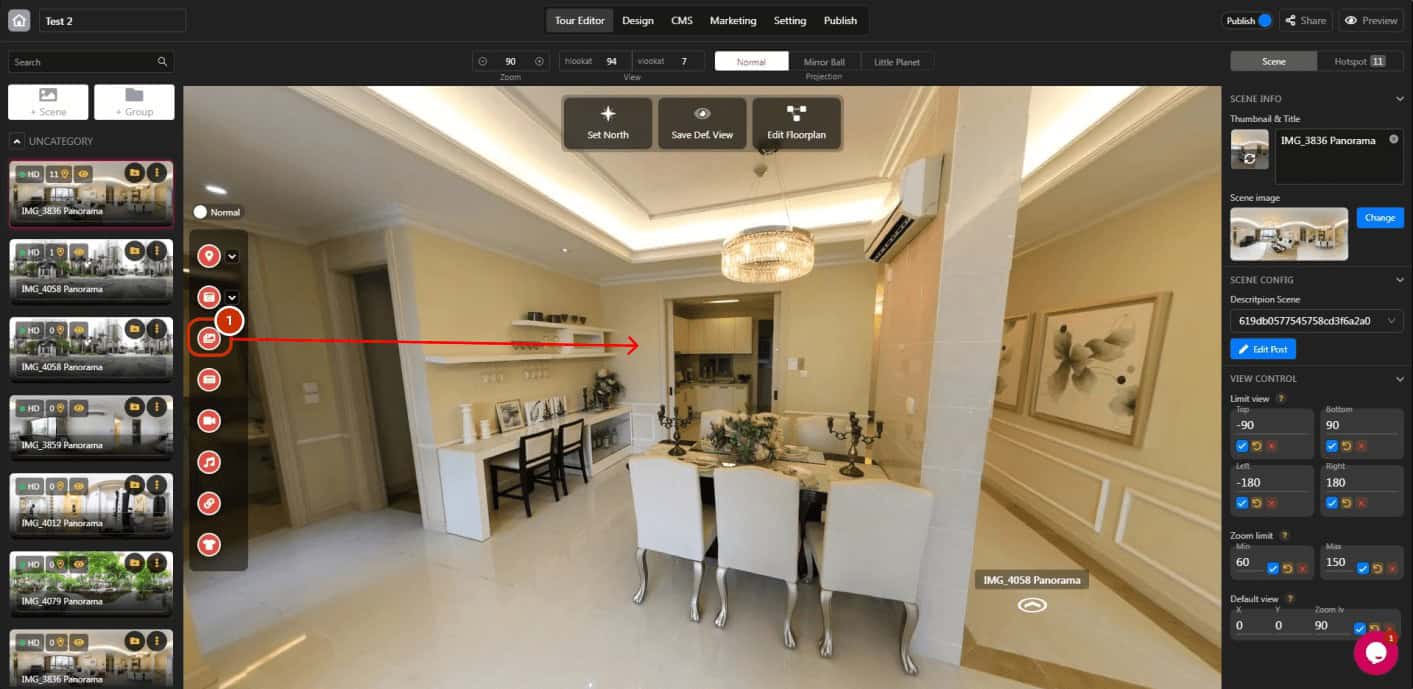
2. Click hotspot icon to open the hotspot panel.
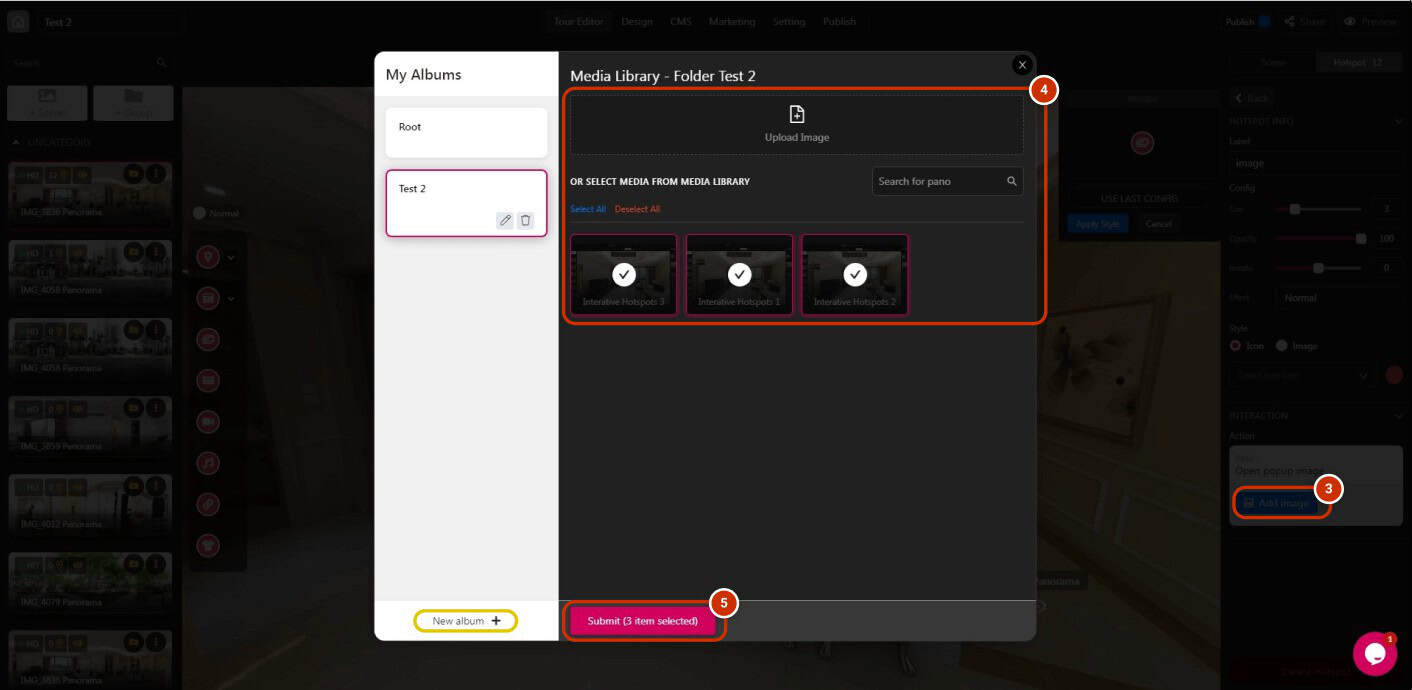
3. Click “Add image”.
4. Add images that you want to exhibit on the tour.
* Using album to sort photos might be helpful.
5. Click “Submit”.
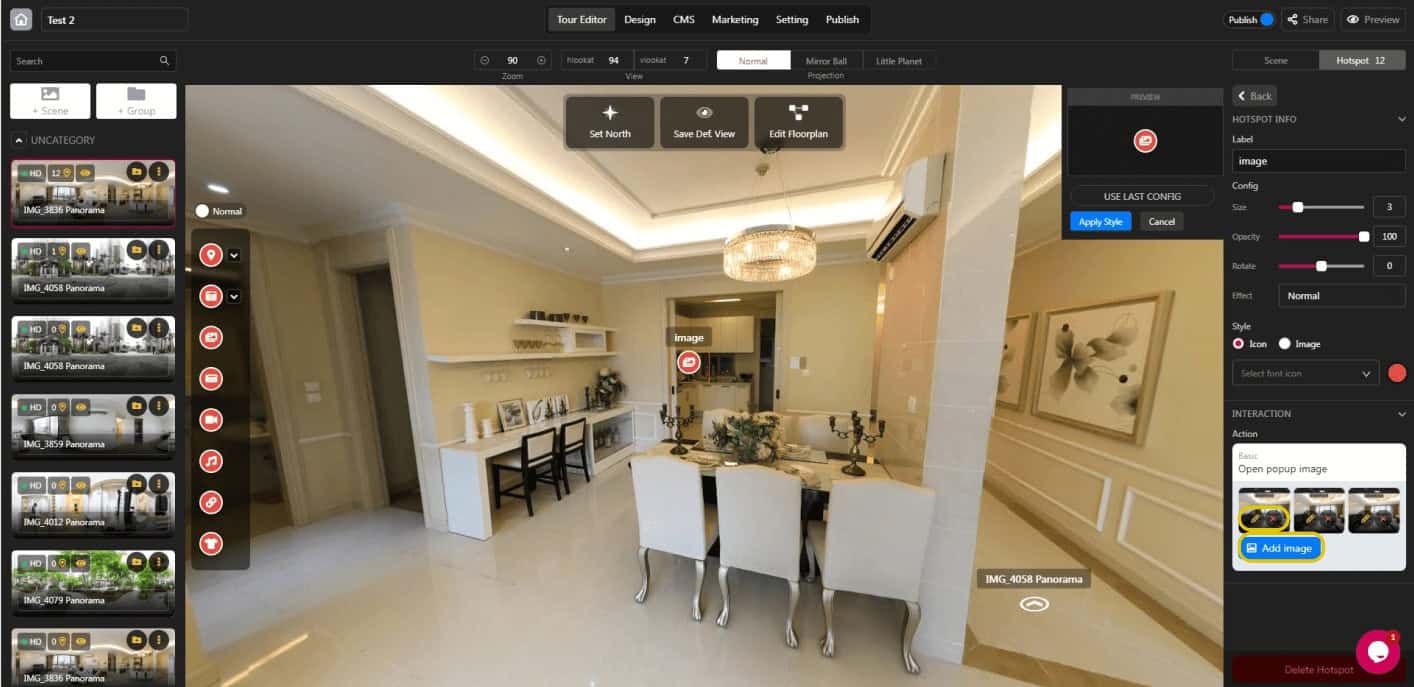
* You can rename or remove the image by clicking the pencil or X button.
