Panoee

Documents

Published documents from existing production API.

Setup Auto Rotate effect

5 Jan 2023

Setup Auto Rotate effect

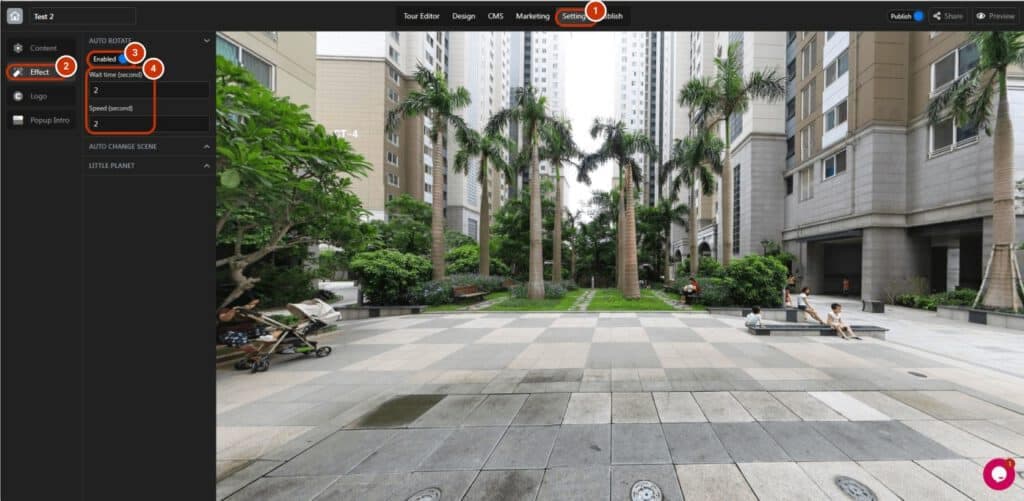
The auto rotate effect is a great way to give your virtual tour a more dynamic and engaging feel. It allows the panorama to rotate automatically, without any user input required. This can be especially useful for showcasing large or

Read more
Setup Auto Change Scene effect

5 Jan 2023

Setup Auto Change Scene effect

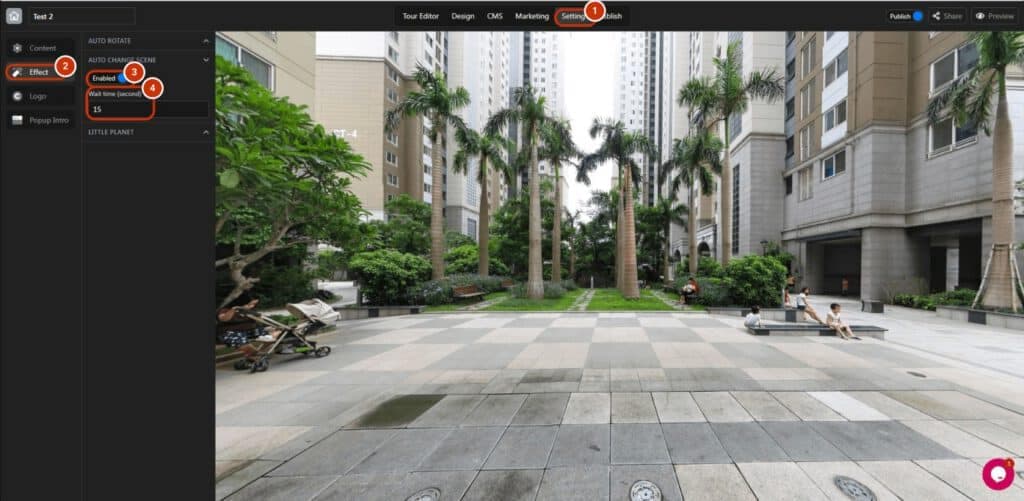
Make your virtual tour even more engaging with our Auto Change Scene feature. Simply set the wait time and your tour will automatically switch to the next scene, showcasing your property or space in a dynamic and immersive way. You

Read more
Use Last Config

5 Jan 2023

Use Last Config

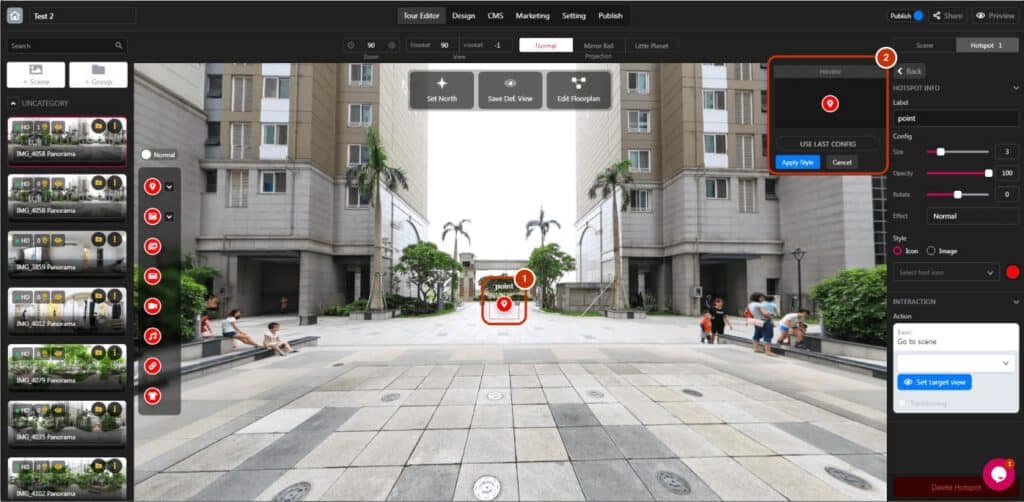
“Use last config” is helpful because you can save tons of time instead of styling again. Follow these simple steps: 1. Add and click the hotspot to open the hotspot panel. 2. See the preview window and recognize the “Use

Read more
Customize Polygon Color

5 Jan 2023

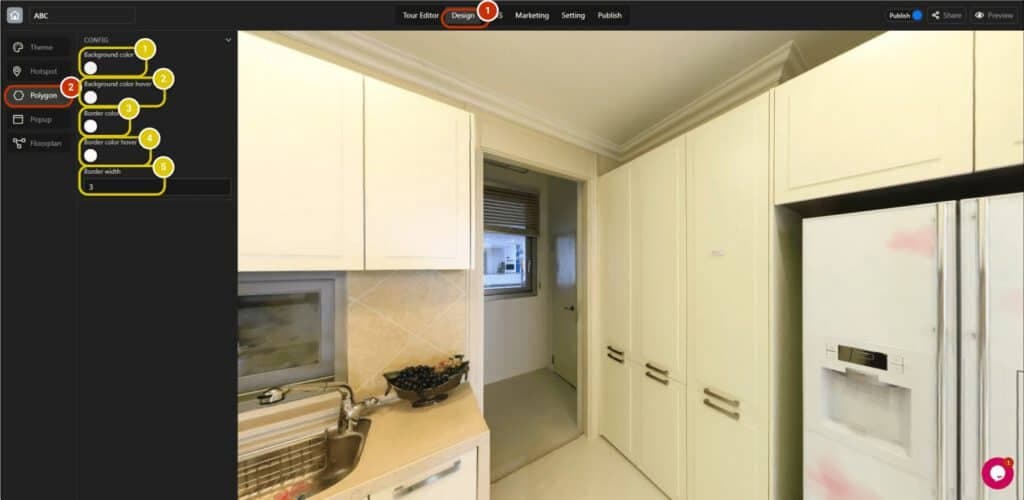
Customize Polygon Color

The polygon color is not monotone when you can customize it to whatever color that you like it would be: 1. Switch to the “Design” tab. 2. Open the “Hotspot” section. CONFIG SELECTION Set the background color. Set the background

Read more
Customize Popup Color

5 Jan 2023

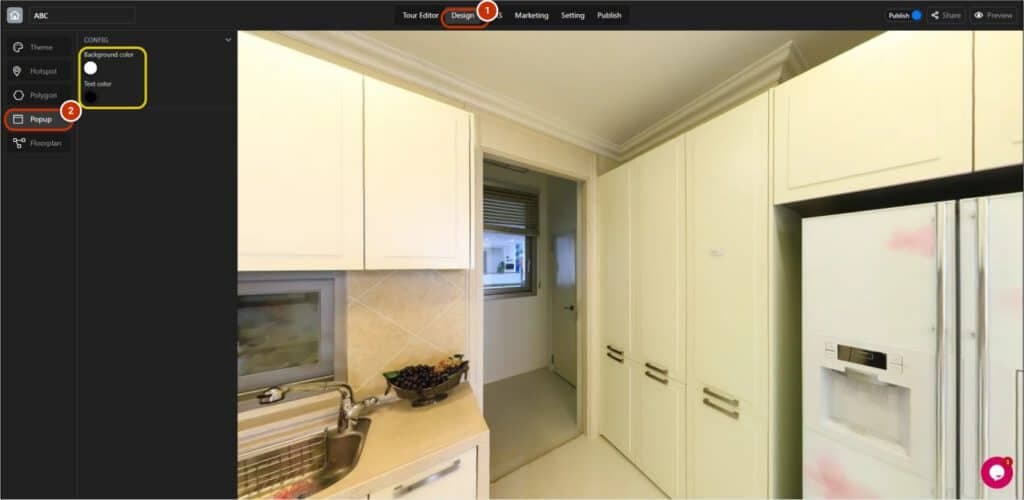
Customize Popup Color

Customizing popup color is easy with a few clicks: 1. Switch to the “Design” tab. 2. Open the “Popup” section. CONFIG: Set the background color and text color as your preference. This customization will only help you to change color

Read more
Edit hotspot Polygon

5 Jan 2023

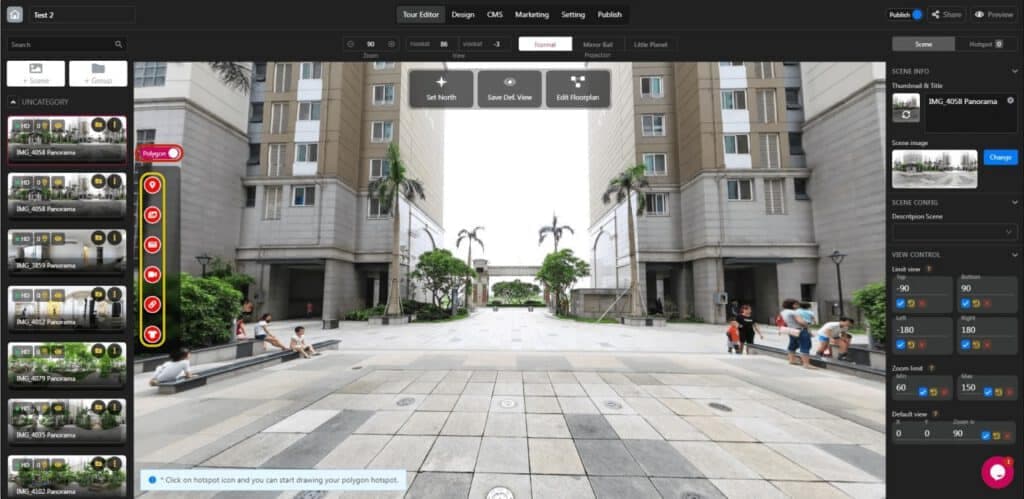
Edit hotspot Polygon

Polygon and hotspots are the same functionally, but Polygon allows you to draw the line in a creative way to impress visitors better. Switch to polygon mode and select any hotspot relating to your objective to draw the polygon: 1.

Read more
Change the color of your Hotspot in bulk

5 Jan 2023

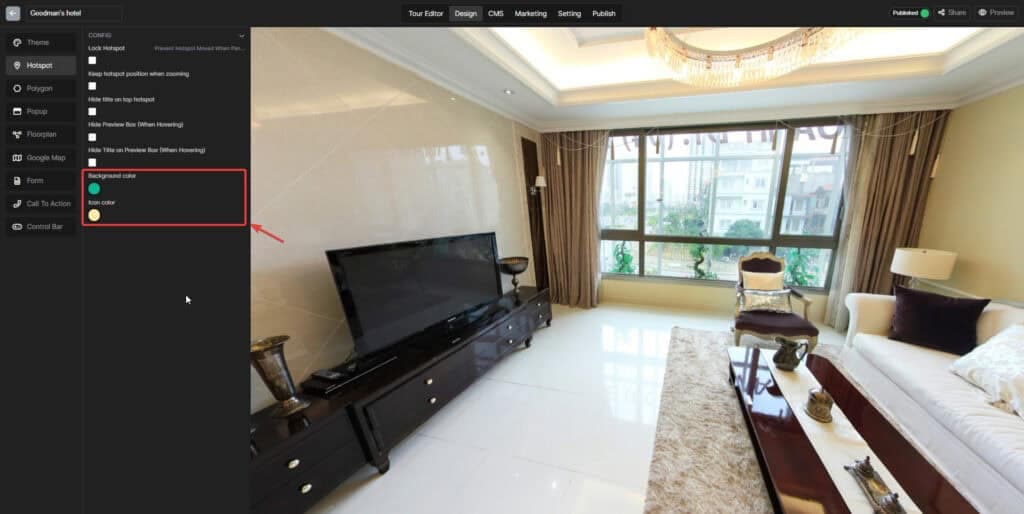
Change the color of your Hotspot in bulk

The hotspot color is not monotone when you can customize it to whatever you like it would be: Step 1: Switch to the “Design” tab. Step 2: Open the “Hotspot” section. Step 3: Choose the color you want

Read more
Select Theme & Customize Color

5 Jan 2023

Select Theme & Customize Color

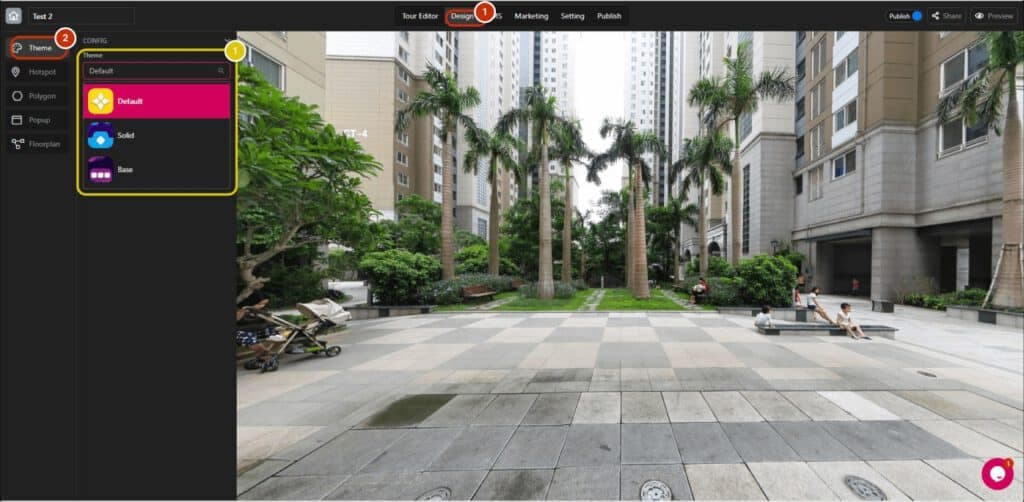
Theme and color are crucial for virtual tours to identify the characteristic of tour creators and match the concept of the tour context: Open the project and switch to the “Design” tab. Open the “Theme” section. CONFIG SELECTION 1. There

Read more
Manage Products

5 Jan 2023

Manage Products

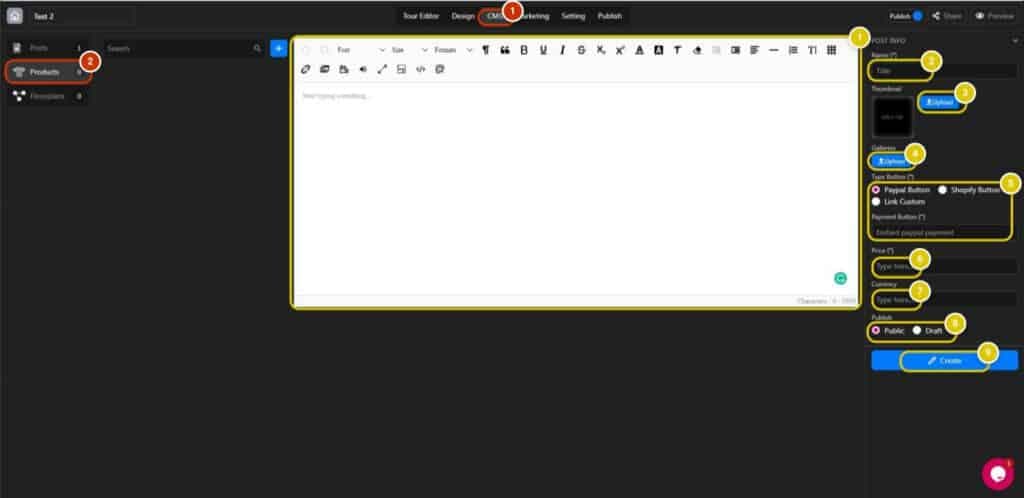
E-commerce plays a super important role in the virtual tour industry when everything is mainly targeted at increasing sales. The tutorial will guide you on how to manage e-commerce products to distribute throughout the tour effectively : Open the project

Read more
Manage Posts

5 Jan 2023

Manage Posts

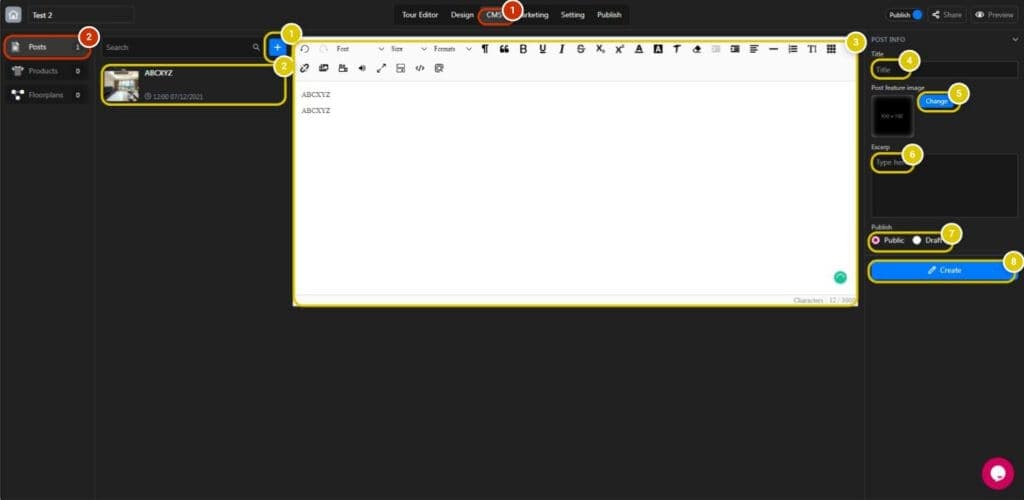
Posts are essential for the virtual tour to provide information more actively and interactively as hotspots: Step 1: Open the project and switch to the “CMS” tab Step 2: Enter the Posts section Step 3: Fill in Information 1. Create

Read more
Manage Floorplans

5 Jan 2023

Manage Floorplans

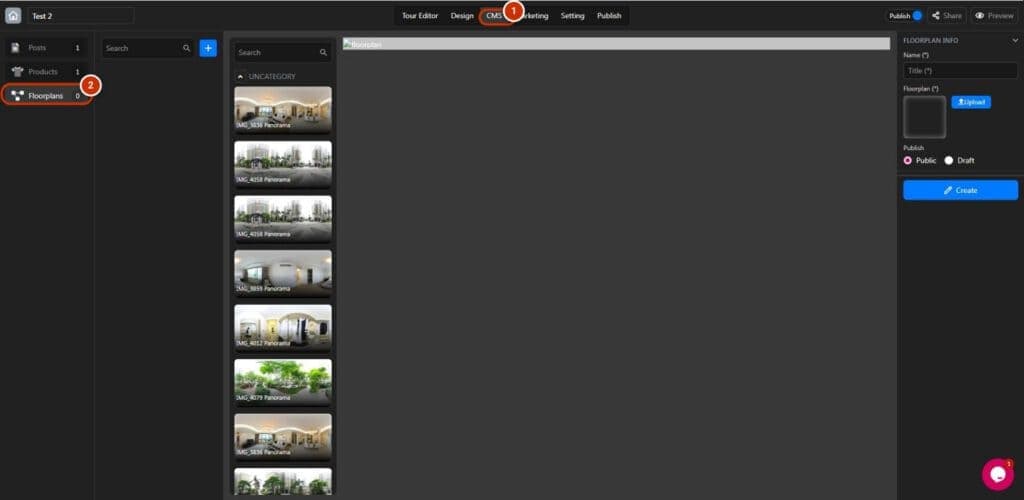
Floorplans are important for the virtual tour when it can navigate visitors easier like following the map: 1. Open the project and switch to the “CMS” tab. 2. Open the “Floorplans” section. 3. Set the name of the floorplan. 4.

Read more
Optimize SEO for Projects

5 Jan 2023

Optimize SEO for Projects

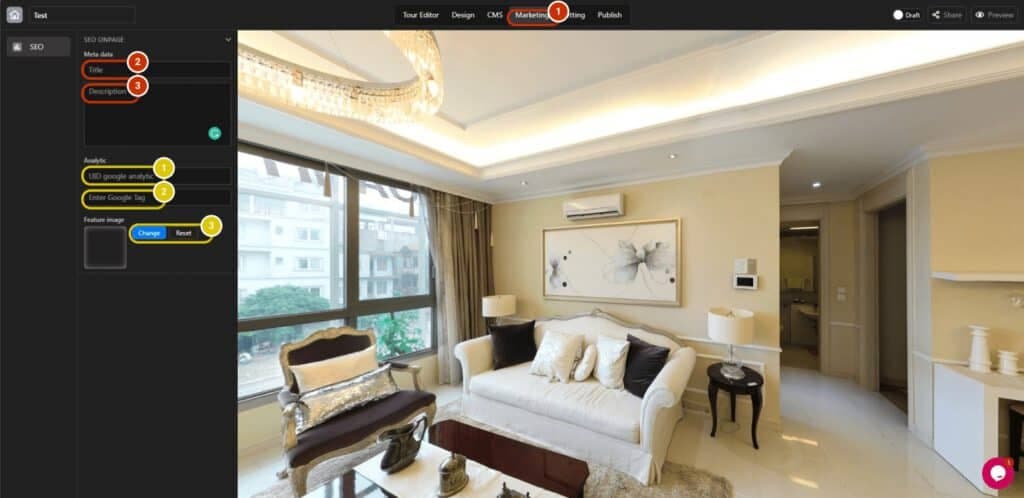
Search Engine Optimization (SEO) is an important work to appear on powerful search engine tools such as Google, Bing, and Yahoo! Search. This tutorial will guide you on how to optimize SEO for virtual tours: Open your project and switch

Read more